
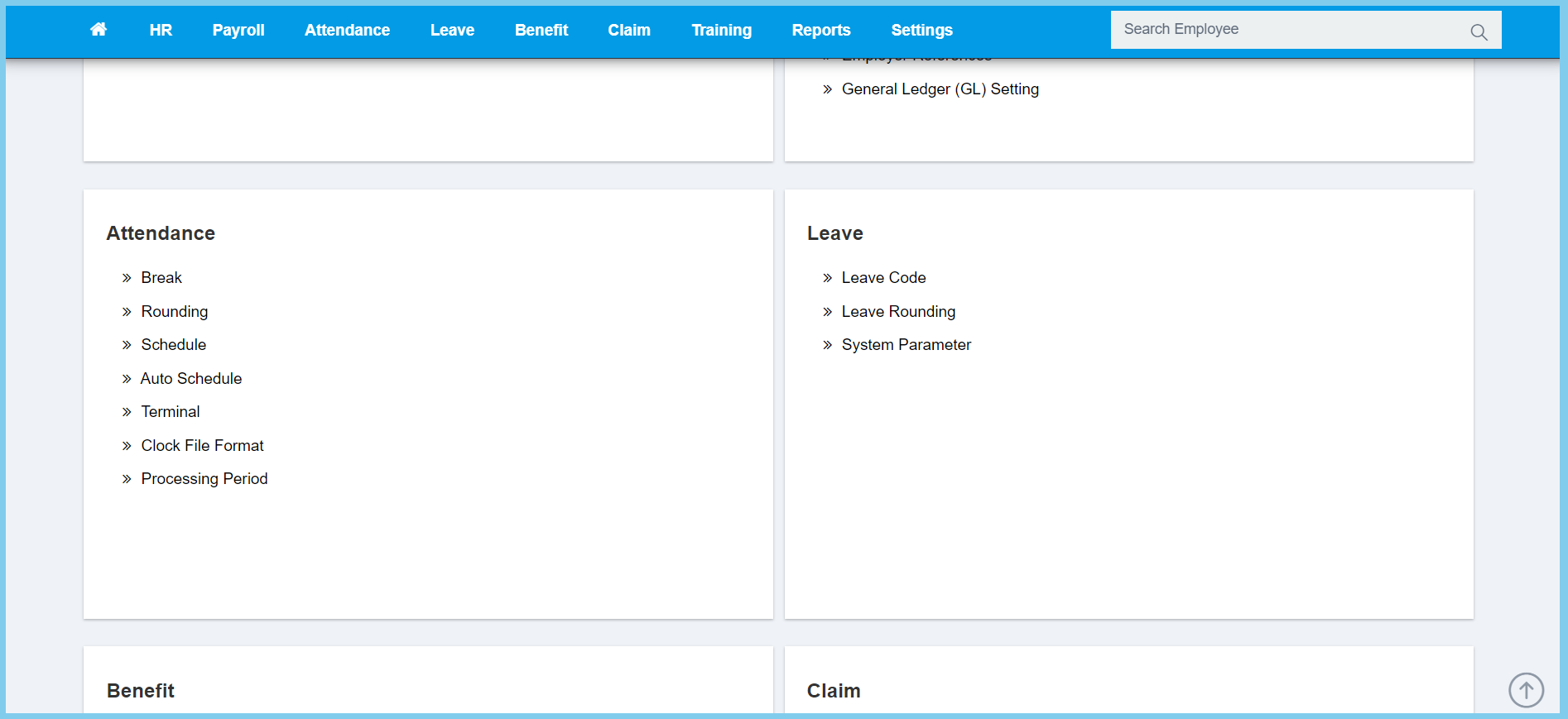
1. Menu: Click Settings.
2. Click Clock File Format which located under Attendance.
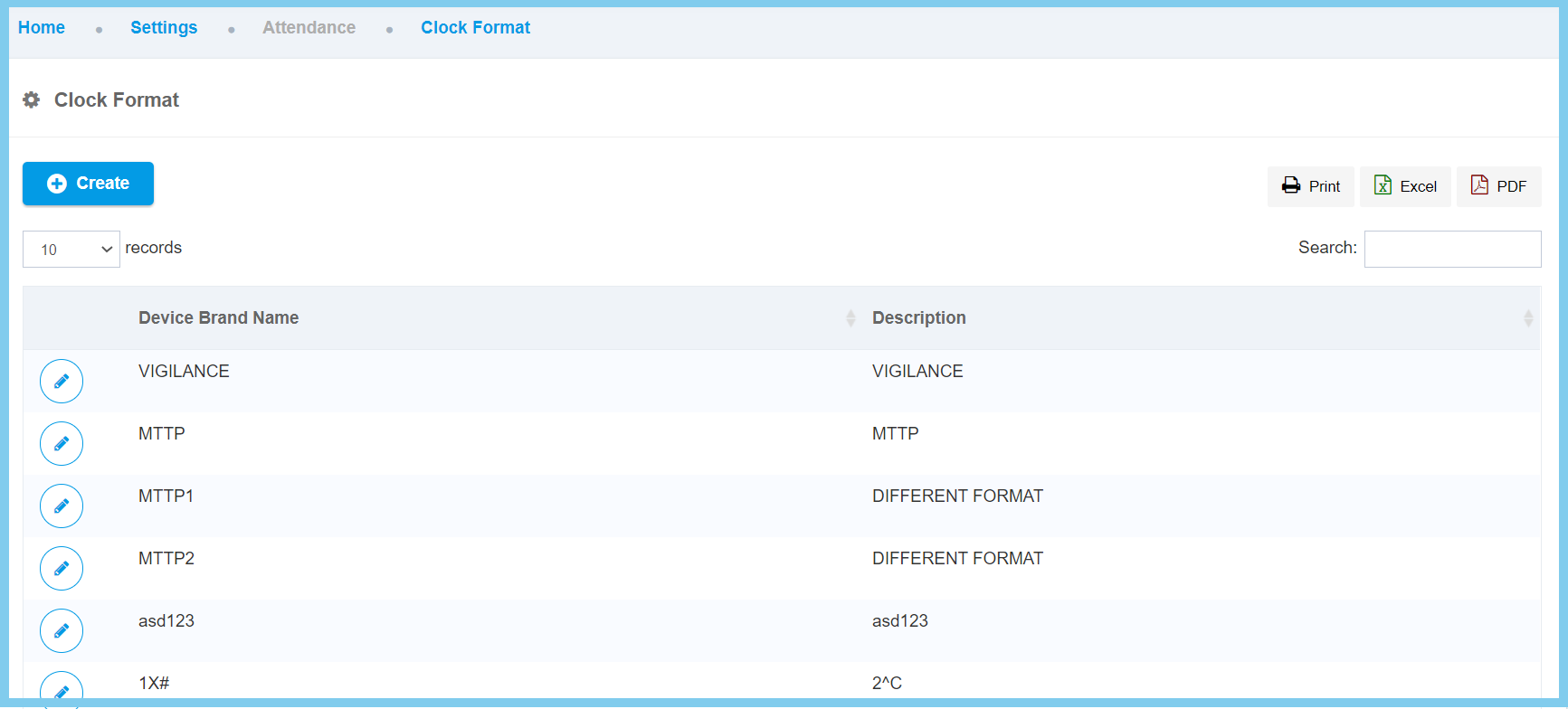
3. Click edit button on which Device Brand Name that you wish to edit.
4. Edit the form.
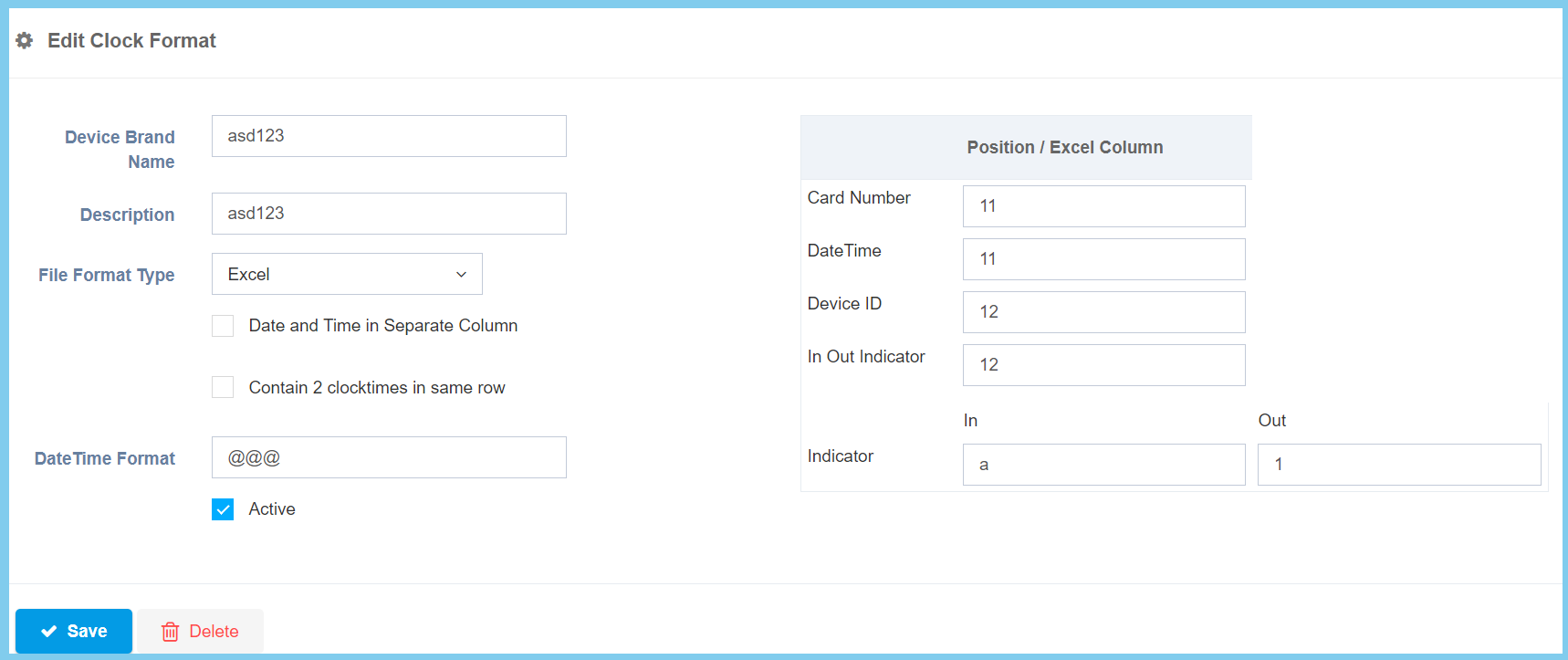
5. Click Save button.
Note: Click here to know other configuration option explaination.
