
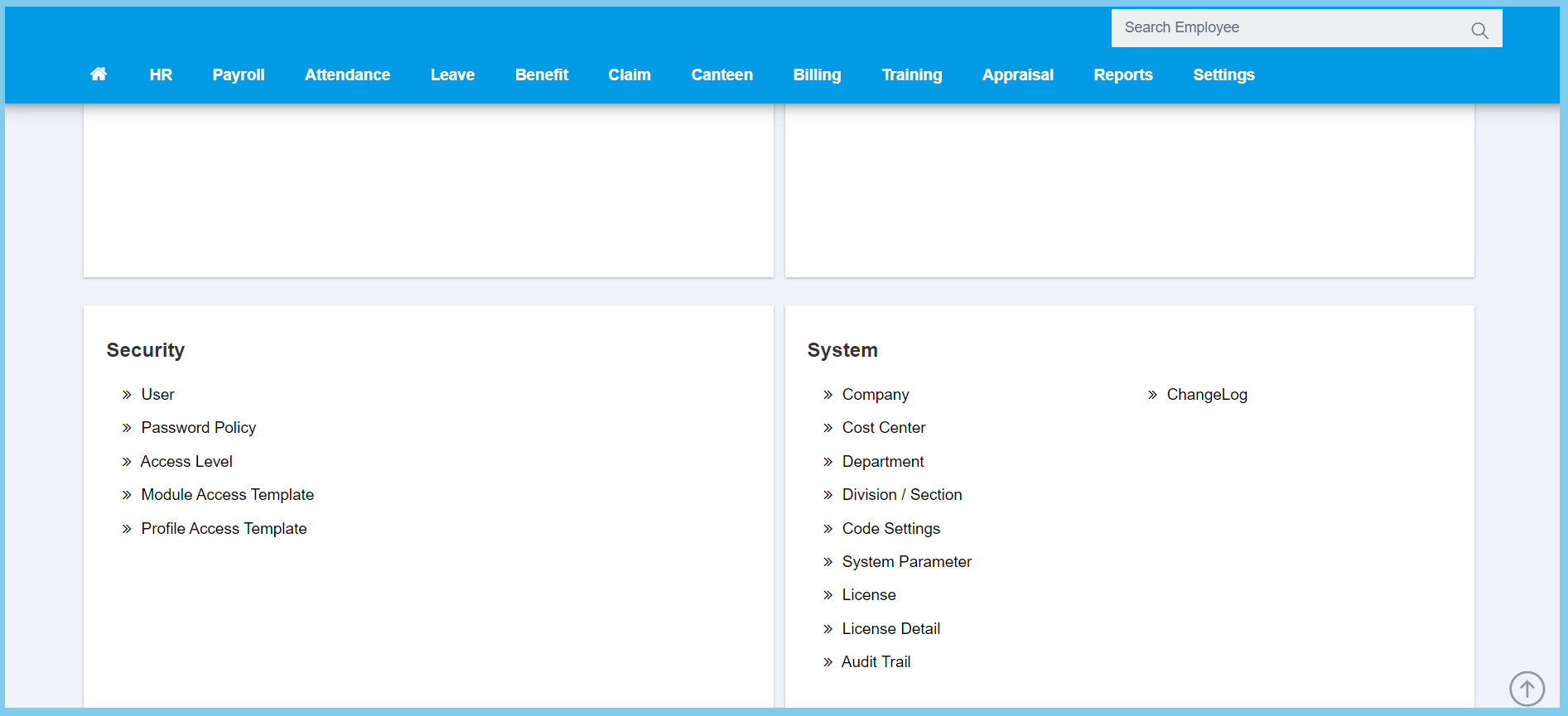
1. Menu: Click Settings.
2. Click Company which located under System.
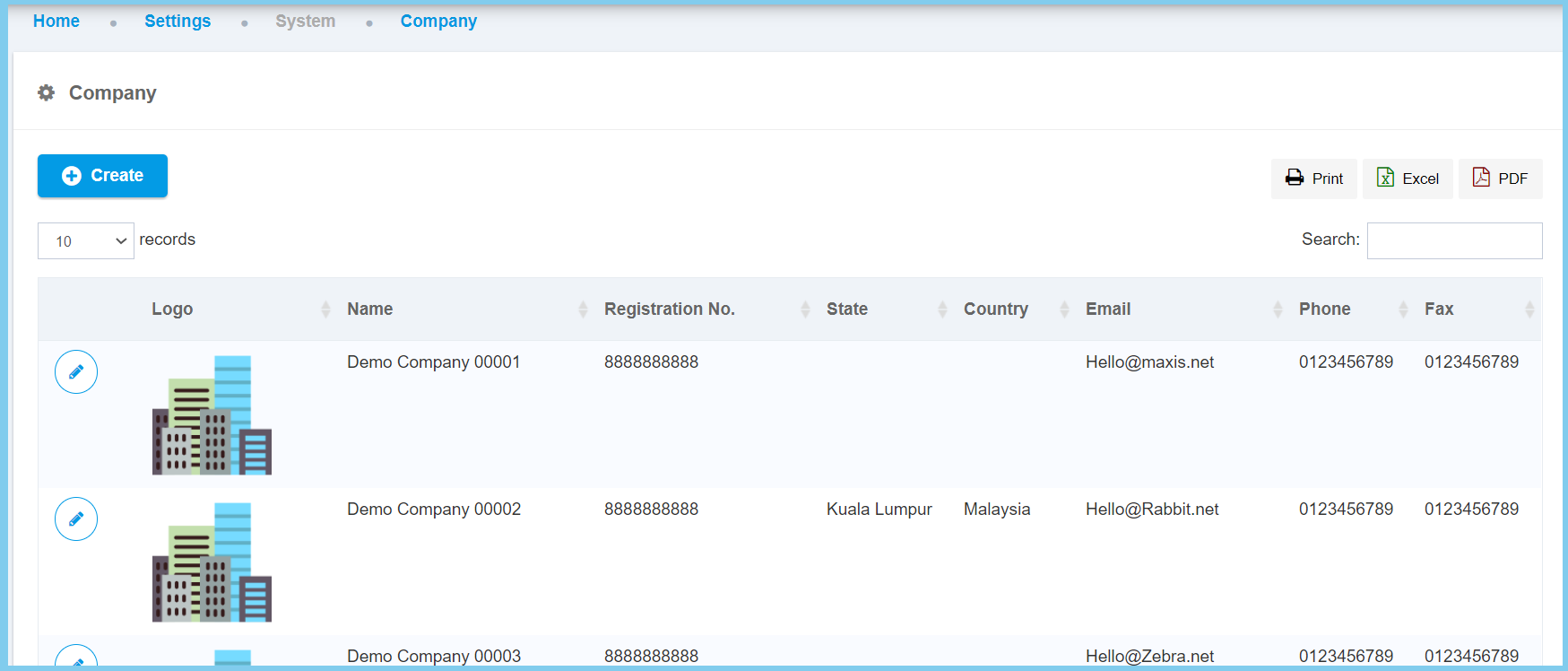
3. Click Create button.
4. Fill the form.
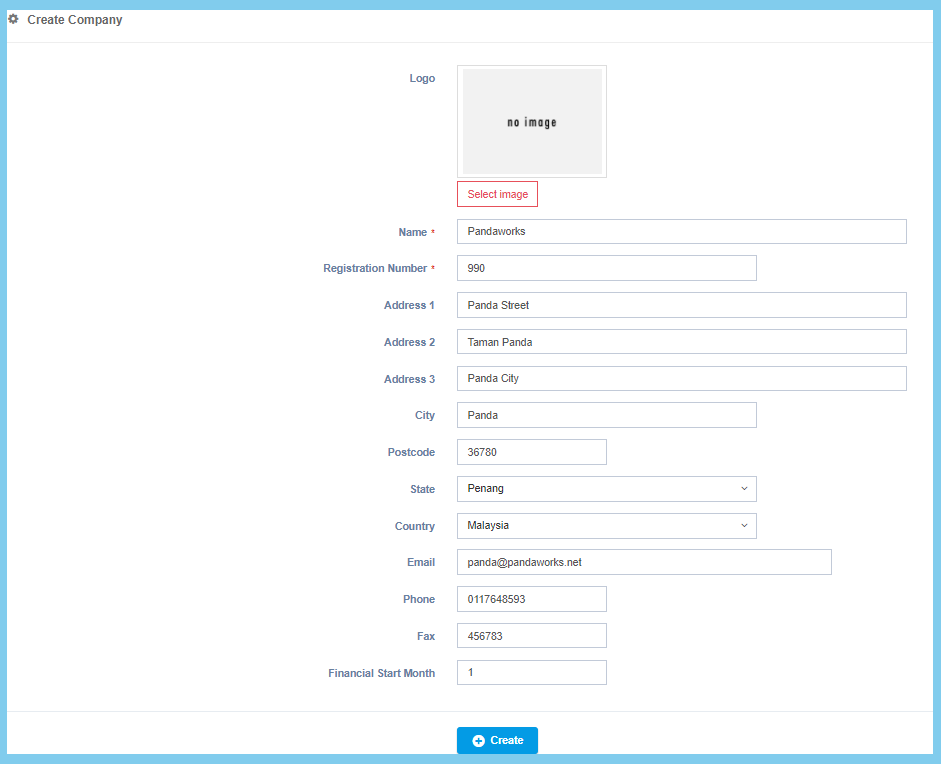
5. Click Create button.
Company Configuration Option Explanation
| Option | Allowed Values | Description |
|---|---|---|
| Logo | Image path | Upload image for logo picture. |
| Name | Any alphanumeric | Set the name of the company and needs to be unique. |
| Register Number | Any number | Set the register number of the company and needs to be unique. |
| Address 1 | Any alphanumeric | The first line of the address. |
| Address 2 | Any alphanumeric | The second line of the address. |
| Address 3 | Any alphanumeric | The third line of the address. |
| City | Any alphanumeric | The city of the company. |
| Postcode | Any number | The postcode of the company. |
| State | Setup from code settings | State selection for the company address.
Click here to view setup for state. |
| Country | Setup from code settings | Country selection for the company address.
Click here to view setup for country. |
| Any alphanumeric with email format | The email of the company. | |
| Phone | Any number | The phone number of the company. |
| Fax | Any number | The fax number of the company. |
| Financial Start Month | Any number | The financial start month of the company. |
