
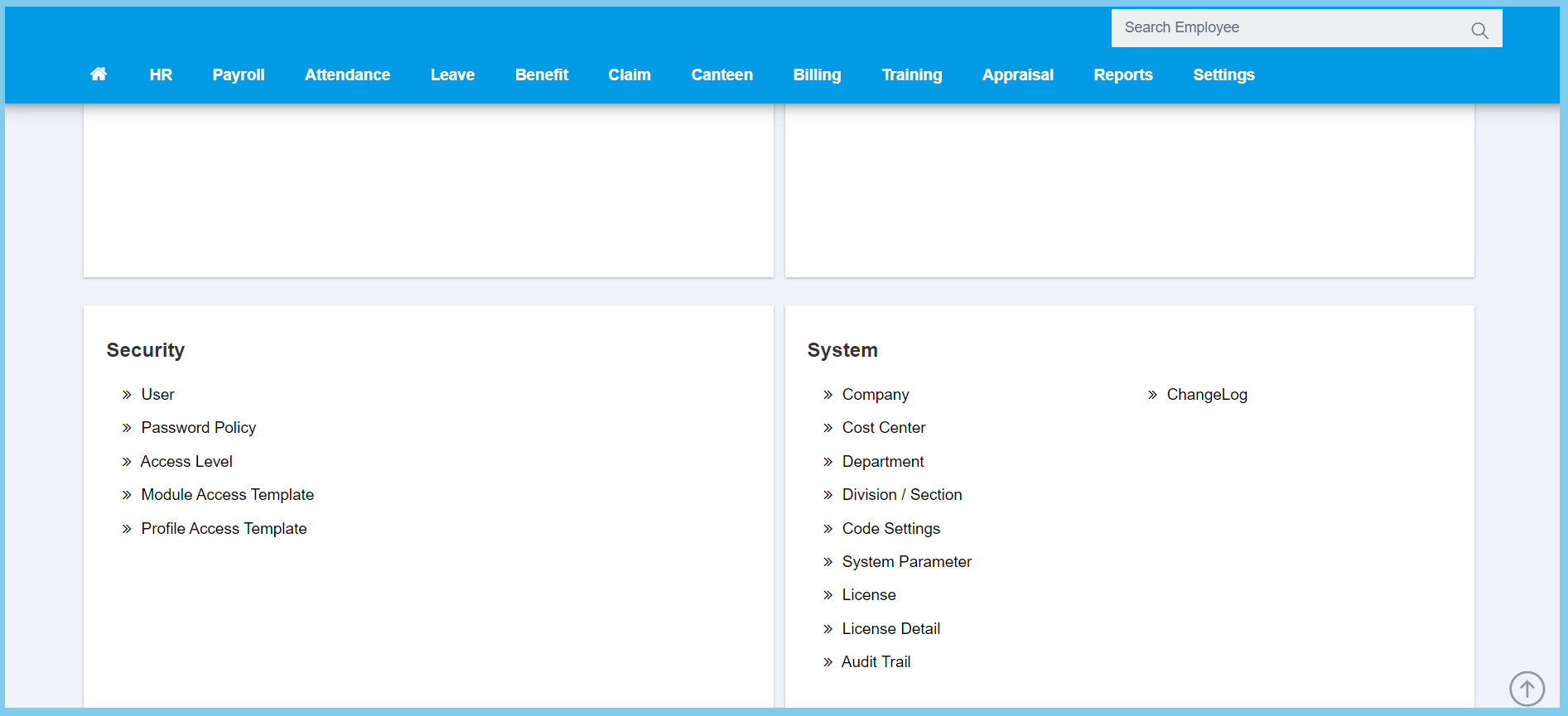
1. Menu: Click Settings.
2. Click Department which located under System.
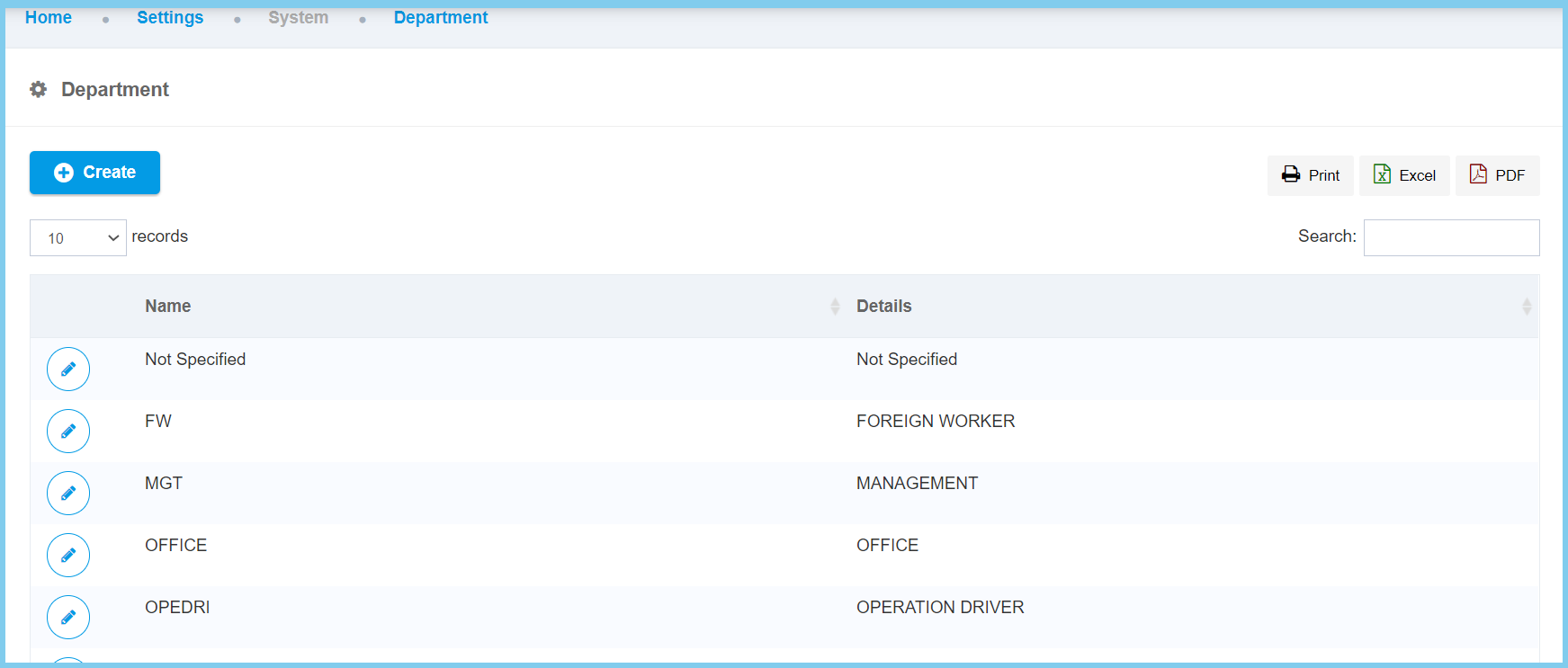
3. Click edit button on which department that you wish to edit.
4. Edit the form.
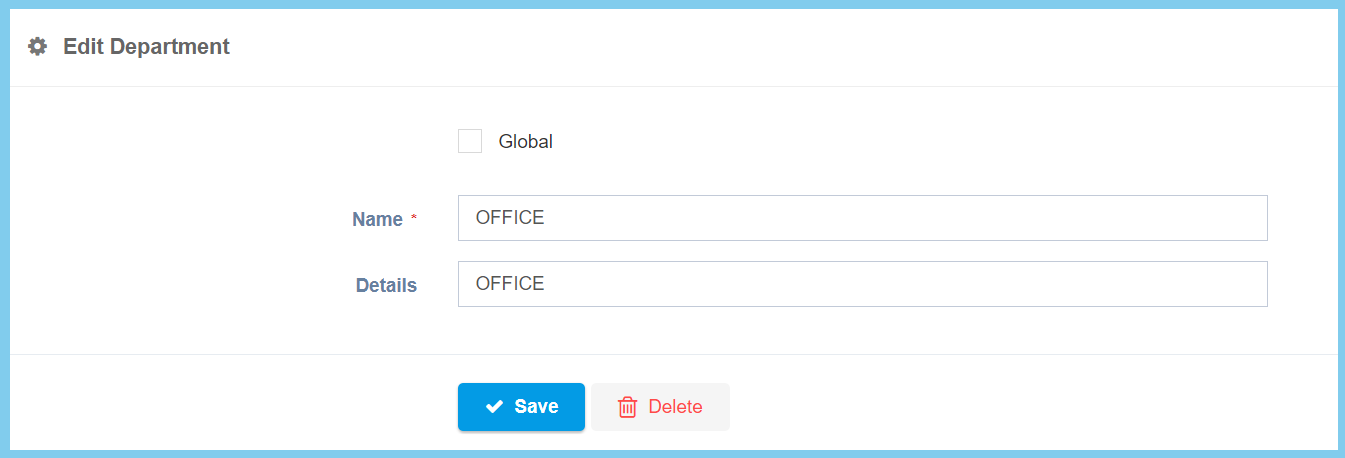
5. Click Save button.
Company Configuration Option Explanation
| Option | Allowed Values | Description |
|---|---|---|
| Global |
|
If global is enabled, the code will be visible from other companies. If not, it can only be used by its own company. |
| Name | Any alphanumeric | Set the name of the department. |
| Details | Any alphanumeric | Write the details of the department. |
