
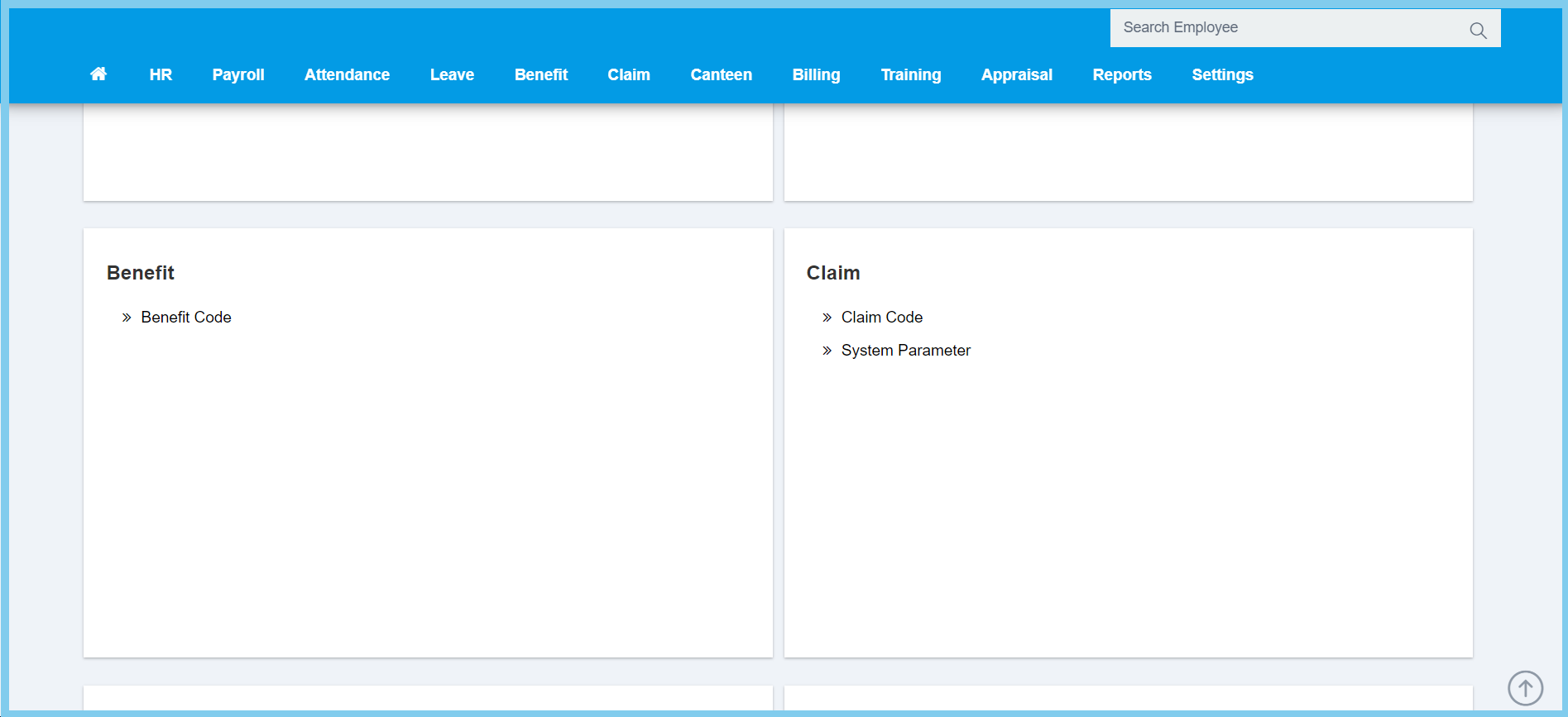
1. Menu: Click Settings.
2. Click Benefit Code which located under Benefit.
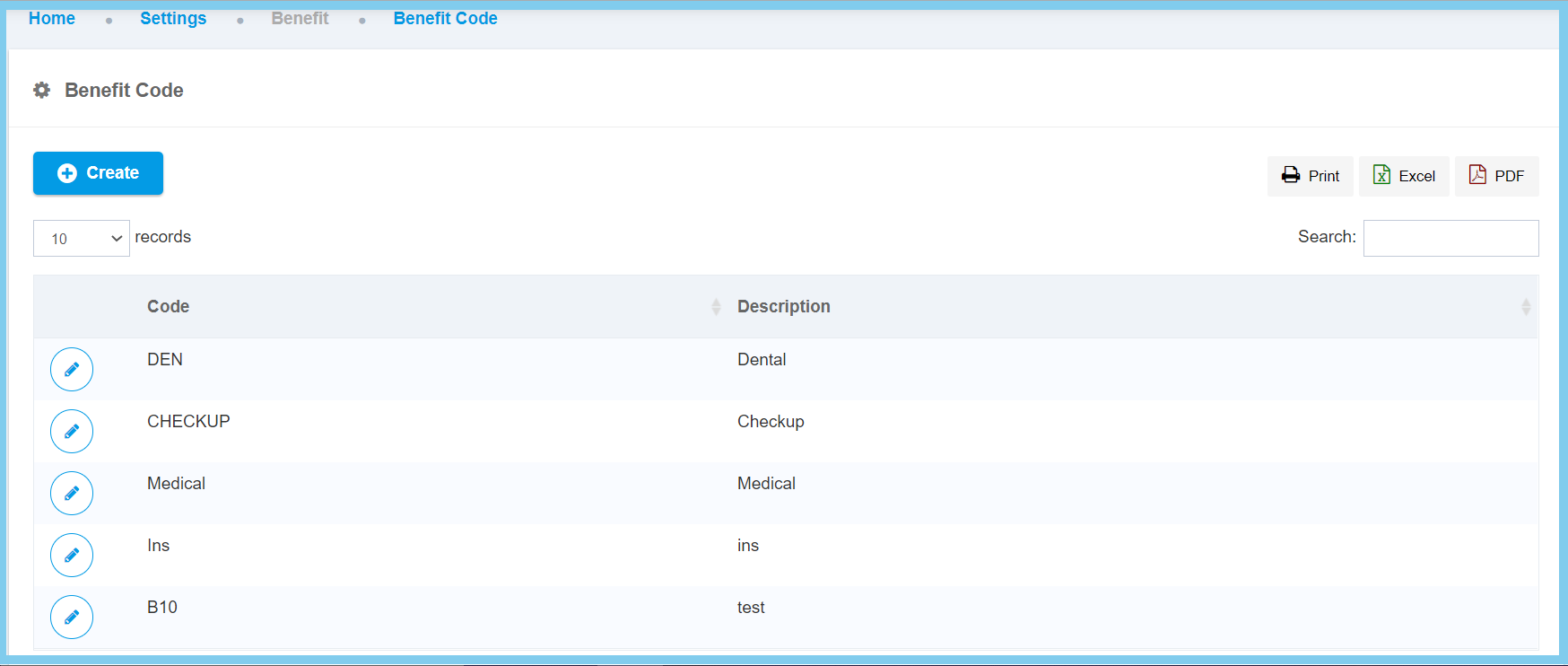
3. Click edit button on which benefit code that you wish to edit.
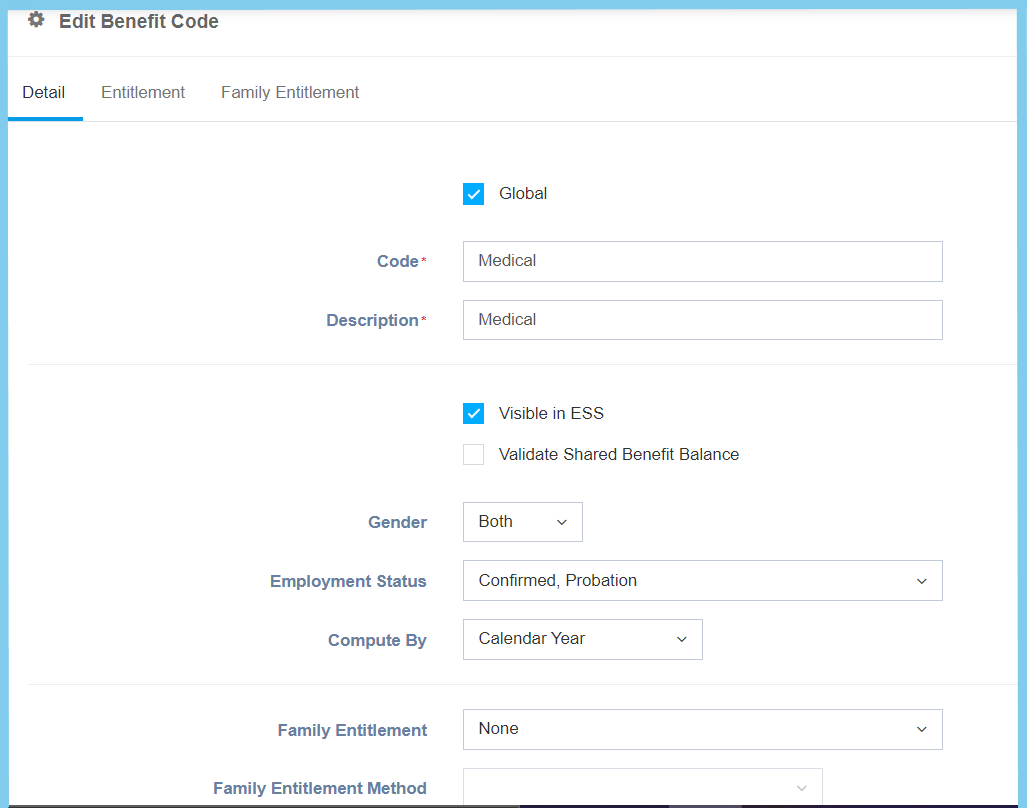
4. Edit the form.
Note: There has 3 section to edit.
| Option | Allowed Values | Description |
|---|---|---|
| Global |
|
If global is enabled, the code will be visible from other companies. If not, it can only be used by its own company. |
| Code | Any alphanumeric | Set a simple and unique benefit code. |
| Description | Any alphanumeric | Any description about this benefit code. |
| Visible in ESS |
|
Choose whether of this benefit code is visible or not in employee self service. |
| Validate Shared Benefit Balance |
|
If enabled, employee validate to share benefit balance |
| Gender |
|
Set whether this benefit code is eligibility for the employee gender that are only for male, female or both of it. |
| Employment Status |
|
Set whether this benefit code is eligibility for the employment status that are only for confirmed, contract, probation or all of it. |
| Compute By |
|
To set the benefit entitlement to be compute by either in calendar year or financial year. |
| Family Entitlement |
|
Choose one of the family entitlement type that belong to this benefit code either is shared with employee, by each family member or all family member shared same entitlement pool. |
| Family Entitlement Method |
|
Once choose All Family Member Shared Same Entitlement Pool, this option will appear, then choose the method which the entitlement calculate in fix amount or employee entitlement in percentage. |
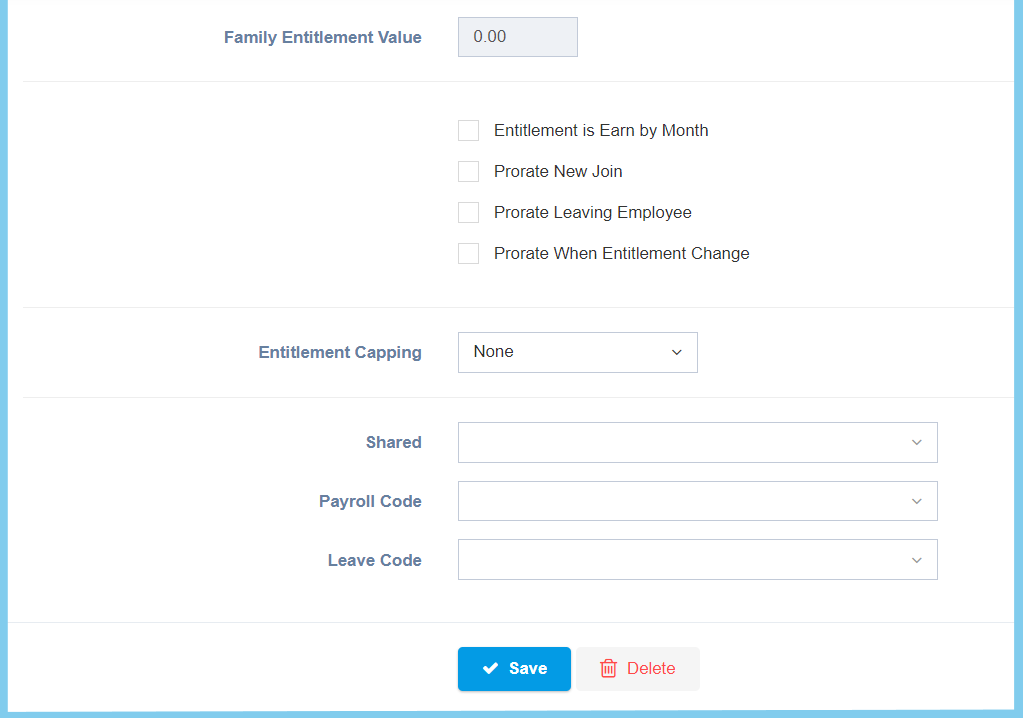
| Family Entitlement Value | Any number | Once choose All Family Member Shared Same Entitlement Pool, this option will appear, then insert any number value of family entitlement. |
| Entitle is Earn by Month |
|
If enabled, the entitlement will be earn by month to employee. |
| Prorate New Join |
|
If enabled, it will divide benefit proportionally for new join employee. |
| Prorate Leaving Employee |
|
If enabled, it will divide benefit proportionally for the employee that are leaving. |
| Prorate When Entitlement Change |
|
If enabled, it will divide benefit proportionally when the entitlement is change. |
| Entitlement Capping |
|
Set the capping of this entitlement to based of yearly one or none of cap value. |
| Shared | Selection from shared | Choose one of the shared that belongs to this benefit code. |
| Payroll Code | Setup from transaction code | Choose one of the payroll code that belongs to this benefit code. |
| Leave Code | Setup from leave code | Choose one of the leave code that belongs to this benefit code. |
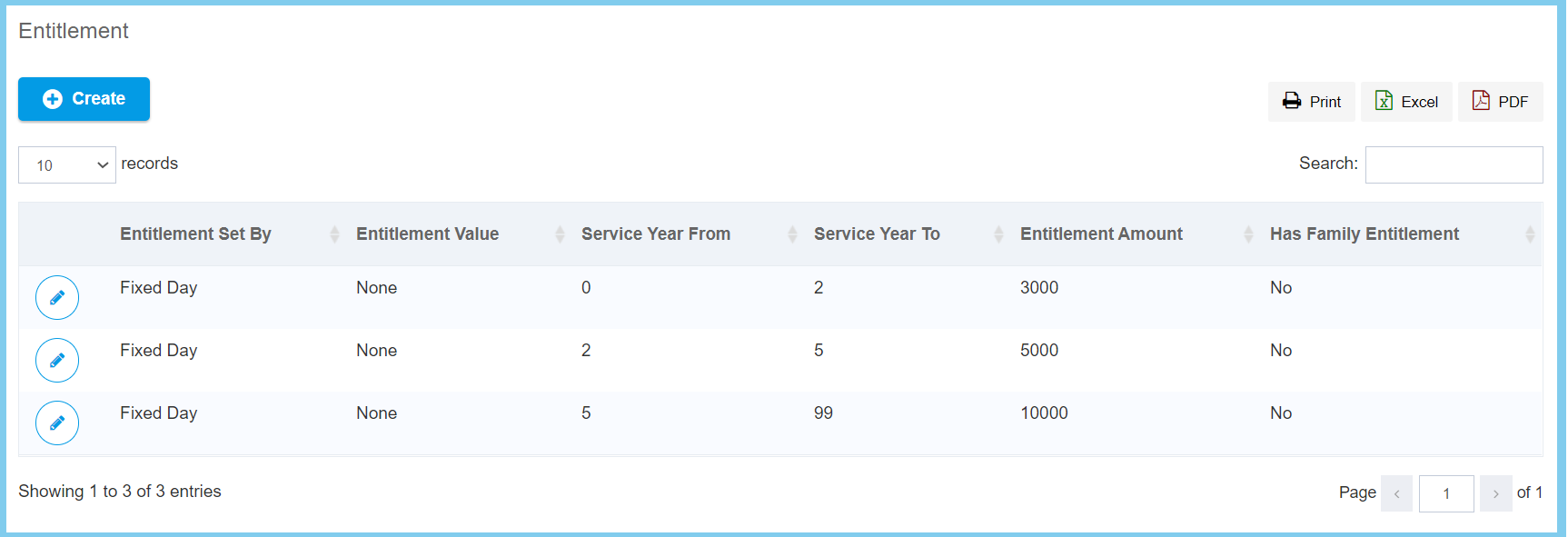
For Entitlement, you can choose either create a new entitlement or edit previous record.
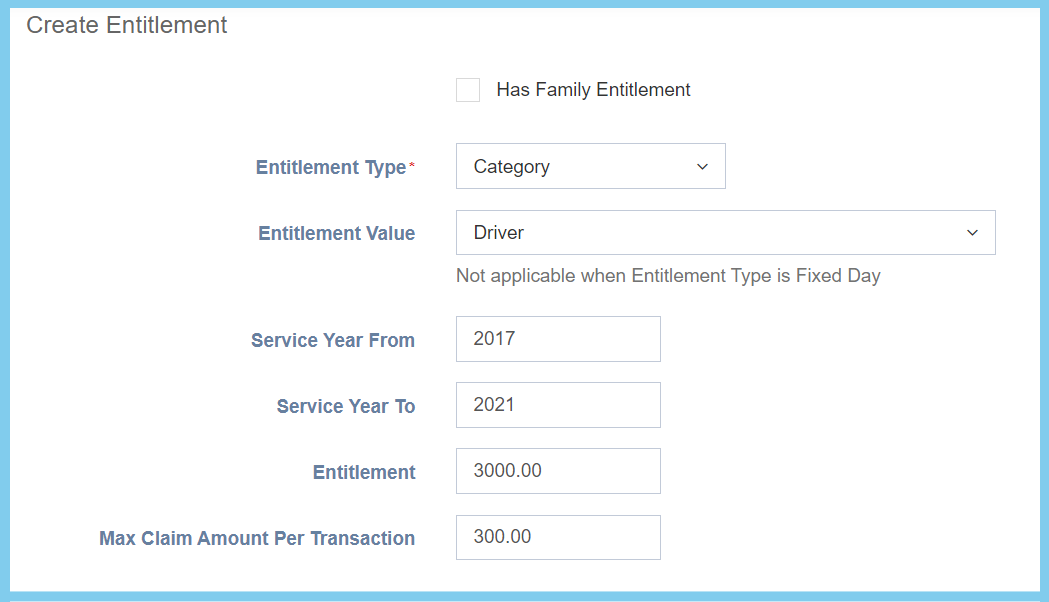
| Option | Allowed Values | Description |
|---|---|---|
| Has Family Entitlement |
|
Choose whether this entitlement has family entitlement or no family entitlement. |
| Entitlement Type |
|
Choose one of the entitlement type which belongs to this benefit code, either fixed day, category, job title or job grade. |
| Entitlement Value | Selection from entitlement value | Once the entitlement type is selected, the seleciton of the entitlement value will change according to entitlement type. |
| Service Year From | Any number | Set the value of service year which this benefit entitlement is eligibility for employee that service year from. |
| Service Year To | Any number | Set the value of service year which this benefit entitlement is eligibility for employee that service year to. |
| Entitlement | Any number | Set a value for entitlement. |
| Max Claim Amount Per Transaction | Any number | Set a value for the maximum claim amount per transaction. |
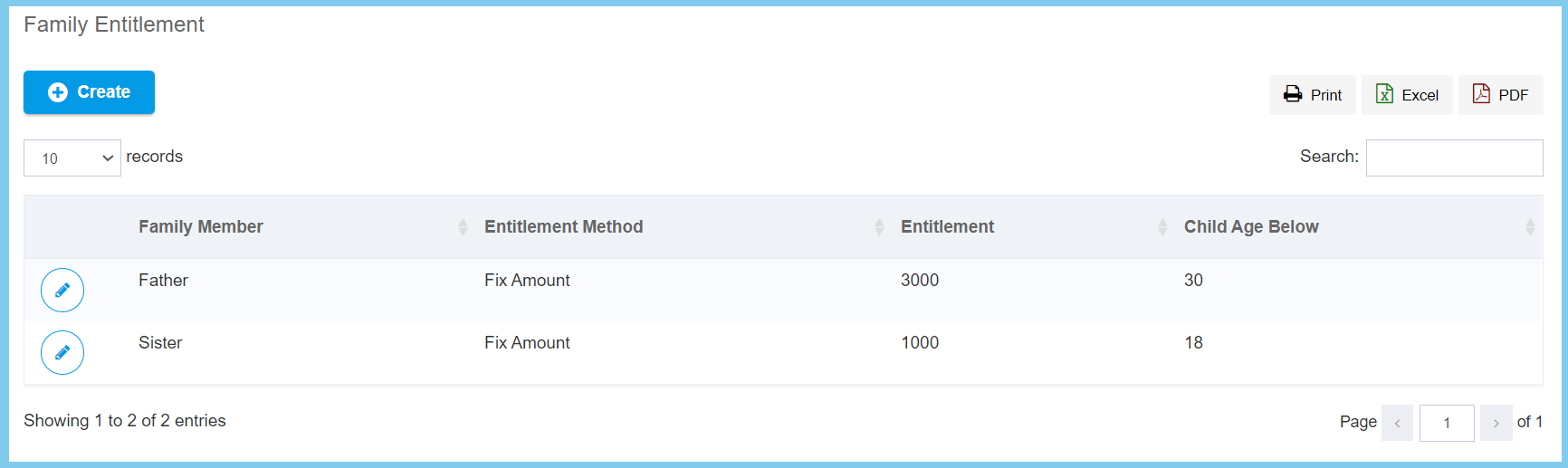
For Family Entitlement, you cab choose either create a new family entitlement or edit previous record.
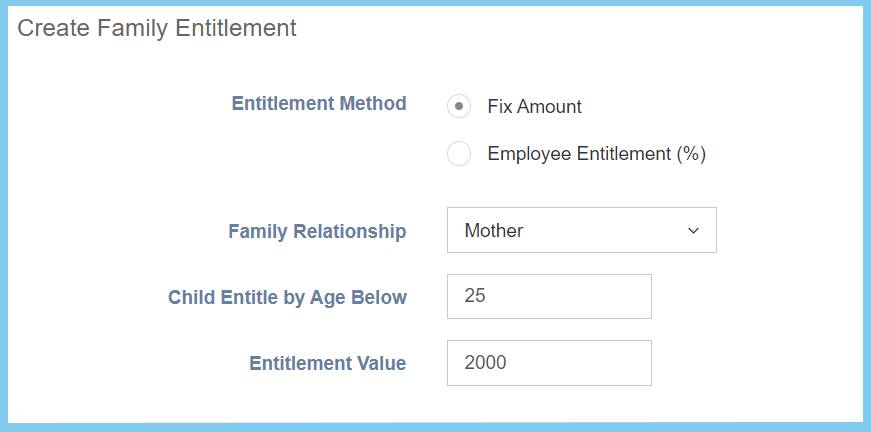
| Option | Allowed Values | Description |
|---|---|---|
| Entitlement Method |
|
Choose the method which the entitlement calculate in fix amount or employee entitlement in percentage. |
| Family Relationship | Selection from family relationship | Choose the relationship between employee. |
| Child Entitle By Age Below | Any number | Set the age below for child entitle. |
| Entitlement Value | Any number | Set a value for family entitlement. |
5. Back to Detail section.
6. Click Save button.
