
1. Menu: Click Settings.
2. Click Profile Page Control which located under HR.

3. You can choose the page that you wish to manage on the filter list.
4. Tick the section that you wish to proceed.
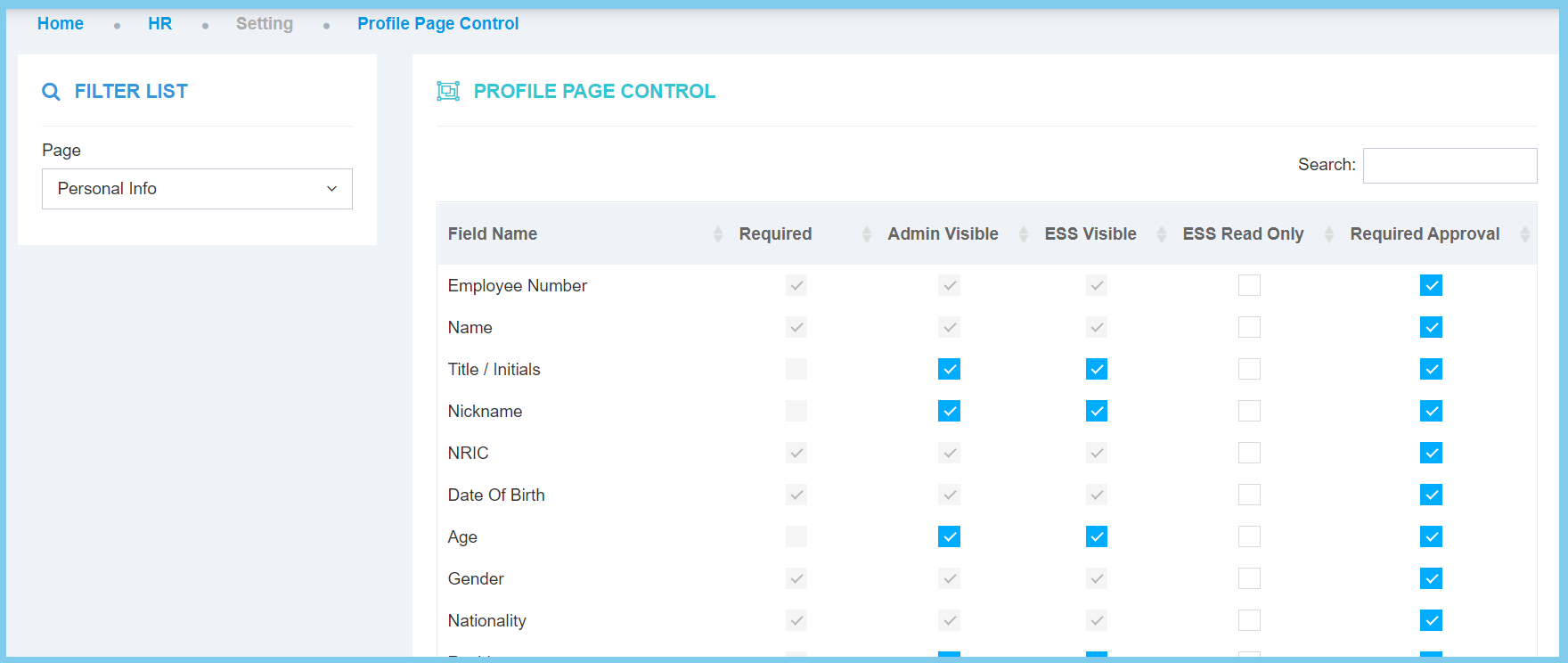
5. Click Save button.
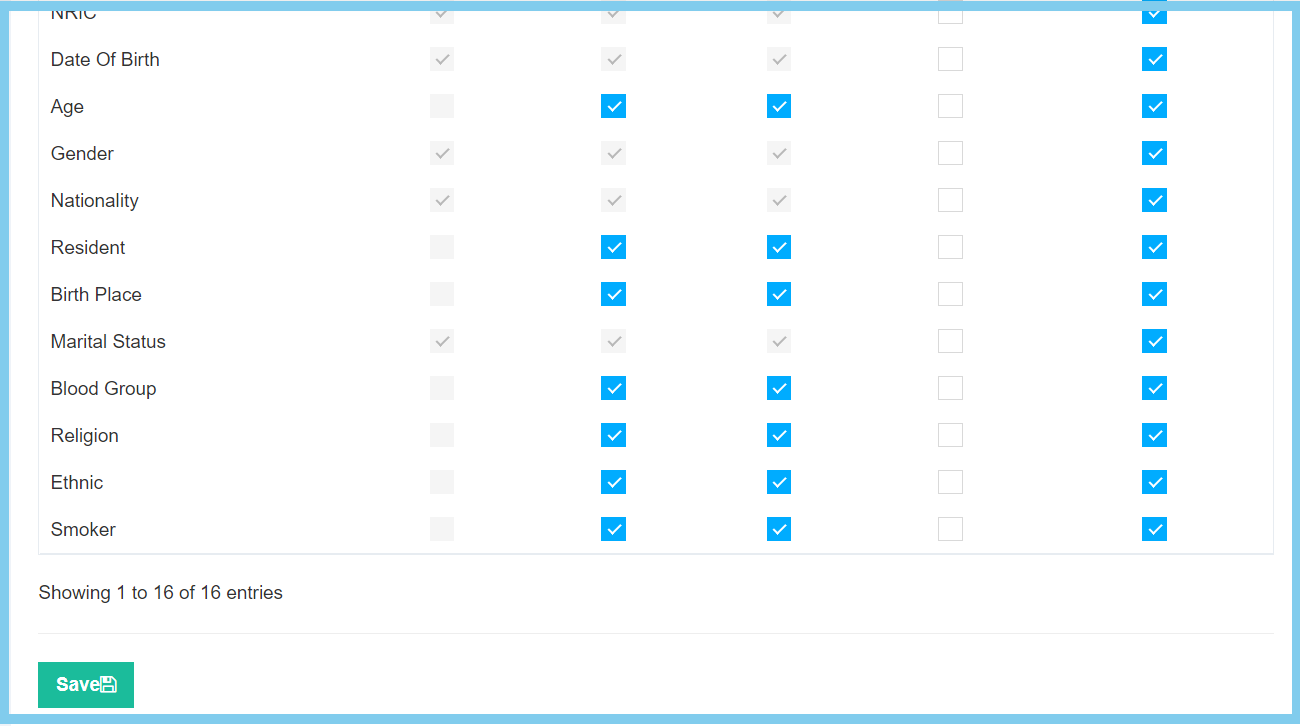
Profile Page Control Configuration Option Explaination
| Option | Allowed Values | Description |
|---|---|---|
| Required |
|
If enabled, the specific field name is required to fill in. |
| Admin Visible |
|
If enabled, the specific field name is visible for admin and allowed to edit. |
| ESS Visible |
|
If enabled, the specific field name is visible for employee and allowed to edit. |
| ESS Read Only |
|
If enabled, the specific field name is for employee to read only, it will not allowed to edit. |
| Required Approval |
|
If enabled, the specific field name is required to get approval. |
