
1. Menu: Click Settings.
2. Click Max Overtime Hour Setting which located under Payroll.

3. Click edit button on which max overtime hour setting that you wish to edit.
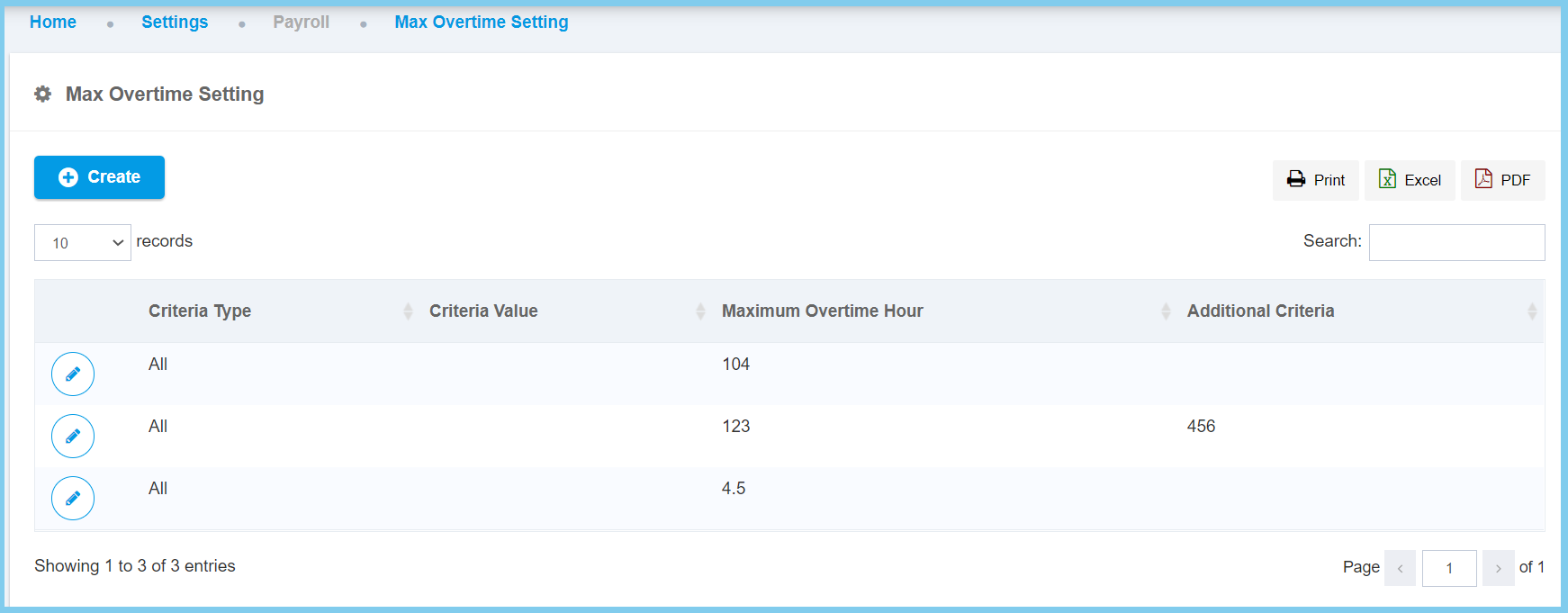
4. Edit the form.
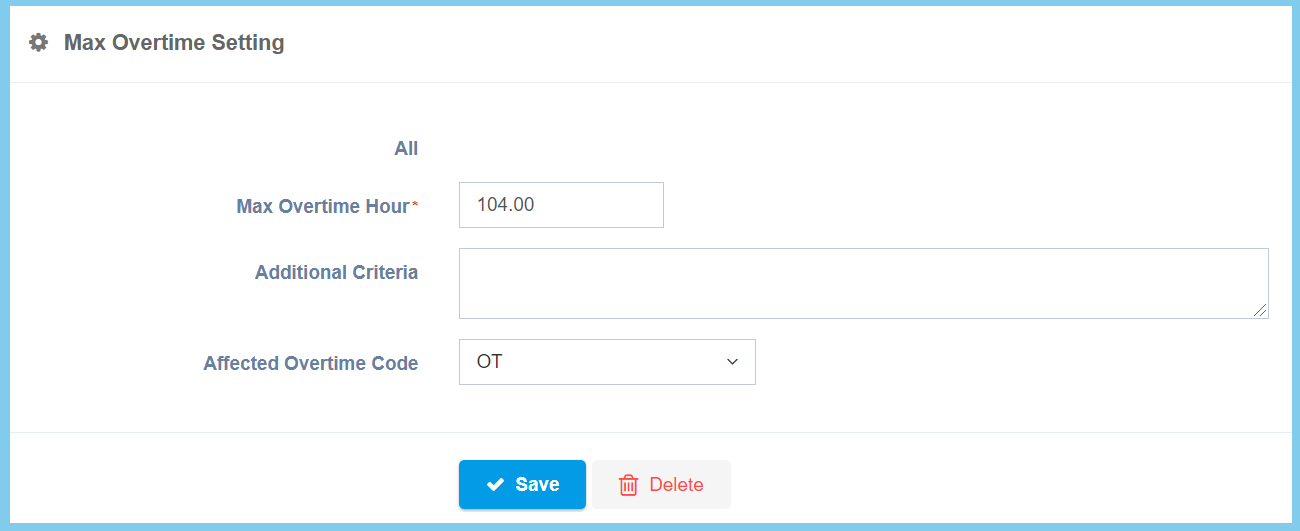
5. Click Save button.
Max Overtime Hour Setting Configuraiton Option Explaination
| Option | Allowed Values | Description |
|---|---|---|
| Criteria Type |
|
Choose one from criteria type for max overtime hour setting. |
| Criteria Value | Setup from code settings | The criteria value that can be set with the max overtime hour setting. The value will change according to the criteria type that has been chosen in the criteria type.
Click here to view setup. |
| Max Overtime Hour | Any number | Set the maximum hours for overtime hour limits. |
| Additional Citeria | Any alphanumeric | Any additional criteria about the max overtime hour setting. |
| Affected Overtime Code | Setup from transaction code | Choose one from affected overtime code for max overtime hour setting.
Click here to view setup. |
