
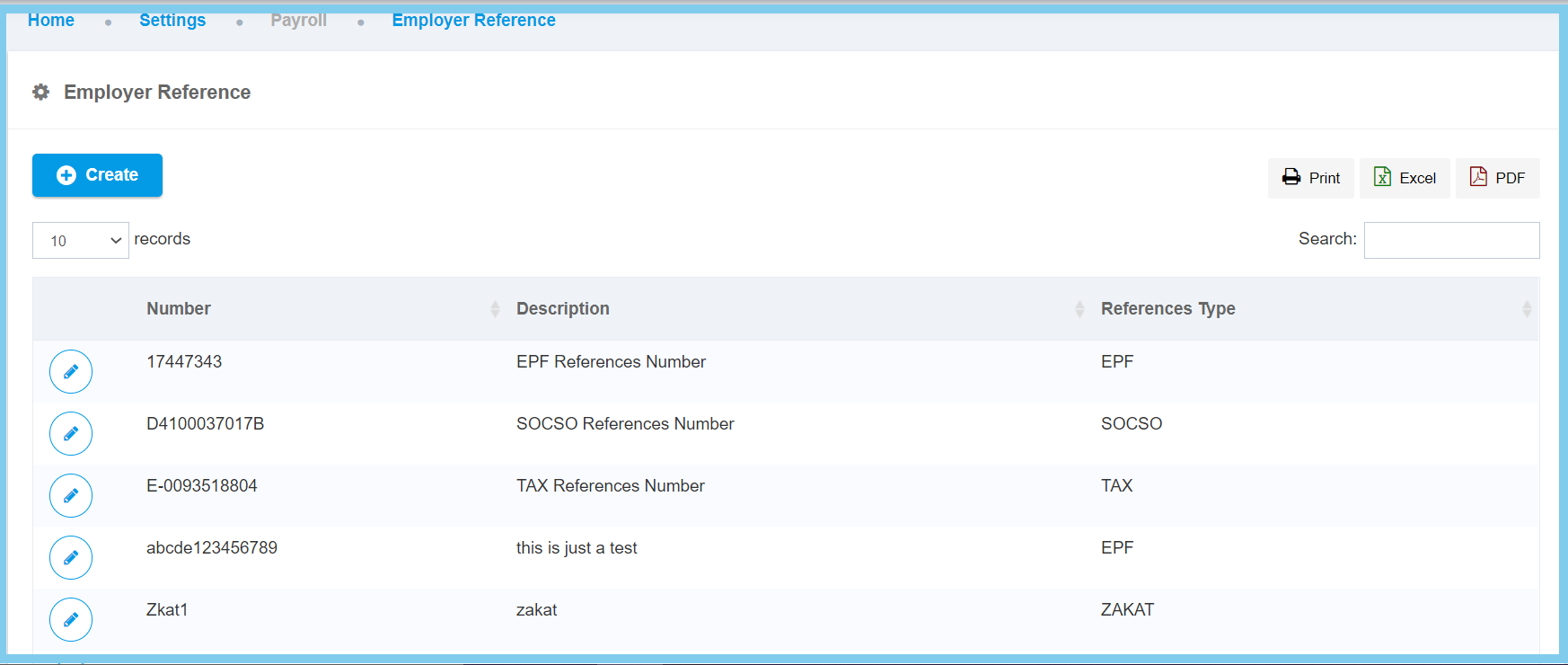
1. Menu: Click Settings.
2. Click Employer Reference which located under Payroll.

3. Click edit button on which employer reference that you wish to edit.
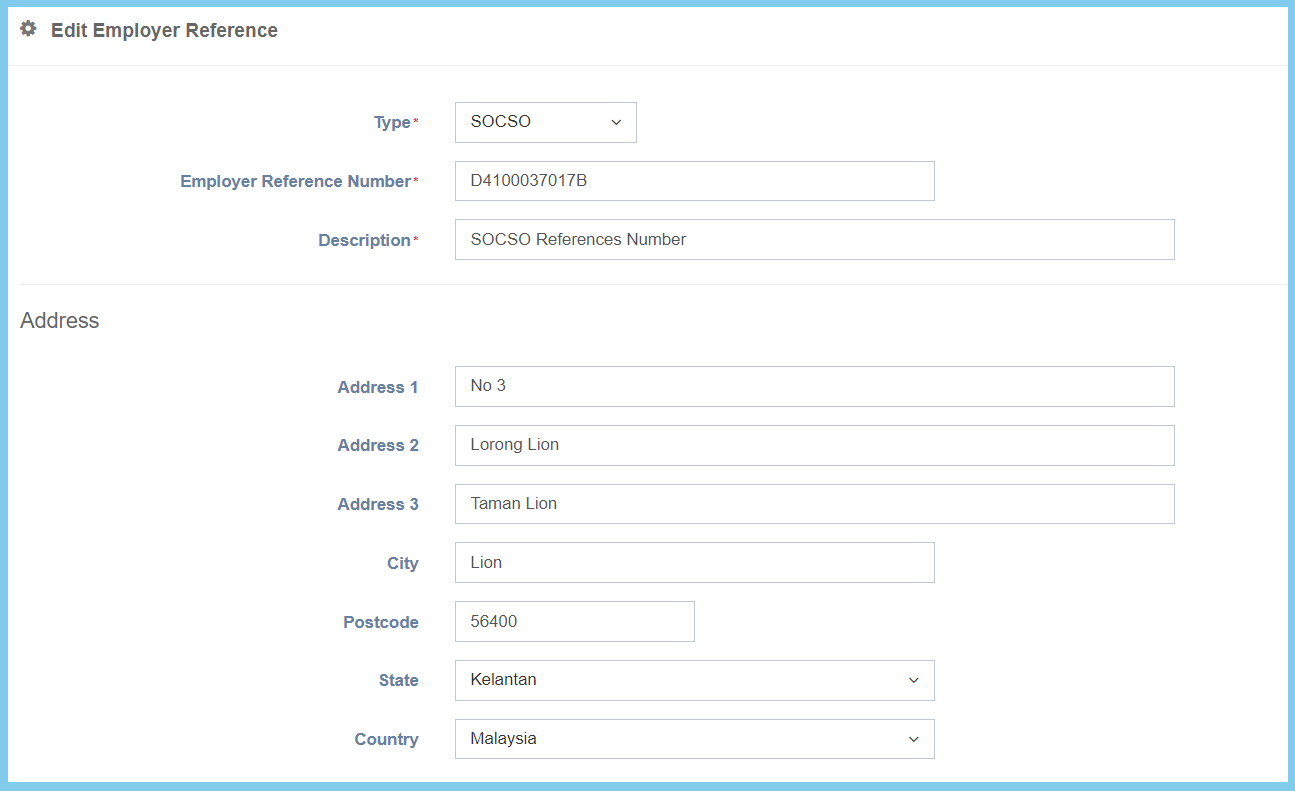
4. Edit the form.
5. Click Save button.
Employer Reference Configuration Option Explaination
| Option | Allowed Values | Description |
|---|---|---|
| Type | Choose from type | Select the references type for the employer references number. |
| Employer Reference Number | Any alphanumeric | Set the reference number for the selected references type. |
| Description | Any alphanumeric | Any description about this employer references the number. |
| Address 1 | Any alphanumeric | The first line for the address. |
| Address 2 | Any alphanumeric | The second line for the address. |
| Address 3 | Any alphanumeric | The third line for the address. |
| City | Any alphanumeric | This is the city where this employer references. |
| Postcode | Any number | This is the postcode of this employer reference. |
| State | Setup from code settings | This is the state of this employer references.
Click here to view setup for state. |
| Country | Setup from code settings | This is the country where this employer references.
Click here to view setup for country. |
| Option | Allowed Values | Description |
|---|---|---|
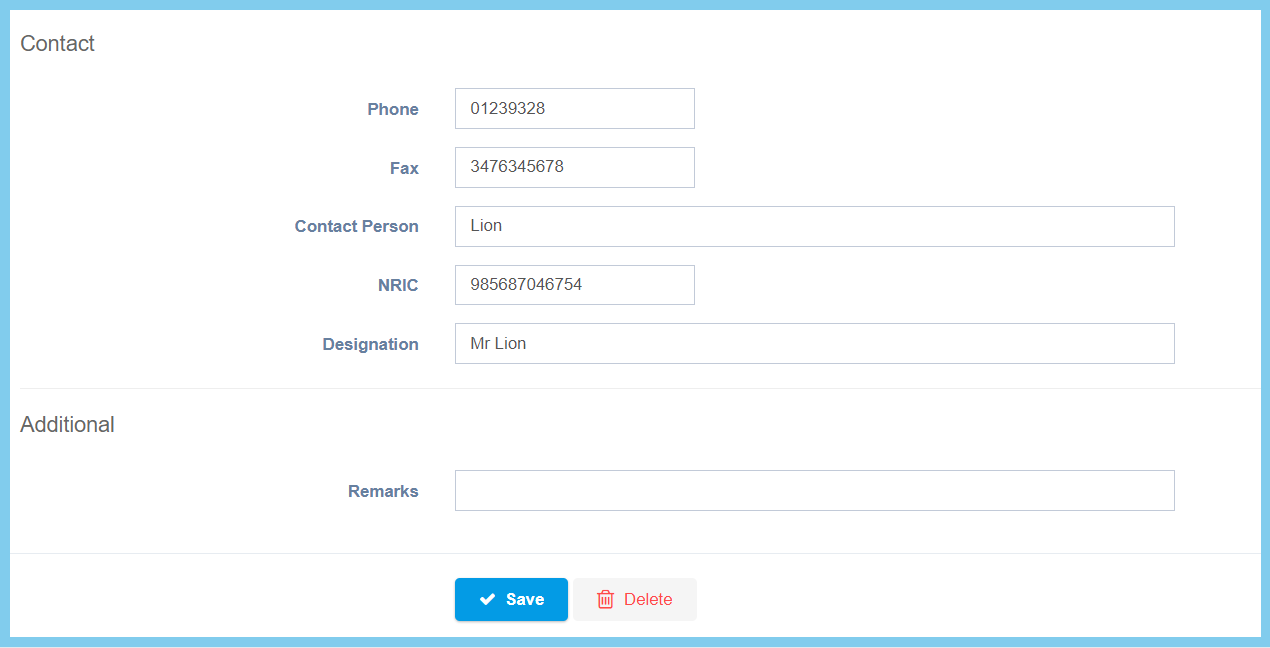
| Phone | Any number | The phone number for the contact of this employer references. |
| Fax | Any number | The fax number of the employer for the employer references. |
| Contact Person | Any alphanumeric | The name of the employer for this employer references. |
| NRIC | Any number | The IC number of the employer for this employer reference. |
| Designation | Any alphanumeric | The designation of the respective employer for this employer reference. |
| Remarks | Any aplhanumeric | Any additional remarks about the employer references. |
