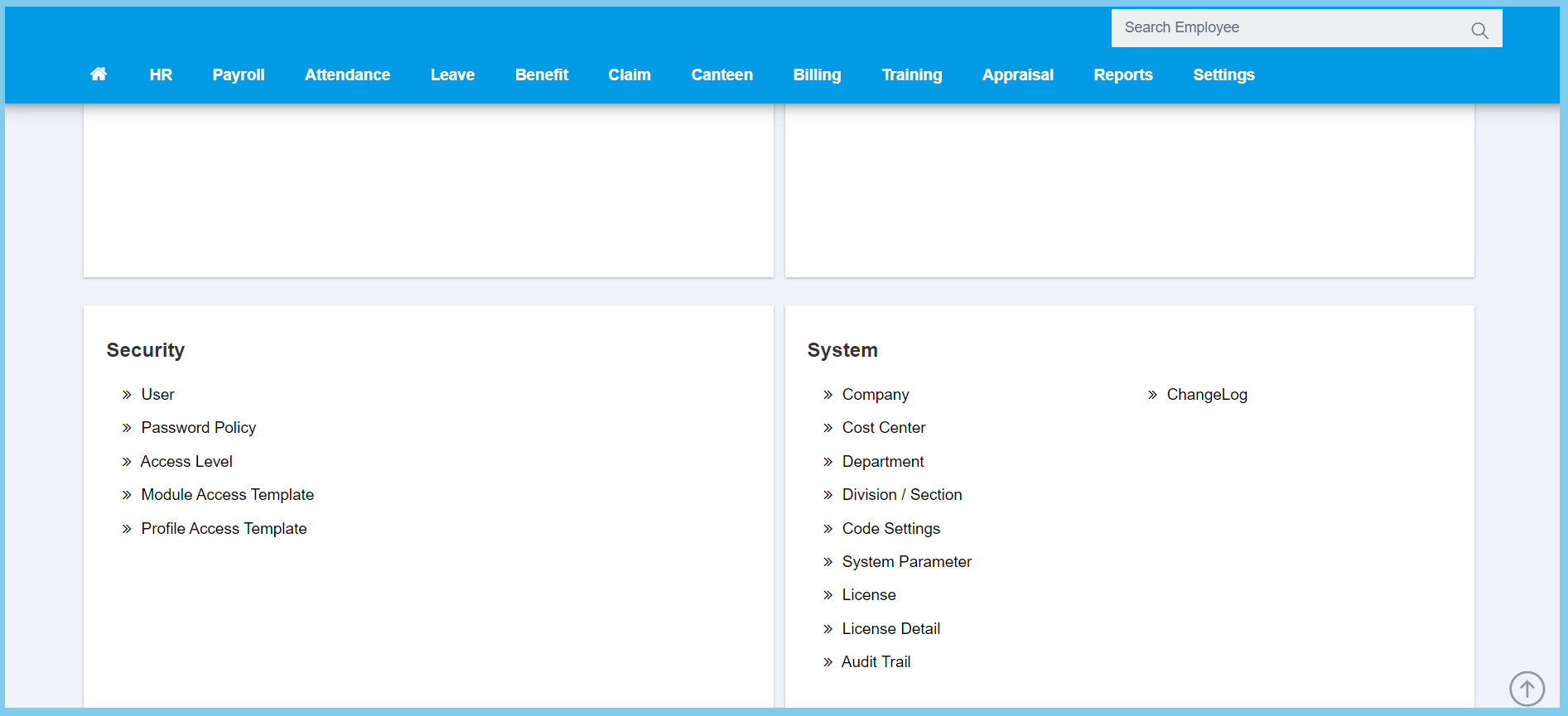
1. Menu: Click Settings.
2. Click Access Level which located under Security.
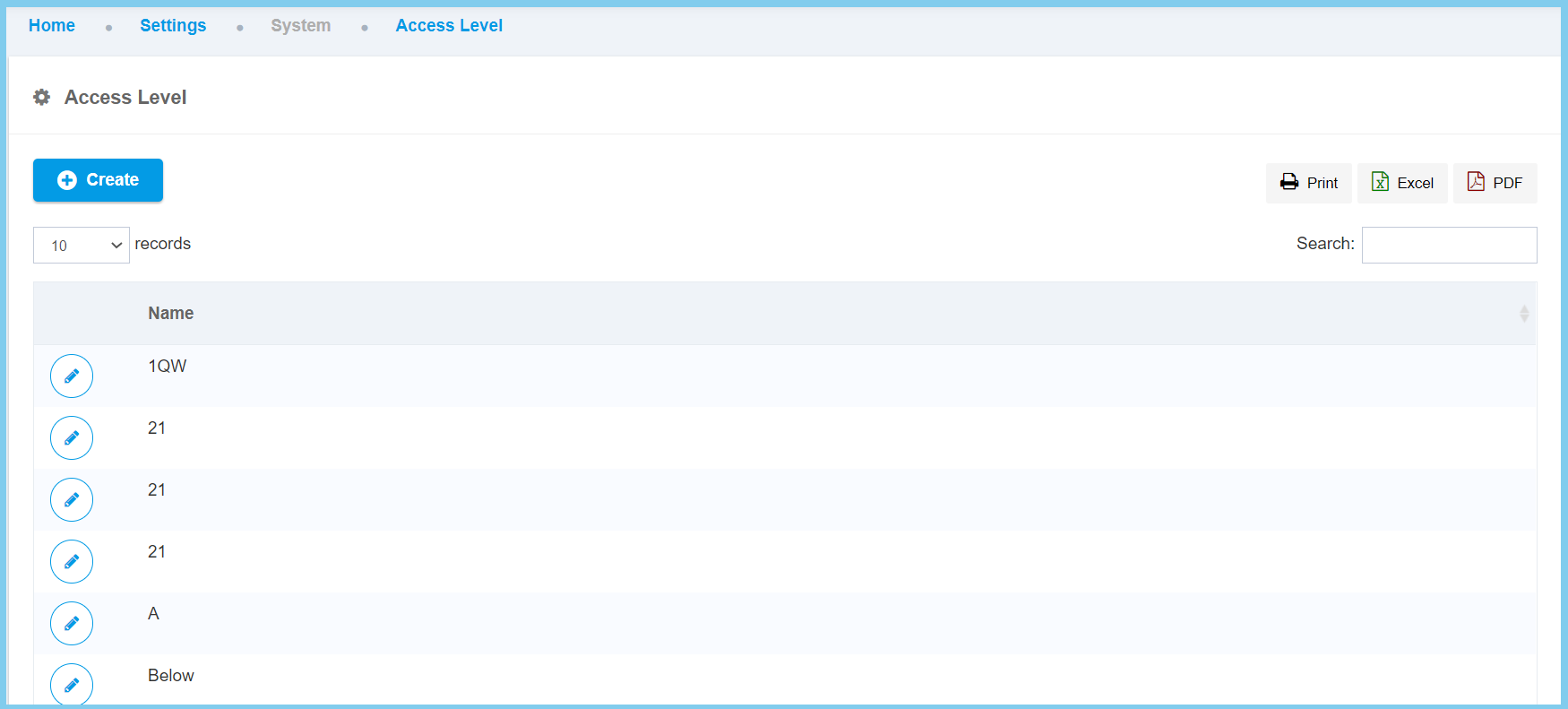
3. Click edit button on which access level that you wish to edit.
4. Edit the name for selected access level.
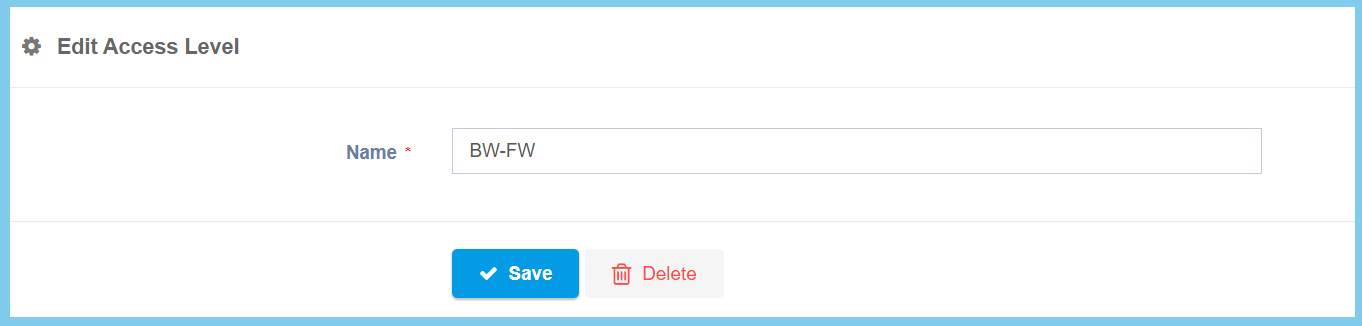
5. Click Save button.

1. Menu: Click Settings.
2. Click Access Level which located under Security.
3. Click edit button on which access level that you wish to edit.
4. Edit the name for selected access level.
5. Click Save button.
