
1. Menu: Click Settings.
2. Click User which located under Security.
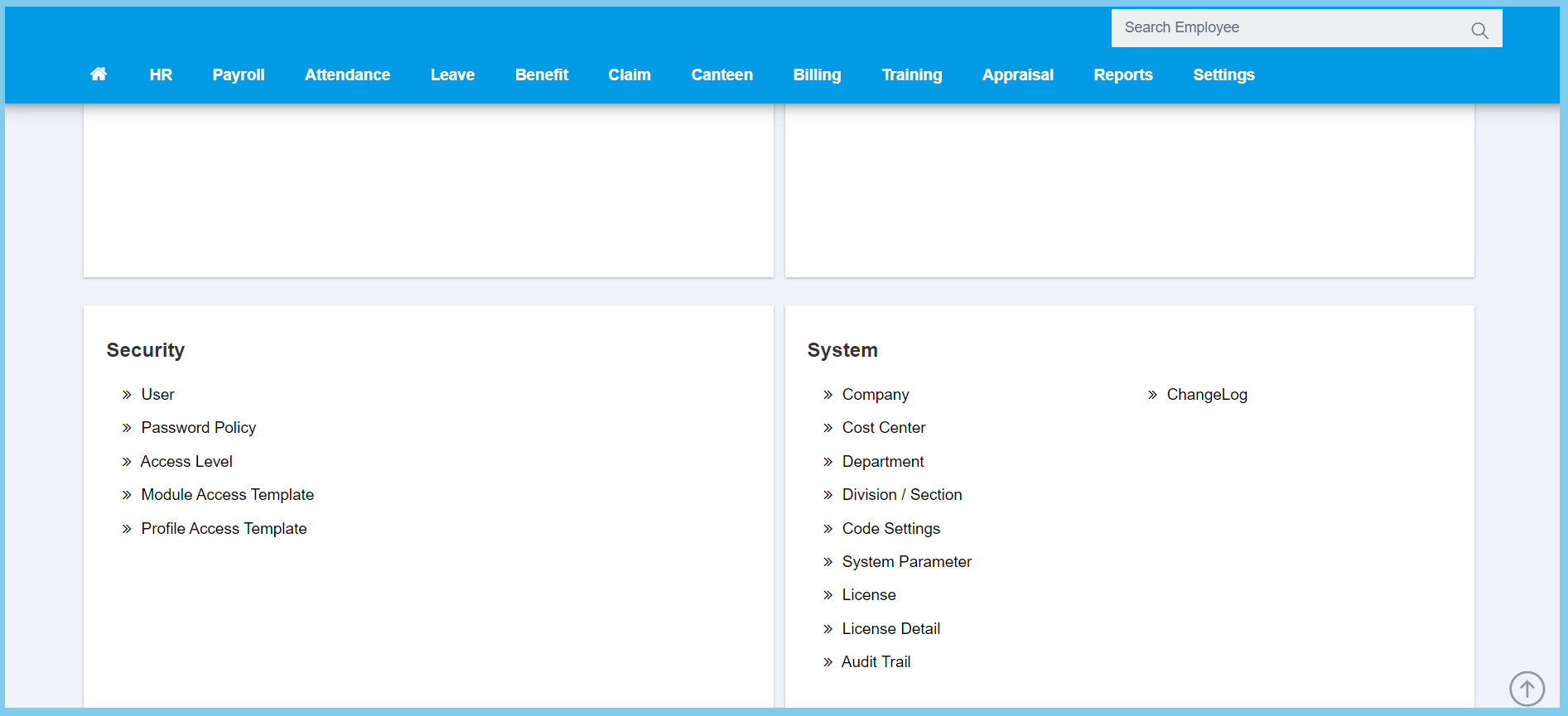
3. Click edit button on which user that you wish to edit.

4. Edit the form.
Note: There has another section call User Access Control to edit.
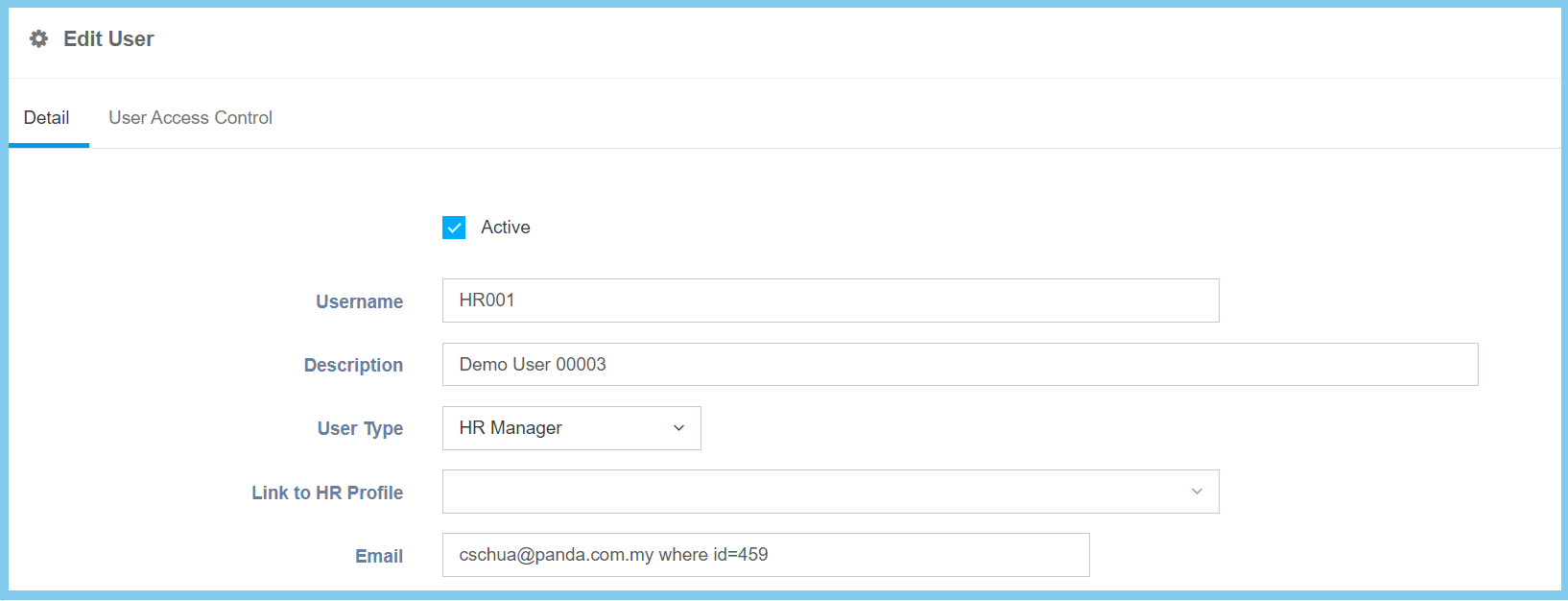
5. Click Save button.
Note: This is just to create a special account for login settings.
User Configuration Option Explaination
| Option | Allowed Values | Description |
|---|---|---|
| Active |
|
Set the status of user either active or inactive. |
| Username | Any alphanumeric | Set an username for this user. |
| Description | Any alphanumeric | Any description about this user. |
| User Type | Selection from user type | Select an user type for this user. |
| Link to HR Profile | Selection from employee | Select a employee profile that link to this user. |
| Any alphanumeric with email format | Set an valid email for this user. |
User Type
- HR Admin – a person who handle the majority of employee documentation, including contracts, recruitment paperwork and starter packs.
- Employee – a person who was hired by an employer to do a specific job.
- Approval – a person who gives permission for something.
- Clerk – a person employed in an office to keep records, accounts, and undertake other routine administrative duties.
- HR Manager – a person who is responsible of recruitments, workforce, talent management, training and rewarding.
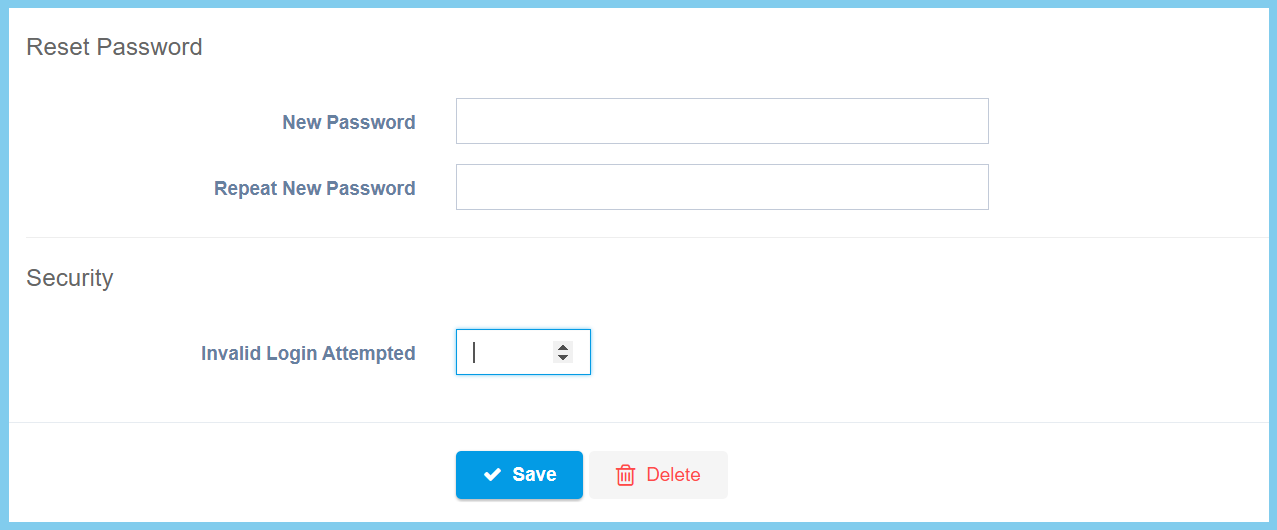
| Option | Allowed Values | Description |
|---|---|---|
| New Password | Any alphanumeric | Set a new password for this user. |
| Repeat New Password | Any alphanumeric | Enter again the password, ensure that the password is same with the new password. |
| Invalid Login Attempted | Any number | Set the times for the invalid login. |
For User Access Control, you can either choose create a new user access control or edit previous record.
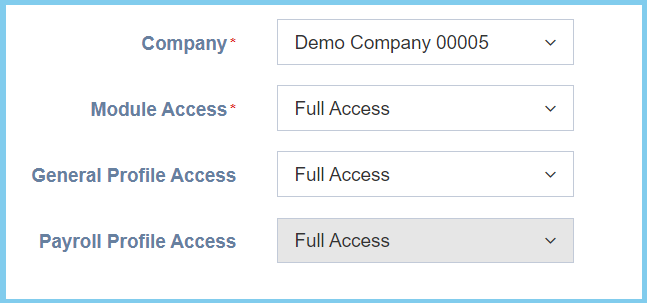
| Option | Allowed Values | Description |
|---|---|---|
| Company | Selection from company | Select a company for this user. |
| Module Access | Selection from module access | Select a module access for this user. |
| General Profile Access | Selection form general profile access | Select a general profile access for this user. |
| Payroll Profile Access | Selection from payroll profile access | Select a payroll profile access for this user. |
