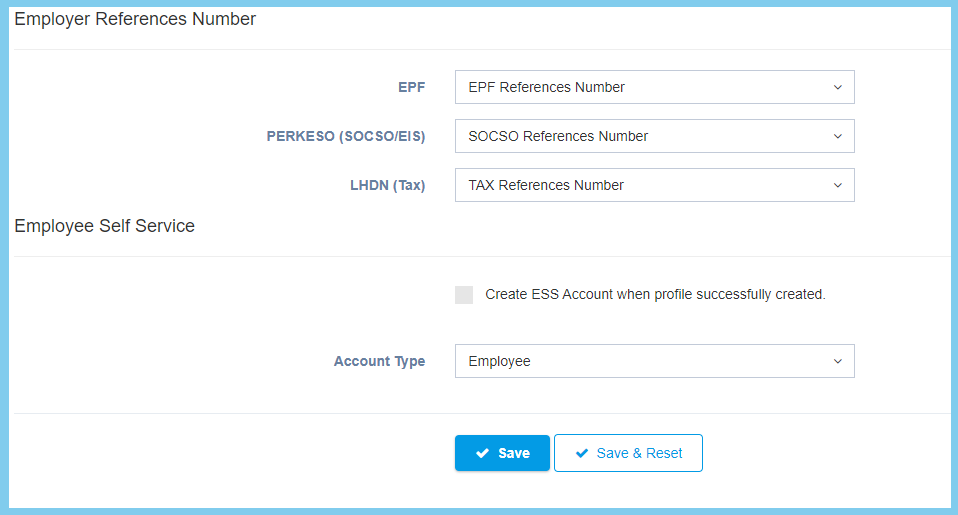
1. Menu: Click HR.
2. Click Create Profile which located under Entry.
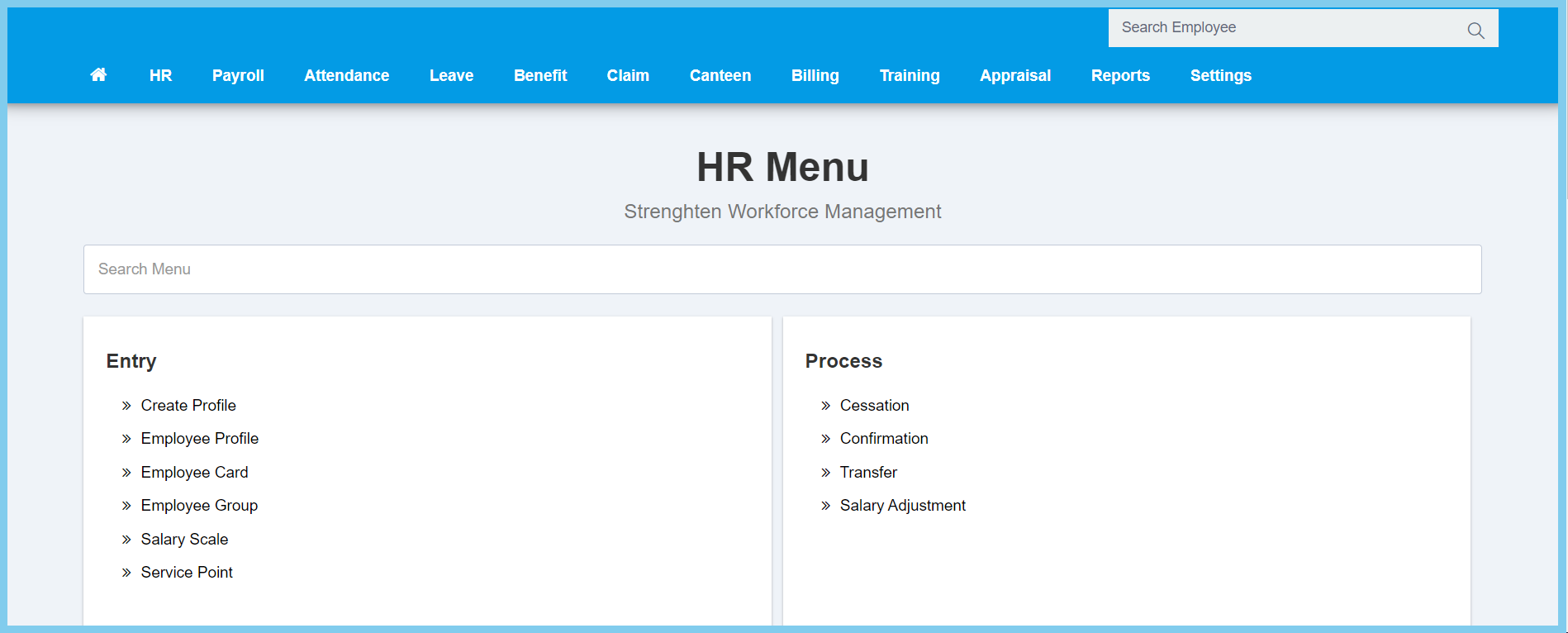
3. Fill the form.
4. Click Save button.
Note: This is for employee’s profile.
Profile Configuration Option Explaination
| Option | Allowed Values | Description |
|---|---|---|
| Employee Number | Any number | Set the employee number with maximum 20 characters, unique and cannot be repeated. |
| Name | Any alphanumeric | Set the employee full name for new employee. |
| NRIC | Any number | Enter the employee new IC number without the dash. |
| Date of Birth | Select date from calendar | Select the employee date of birth from the calendar available. |
| Gender |
|
Select the employee gender either is male or female. |
| Nationality | Selection from nationality | Select the employee nationality from option available.
If the option not available click plus button to create new nationality by enter code and description. |
| Ethnic/Race | Selection from ethnic/race | Select the employee ethnic or race from option available.
If the option not available click plus button to create new ethnic or race by enter code and description. |
| Religion | Selection from religion | Select the employee religion from option available.
If the option not available click plus button to create new religion by enter code and description. |
| Resident Status |
|
Select the employee their resident status from option available, this option will affect calculation in monthly tax deduction. |
| Marital Status |
|
Select the employee marital status from option available, this option will affect calculation in monthly tax deduction. |
| Email Address | Any alphanumeric | Enter the employee valid email address. |
| Mobile | Any number | Enter the employee valid mobile phone number. |
| Option | Allowed Values | Description |
|---|---|---|
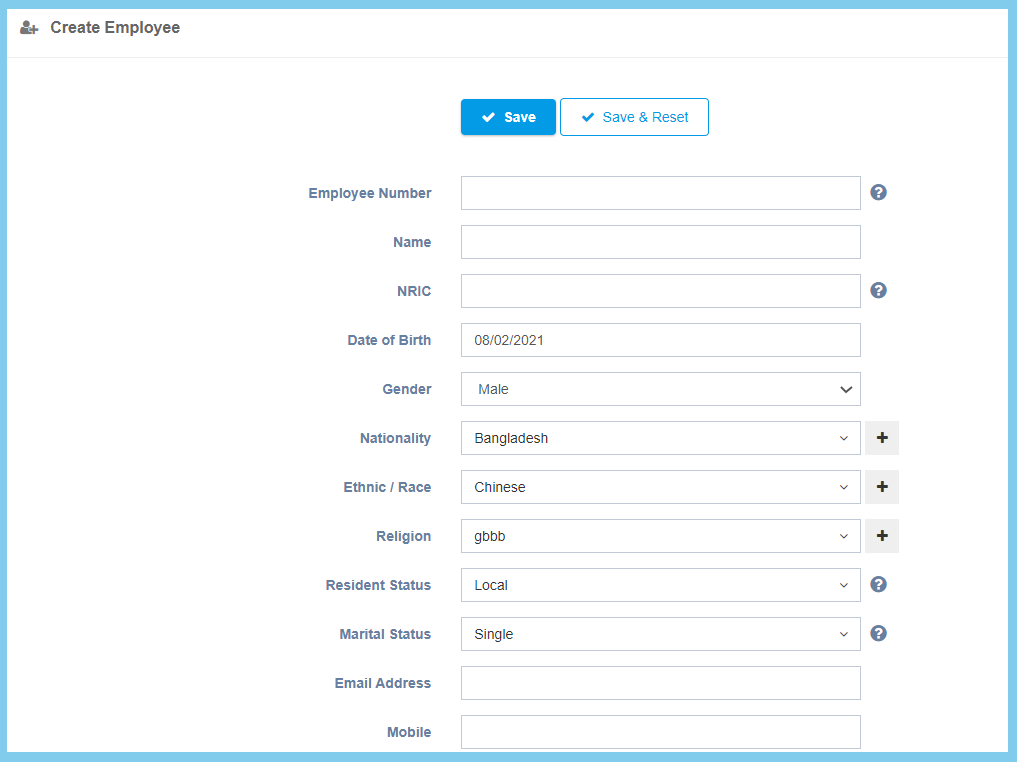
| Access Level | Selection from access level | Select the employee access level from option available.
If the option not available click plus button to create new access level by enter access level, only user with selected access level can view this profile. |
| Date Join | Select date from calendar | Select the date join in company for employee from the calendar. |
| Job Title | Selection from job title | Select the employee job title from option available.
If the option not available click plus button to create new job title by enter code and description. |
| Job Grade | Selection from job grade | Select the employee access level from option available.
If the option not available click plus button to create new access level by enter code and description. |
| Job Status |
|
Select the job status from option available for this new employee. |
| Category | Selection from category | Select the employee job category from option available, if the option not available click plus button to create new job category by enter it code and description. |
| Employment Status | Selection from employement status | Select the employment status for employee from option available. |
| Probation Duration | Any number | Enter the probation duration for this employee.
Please enter 0 if no probation required. |
| Termination/Resign Notice | Any number | Enter the employee resign notice duration by any value number. |
| Notice Duration Method |
|
Select the employee resign notice method from option available. |
| Cost Center | Selection from cost center | Select the employee cost center from option available.
If the option not available click plus button to create new cost center by enter code and description. |
| Department | Selection from department | Select the employee department from option available.
If the option not available click plus button to create new department by enter code and description. |
| Division | Selection from division | Select the employee division from option available.
If the option not available click plus button to create new division by enter code and description. |
| Employee Group | Selection from employee group | Select the employee group from option available.
If the option not available click plus button to create new group by enter group code and group description. |
| Option | Allowed Values | Description |
|---|---|---|
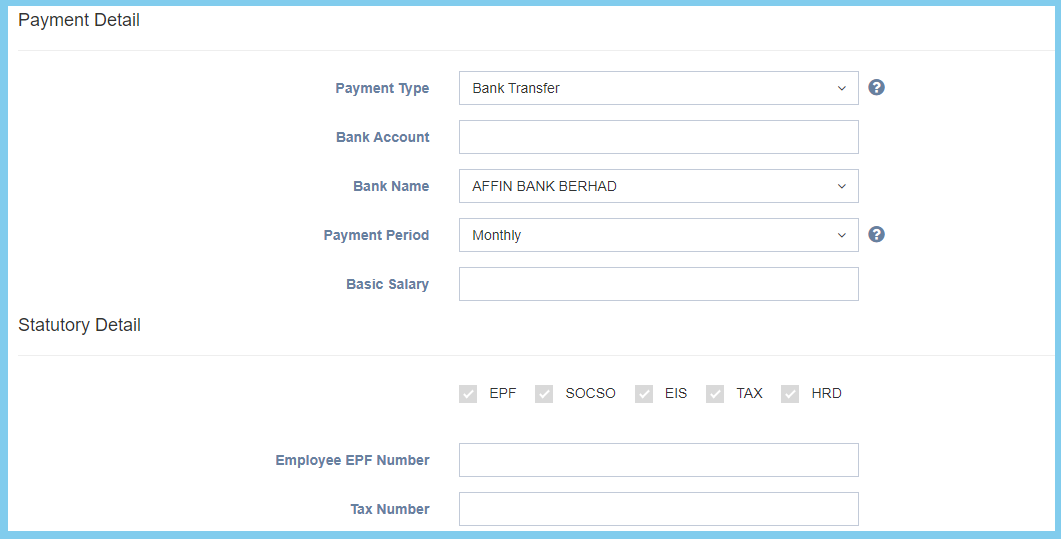
| Payment Type |
|
Define how employee received their pay. |
| Bank Account | Any number | Enter the employee bank account number which employee choose payment method with bank transfer. |
| Bank Name | Selection from bank name | Select the bank name that employee prefer from option available. |
| Payment Period |
|
Define how frequence employee received their pay. |
| Basic Salary | Any number | Set the basic salary for employee. |
| Employee EPF Number | Any number | Enter the employee EPF account number for contribute EPF. |
| Tax Number | Any numner | Enter the tax number which use to contribute tax. |
| Option | Allowed Values | Description |
|---|---|---|
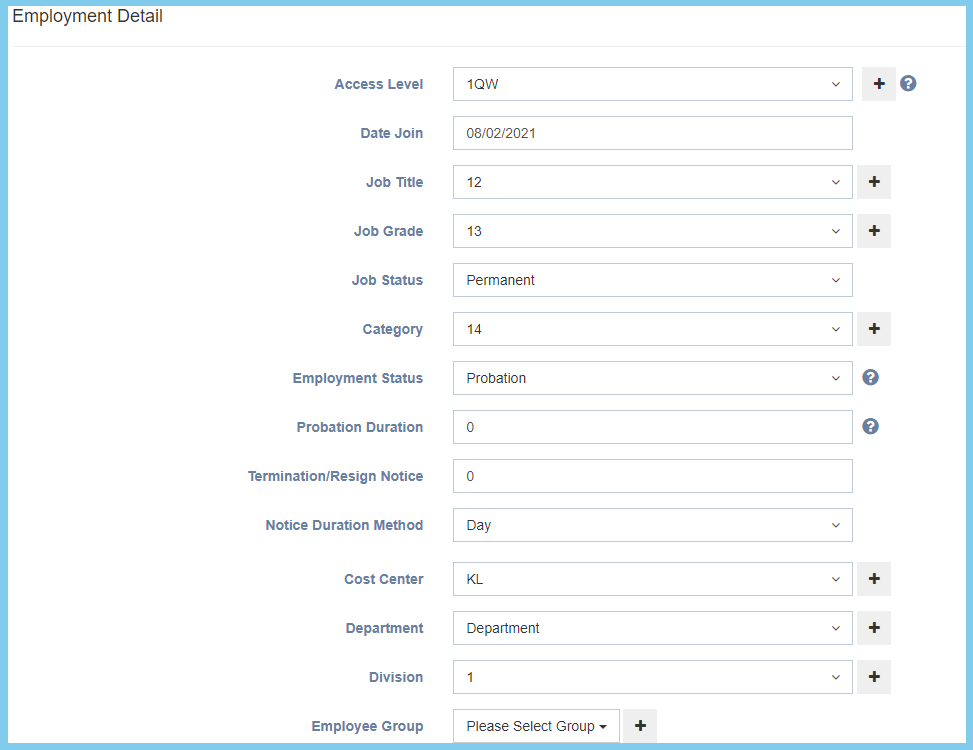
| EPF | Selection from EPF | Select the EPF employer reference number from option available. |
| PERKESO (SOCSO/EIS) | Selection from SOCSO | Select the socso employer reference number that for contribute from option available. |
| Selection from tax | Select the tax employer reference number for to contribute from option available. | |
| Create ESS Account when profile successfully created |
|
If enabled, when profile succesfully created, it will automatically create an ESS acount for employee. |
| Account Type |
|
Select the account type from option available. |