
1. Edit Employee Profile.
2. Click Manage Account.
3. Update information if you wish to.
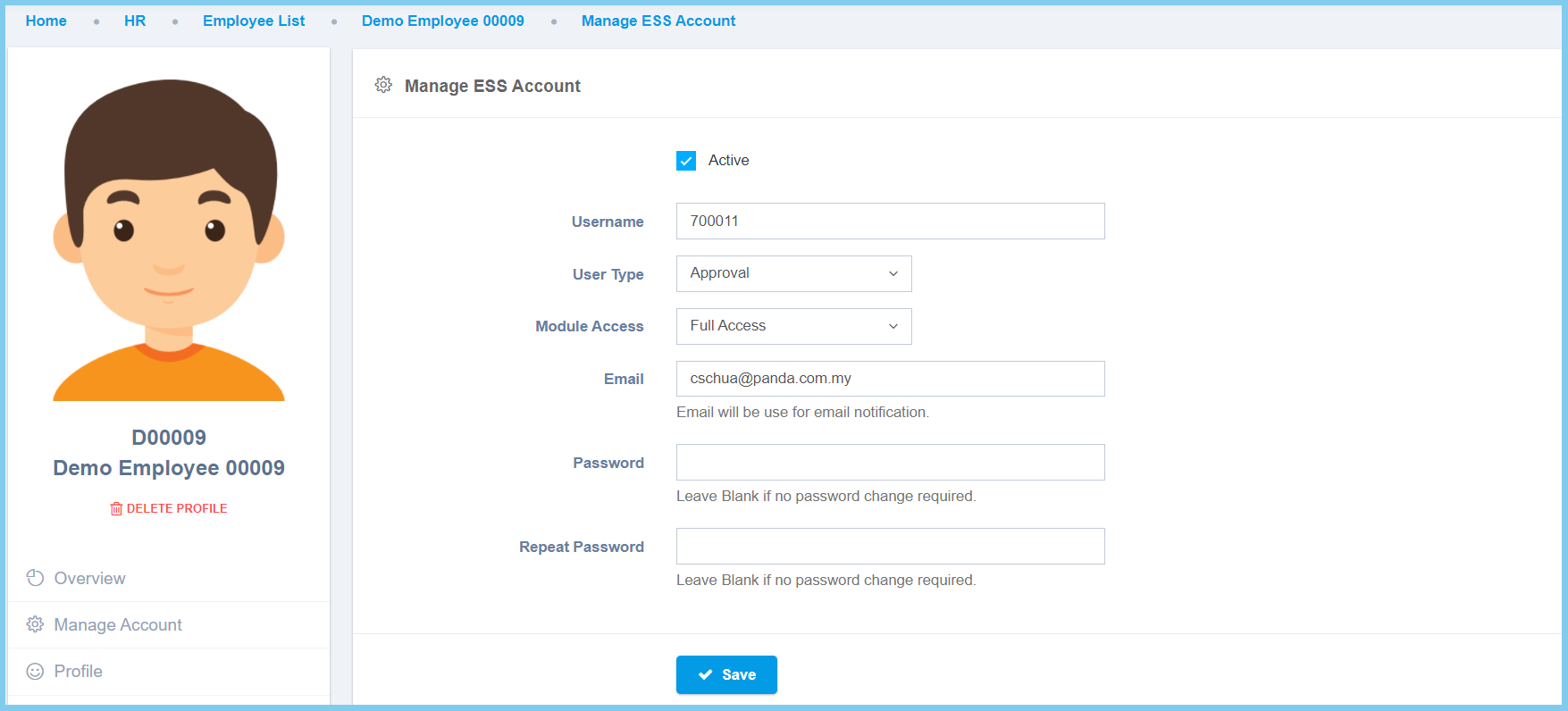
4. Click Save button.
Manage Account Configuration Option Explaination
| Option | Allowed Values | Description |
|---|---|---|
| Active |
|
Set the status of ESS account whether is active or inactive. |
| Username | Any alphanumeric | Employee username. |
| User Type | Setup from user | Select the user type from available list.
Click here to view setup. |
| Module Access | Setup from module access template | Select the module access template for the employee.
Click here to view setup. |
| Any alphanumeric with email format | Employee valid email address, it will be use as email notification. | |
| Password | Any alphanumeric | If the employee forgot their previous password, set a password for the ESS account.
Leave blank if no password change required. |
| Repeat Password | Any alphanumeric | Repeat and ensure the password is same with password above.
Leave blank if no password change required. |
