
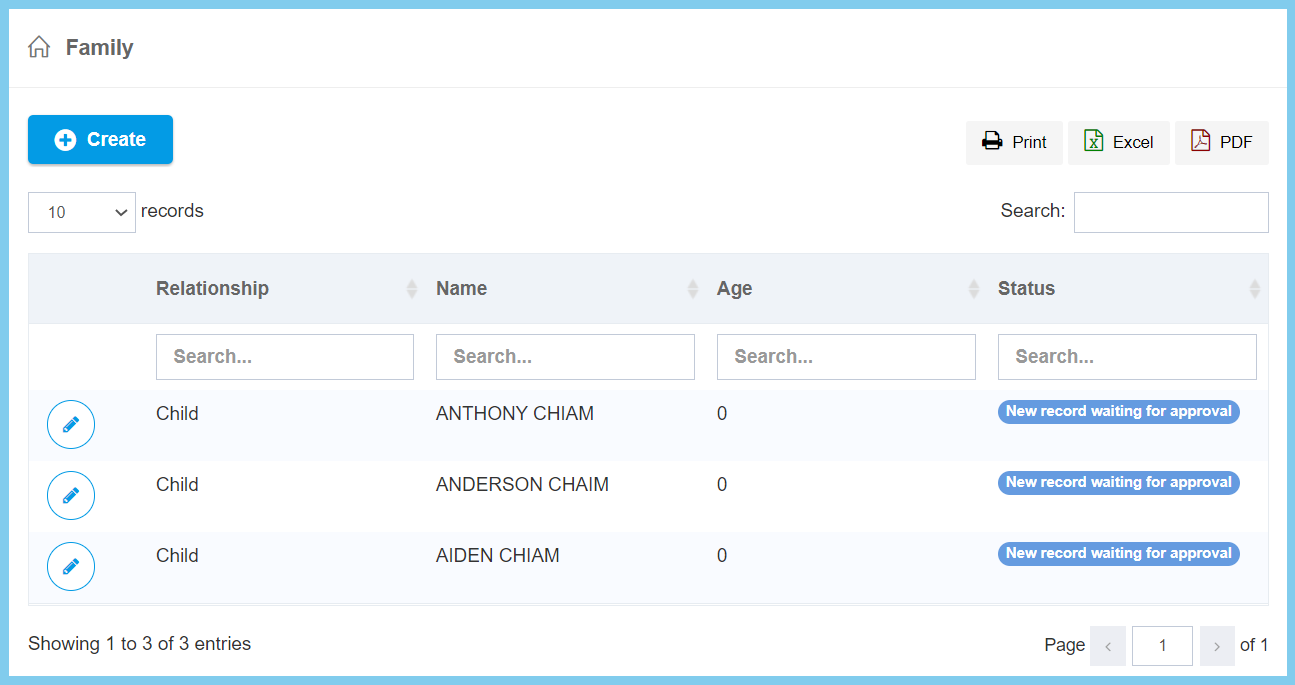
1. Edit Employee Profile.
2. Click My Profile.
3. Click Create button.
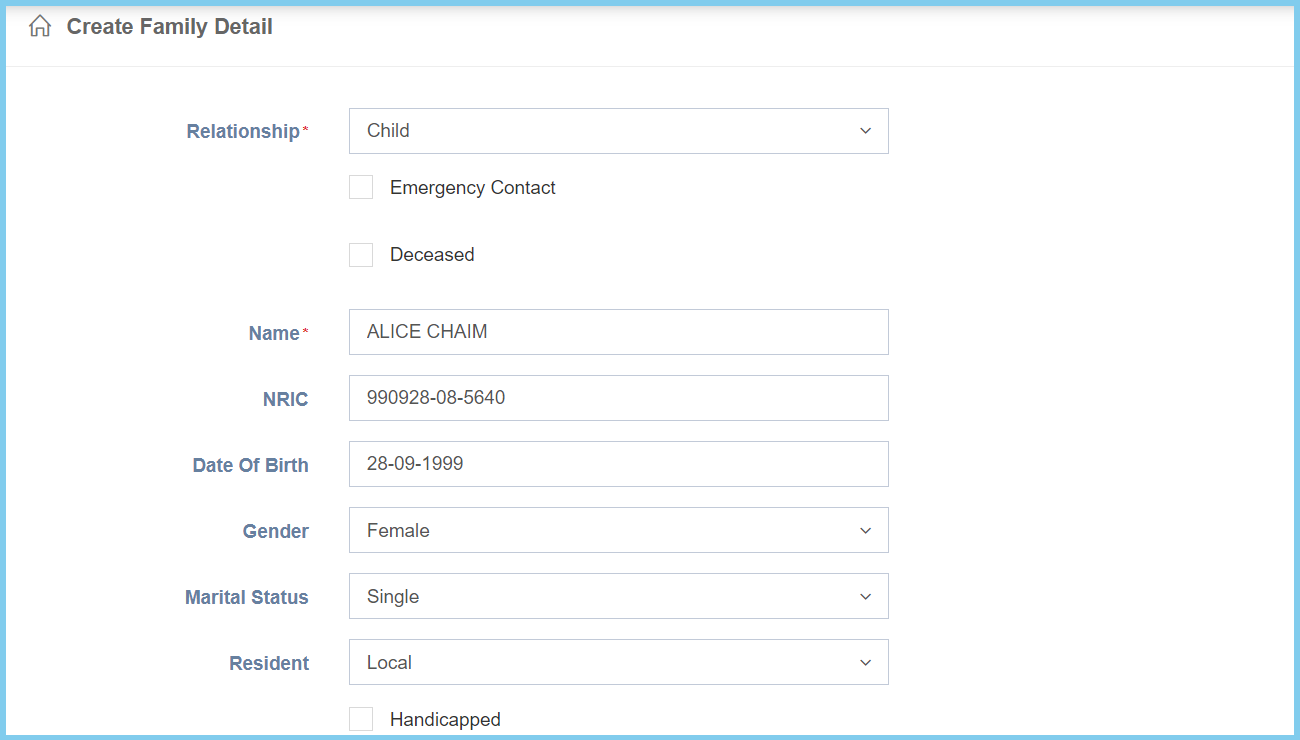
4. Fill the form.
5. Click Create button.
Family Configuration Option Explaination
| Option | Allowed Values | Description |
|---|---|---|
| Relationship | Selection from relationship | Select the relationship between employee and this family member from option available. |
| Emergency Contact |
|
If enabled, this family member is the emergency contact for the employee. |
| Deceased |
|
If enabled, this family member is deceased. |
| Name | Any alphanumeric | Enter the name for family member. |
| NRIC | Any number | Enter the valid IC number of the family member. |
| Date Of Birth | Select date from calendar | Select the date of birth for the family member from calendar available. |
| Gender |
|
Select the family member gender from option available. |
| Marital Status |
|
Select the family member marital status from option available. |
| Resident |
|
Select the family member resident from option available. |
| Handicapped |
|
If enabled, the family member is handicapped. |
| Option | Allowed Values | Description |
|---|---|---|
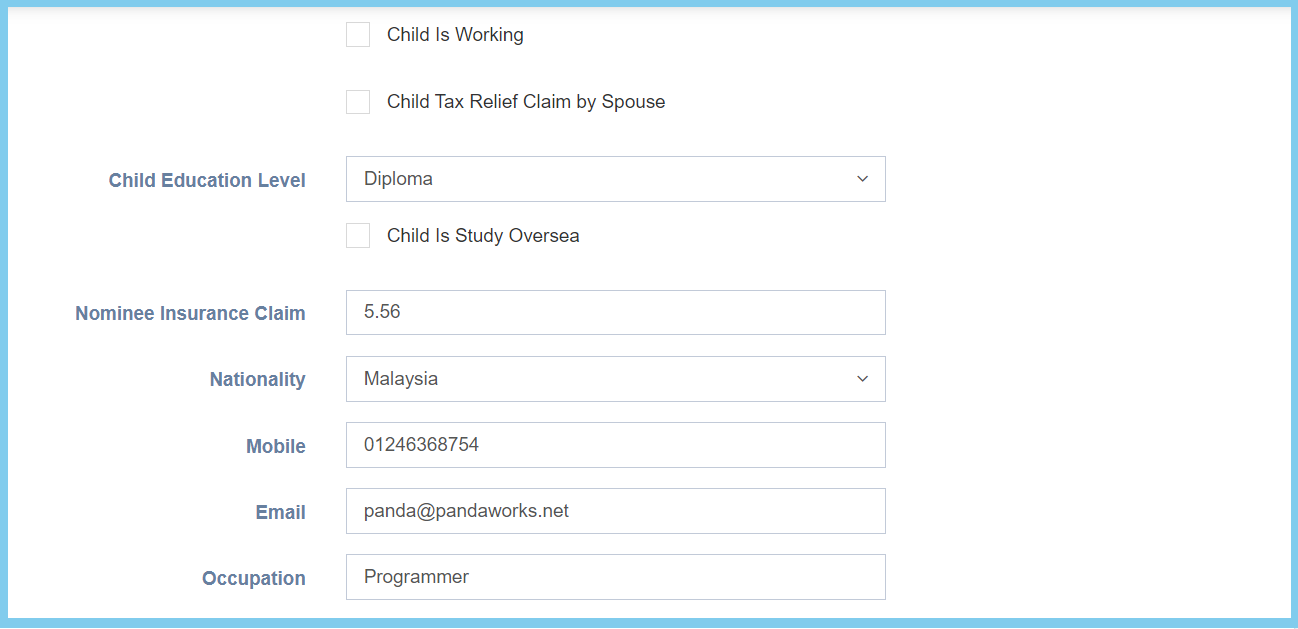
| Child Is Working |
|
If enabled, the child has other working now. |
| Child Tax Relief Claim by Spouse |
|
If enabled, the child tax is relief claim by spouse. |
| Child Education Level | Selection from education level | Select the child highest education level from option available. |
| Child Is Study Oversea |
|
If enabled, the child is study oversea. |
| Nominee Insurance Claim | Any number | Enter the percentage of the nominee insurance claim. |
| Nationality | Setup from code settings | Select the nationality of the family member from option available.
Click here to view setup for country. |
| Mobile | Any number | Enter the valid family member phone number. |
| Any alphanumeric with email format | Enter the valid family member email. | |
| Occupation | Any alphanumeric | Enter the occupation of the family member. |
| Option | Allowed Values | Description |
|---|---|---|
| School | Any alphanumeric | Enter the name of school. |
| Address 1 | Any alphanumeric | The first line of the address. |
| Address 2 | Any alphanumeric | The second line of the address. |
| Address 3 | Any alphanumeric | The third line of the address. |
| Postcode | Any number | The postcode of the address. |
| City | Any alphanumeric | The city that family member stay. |
| State | Setup from code settings | Select the state that family member stay.
Click here to view setup for state. |
| Country | Setup from code settings | Select the country that family member stay.
Click here to view setup for country. |
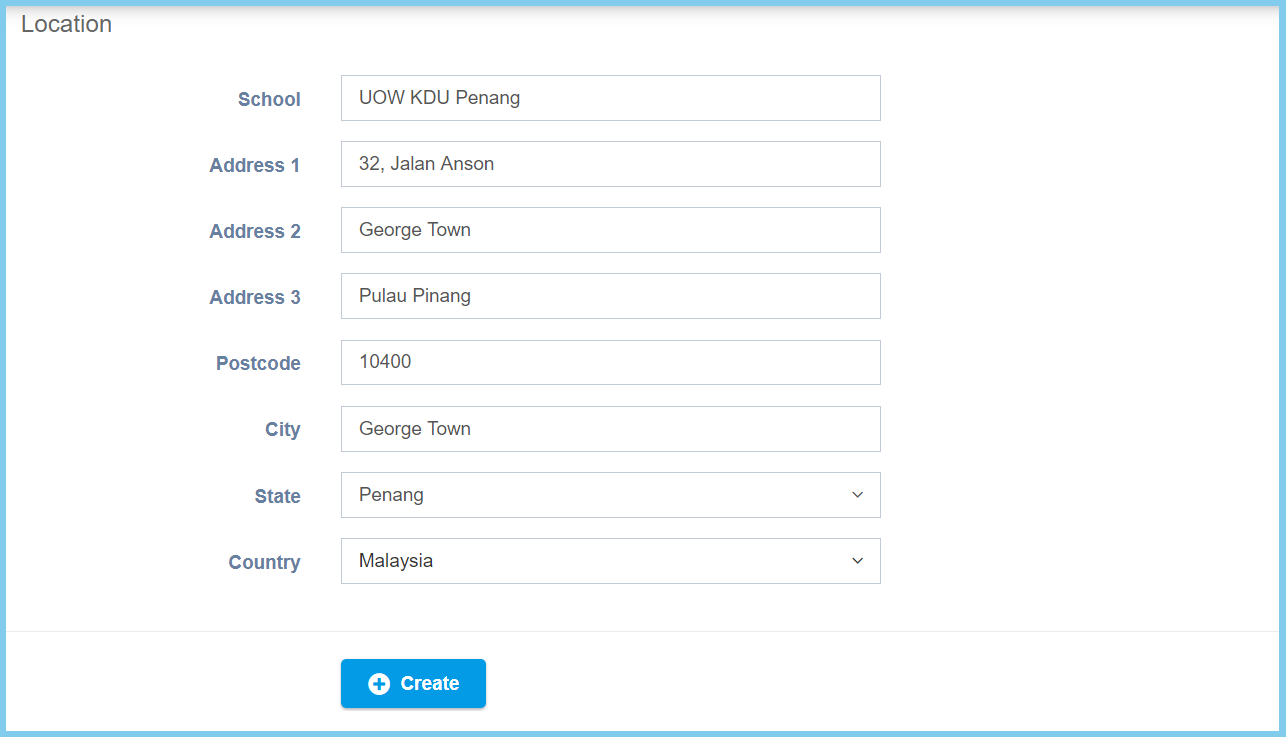
Note: This is for the selection from relationship which chosen Child.
For the selection Spouse, there has another option which is Spouse Tax number. Spouse Tax number is to enter the tax number of the spouse.
