1. Edit Employee Profile.
2. Click Statutory.
3. Update the form.
4. Click Save button.
Note: There has 5 sections can update.
Statutory Configuration Option Explaination
| Option | Allowed Values | Description |
|---|---|---|
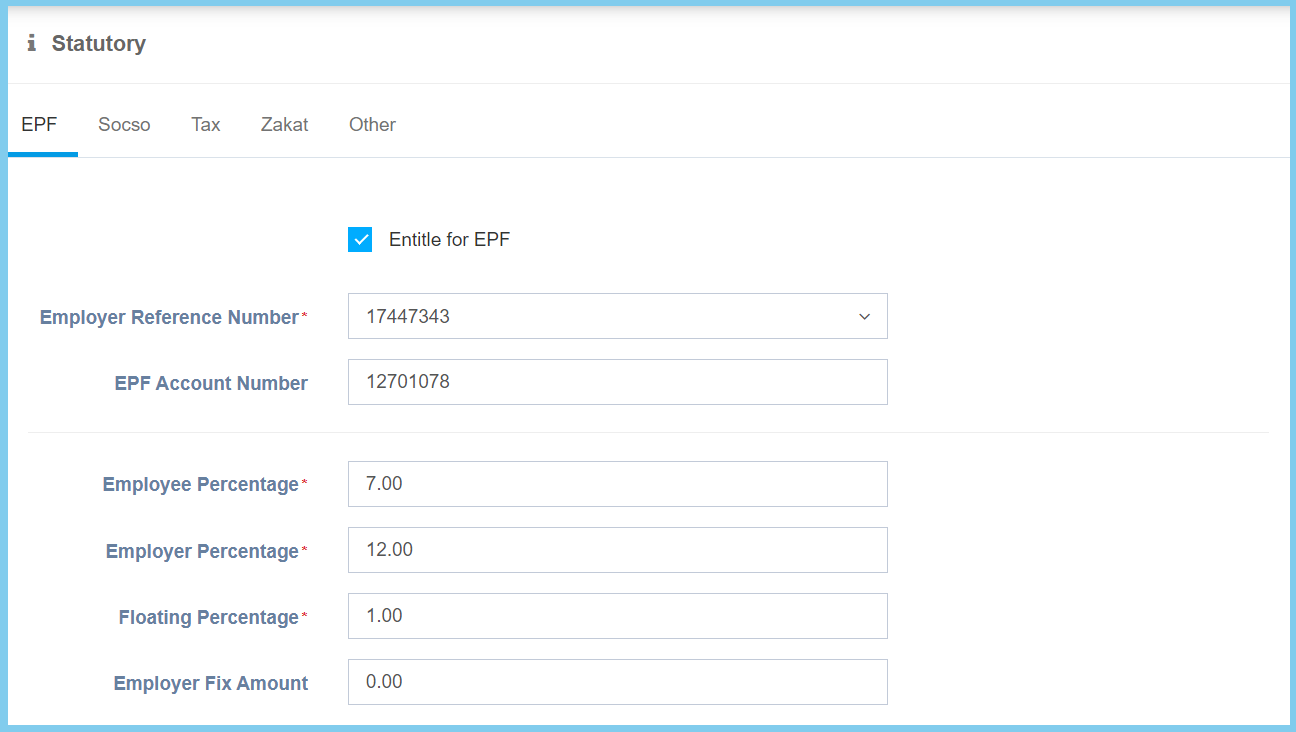
| Entitle for EPF |
|
If enabled, it will entitle for EPF. |
| Employer Reference Number | Setup from employer references | Select the employer references number from option available.
Click here to view setup. |
| EPF Account Number | Any number | The account number of EPF. |
| Employee Percentage | Any number | The percentage of EPF employee. |
| Employer Percentage | Any number | The percentage of EPF employer. |
| Floating Percentage | Any number | The percentage of EPF floating. |
| Employer Fix Amount | Any number | The fix EPF amount of employer. |
| Option | Allowed Values | Description |
|---|---|---|
| Additional Contribution |
|
Ticked when additional contribution is required. |
| Employee Additional Percentage | Any number | The percentage of employee additional EPF. |
| Employer Additional Percentage | Any number | The percentage of employer additional EPF. |
| Employee Additional Amount | Any number | The amount of employee additional EPF. |
| Employer Additional Amount | Any number | The amount of employer additional EPF. |
Note: The configurations above will be editable when the Additional Contribution is ticked.

| Option | Allowed Values | Description |
|---|---|---|
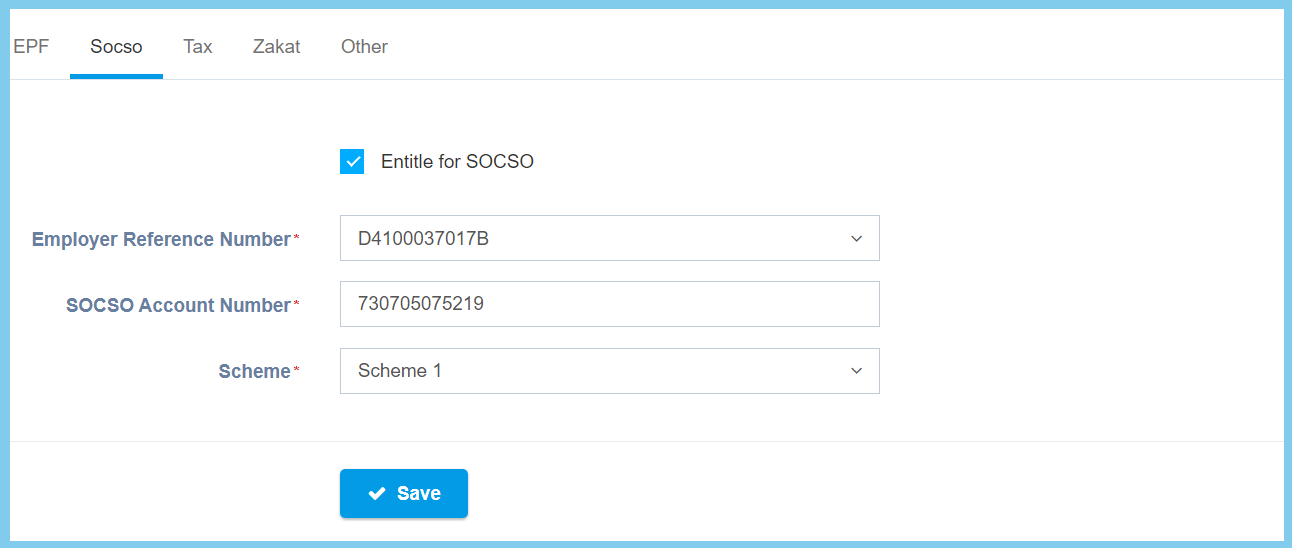
| Entitle for SOCSO |
|
If enabled, it will entitle for SOCSO. |
| Employer Reference Number | Setup from employer references | Select the employer references number from option available.
Click here to view setup. |
| SOCSO Account Number | Any number | The account number of SOCSO.
This configuration will be editable when Entitle for SOCSO is ticked. |
| Scheme | Selection from scheme | Select the scheme for SOCSO. |
| Option | Allowed Values | Description |
|---|---|---|
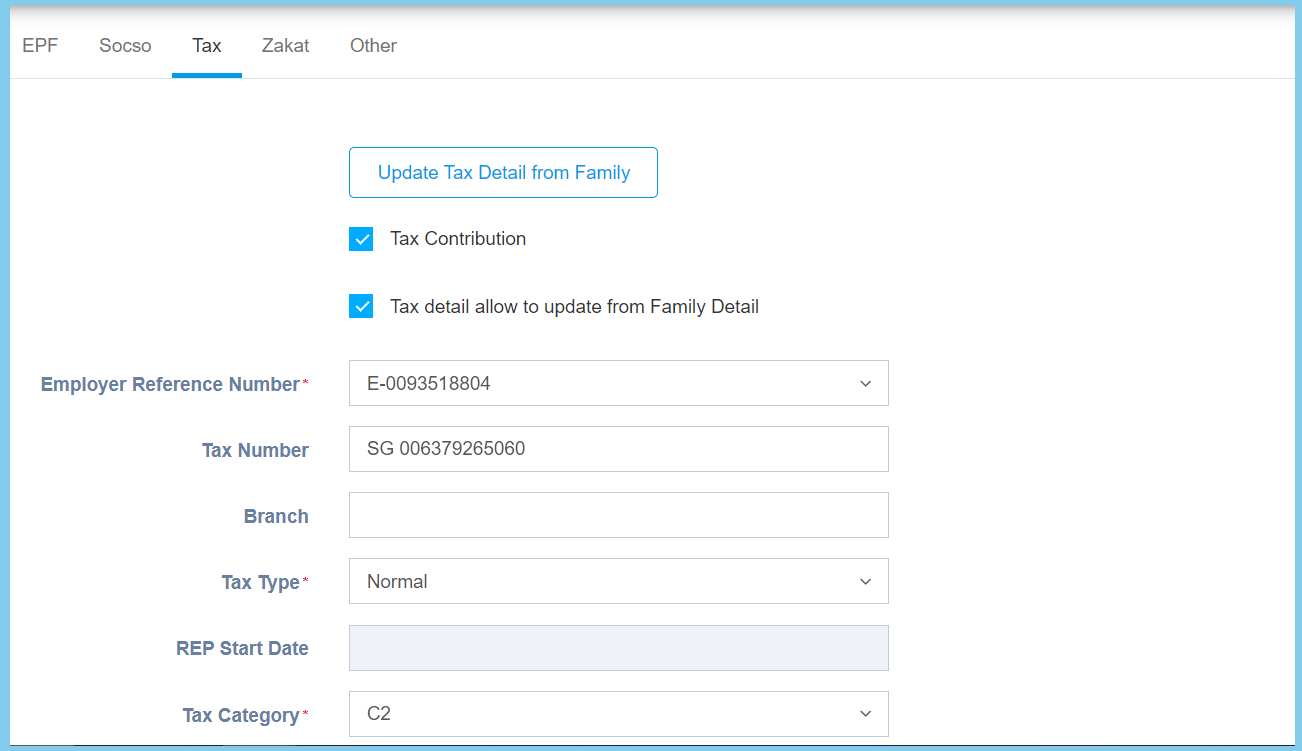
| Update Tax Detail from Family | Clickable | Clicked when wish to update tax detail from family. |
| Tax Contribution |
|
Ticked when required to have tax contribution. |
| Tax detail allow to update from Family Detail |
|
If enabled, the tax details will be allow to update from family details. |
| Employer Reference Number | Setup from employer references | Select the employer references from opton available.
Click here to view setup. |
| Tax Number | Any number | The tax number of employee. |
| Branch | Any alphanumeric | The name of employee branch. |
| Tax Type |
|
Select the tax type from option available. |
| REP Start Date | Select date from calendar | Select the start date of REP.
It available when the selection of tax type is Return Expert Program(REP). |
| Tax Category |
|
Select the tax category from option available. |
| Option | Allowed Values | Description |
|---|---|---|
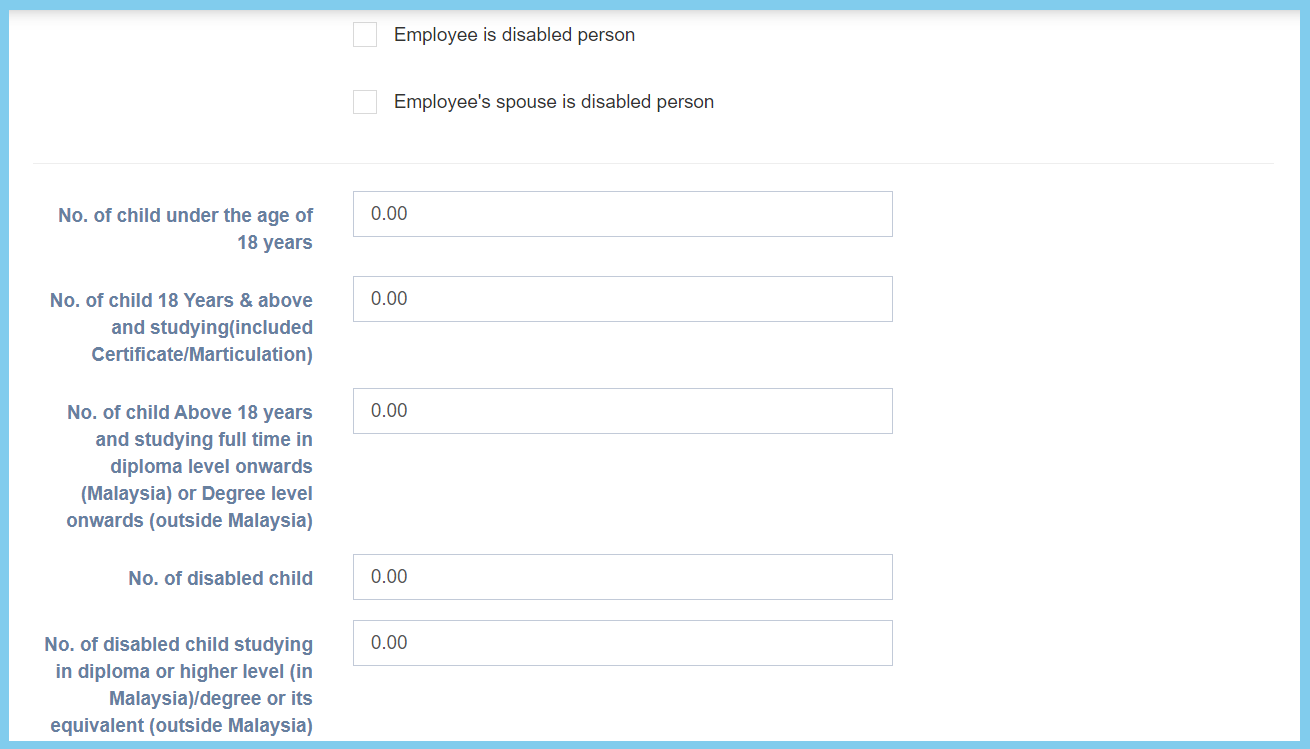
| Employee is disabled person |
|
Ticked when the employee is a disabled person. |
| Employee’s spouse is disabled person |
|
Ticked when the employee spouse is a disabled person. |
| No. of child under the age of 18 years | Any number | The number of child that under 18 years old. |
| No. of child 18 Years & above and studying (included Certificate/Marticulation) | Any number | The number of child that is above 18 years old and still studying. |
| No. of child Above 18 years and studying full time in diploma level onwards (Malaysia) or Degree level onwards (outside Malaysia) | Any number | The number of child that above 18 years old and studying full time in diploma or degree. |
| No. of disabled child | Any number | The number of child that is disabled. |
| No. of disabled child studying in diploma or higher level (in Malaysia)/degree or its equivalent (outside Malaysia) | Any number | The number of child that is disabled and studying in diploma or degree. |
| Option | Allowed Values | Description |
|---|---|---|
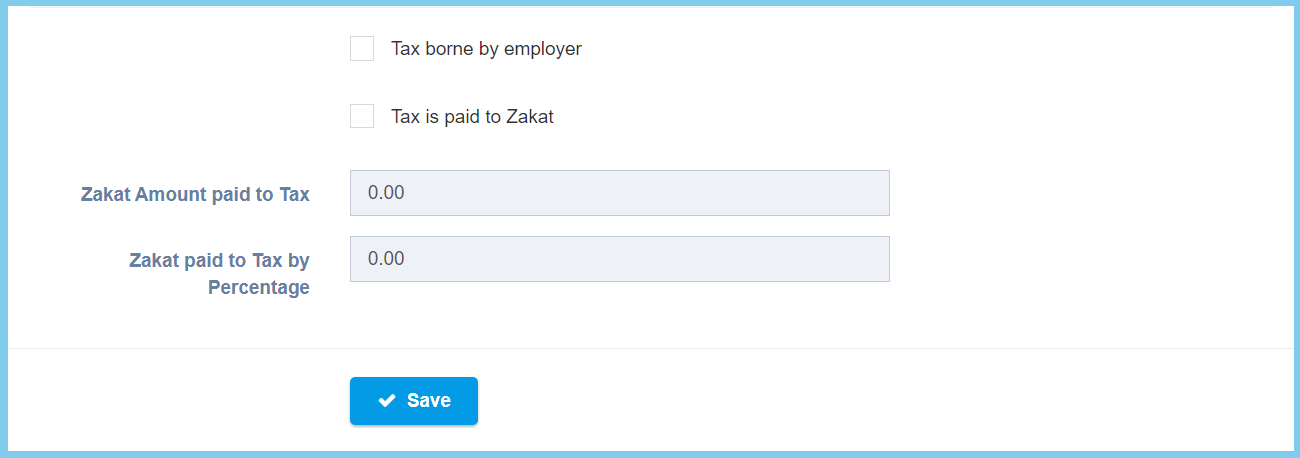
| Tax borne by employer |
|
Ticked when the employer borne tax. |
| Tax is paid to Zakat |
|
Ticked when the tax is paid to zakat. |
| Zakat Amount paid to Tax | Any number | The zakat amount that paid to tax.
This will be editable when the Tax is paid to Zakat is ticked. |
| Zakat paid to Tax by Percentage | Any number | The percentage of zakat that paid to tax.
This will be editable when the Tax is paid to Zakat is ticked. |
| Option | Allowed Values | Description |
|---|---|---|
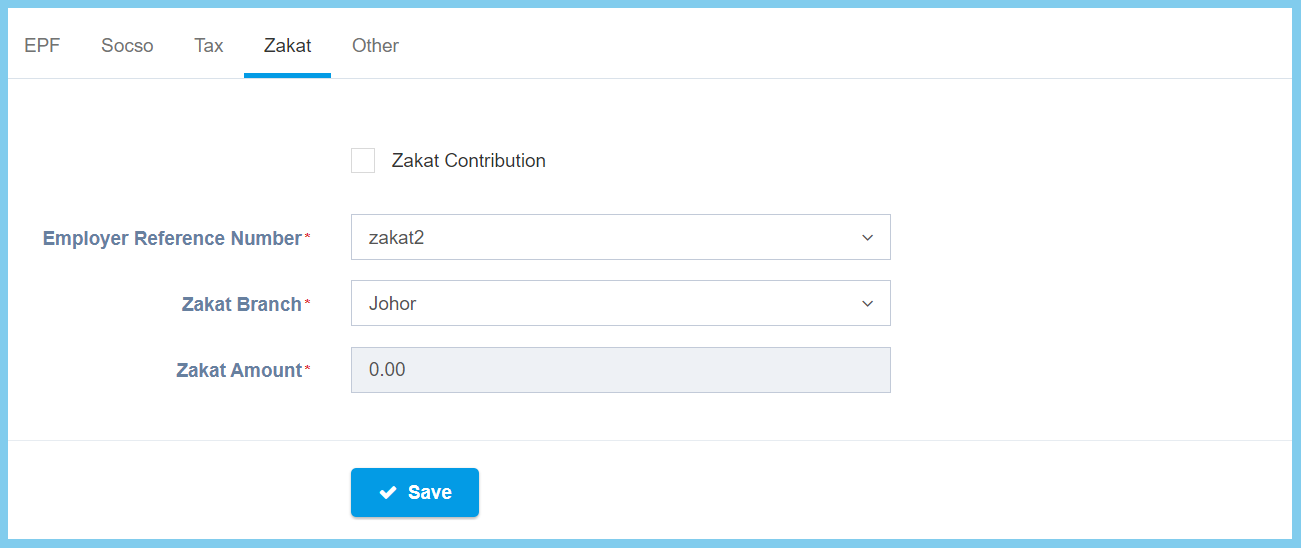
| Zakat Contribution |
|
Ticked when zakat contribution is required. |
| Employer Reference Number | Setup from employer references | Select the employer references number from option available.
Click here to view setup. |
| Zakat Branch | Selection from branch | Select the branch for zakat. |
| Zakat Amount | Any number | The amount of zakat. |
| Option | Allowed Values | Description |
|---|---|---|
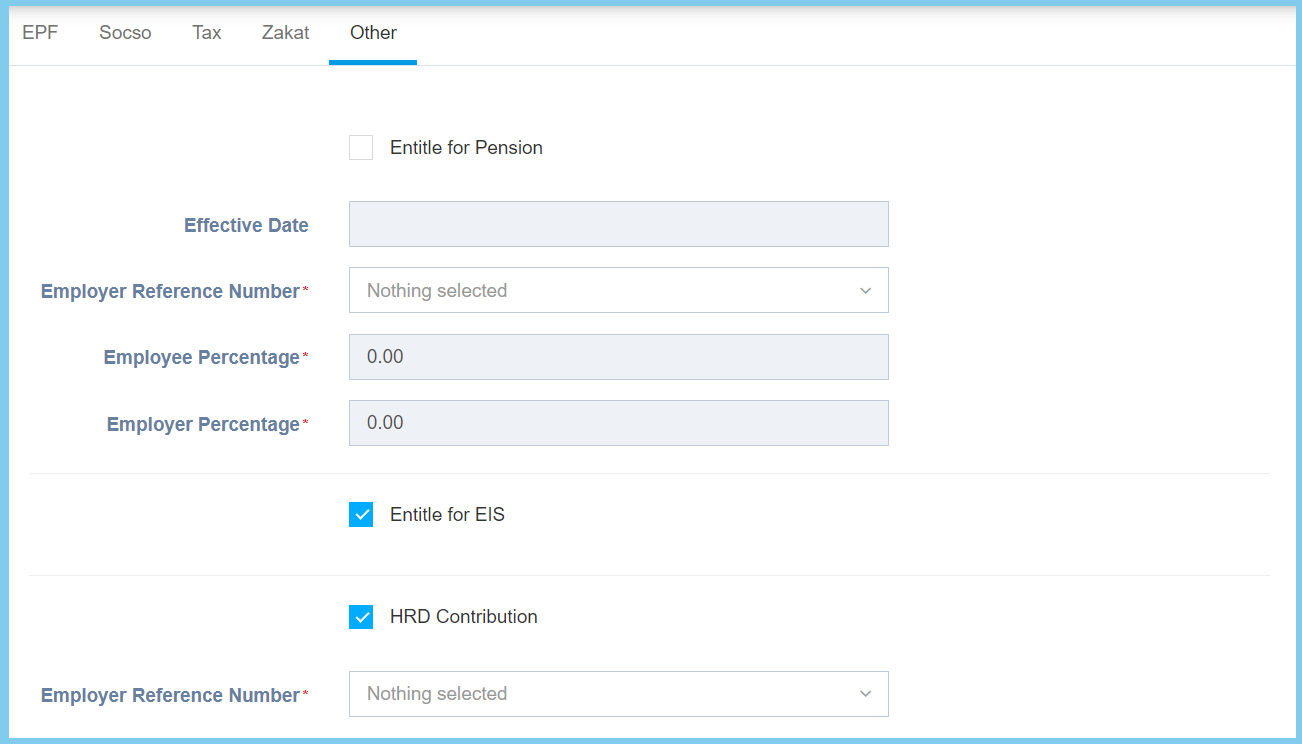
| Entitle for Pension |
|
If enabled, it will entitle for pension. |
| Effective Date | Select date from calendar | Select the effective pension date from calendar available.
It available when Entitle for Pension is ticked. |
| Employer Reference Number | Setup from employer references | Select the employer references number from option available.
Click here to view setup. |
| Employee Percentage | Any number | The percentage of employee pension.
This configuration will be editable when Entitle for Pension is ticked. |
| Employer Percentage | Any number | The percentage of employer pension.
This configuration will be editable when Entitle for Pension is ticked. |
| Entitle for EIS |
|
If enabled, it will entitle for pension. |
| HRD Contribution |
|
Ticked when the contribution of HRD is required. |
| Employer Reference Number | Setup from employer references | Select the employer references number from option available.
Click here to view setup. |
| Option | Allowed Values | Description |
|---|---|---|
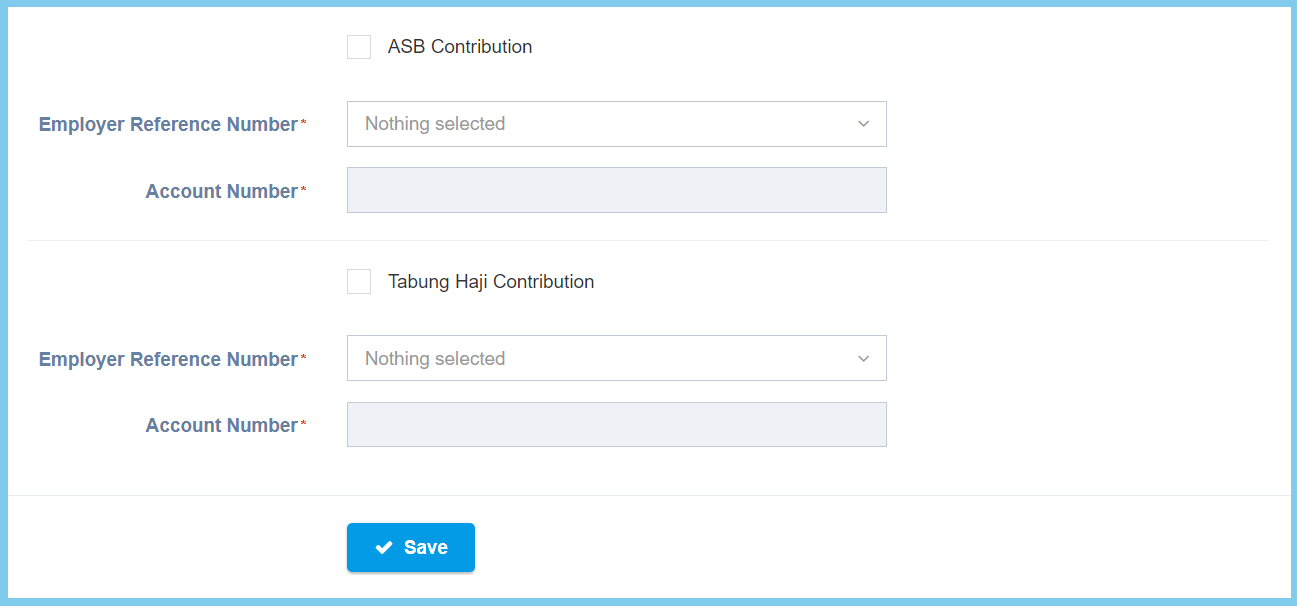
| ASB Contribution |
|
Ticked when the contribution of ASB is required. |
| Employer Reference Number | Setup from employer references | Select the employer references number from option available.
Click here to view setup. |
| Account Number | Any number | The ASB account number.
This configuration will be editable when ASB Contribution is ticked. |
| Tabung Haji Contribution |
|
Ticked when the contribution of tabung haji is required. |
| Employer Reference Number | Setup from employer references | Select the employer references number from option available.
Click here to view setup. |
| Account Number | Any number | The tabung haji account number.
This configuration will be editable when Tabung Haji Contribution is ticked. |