
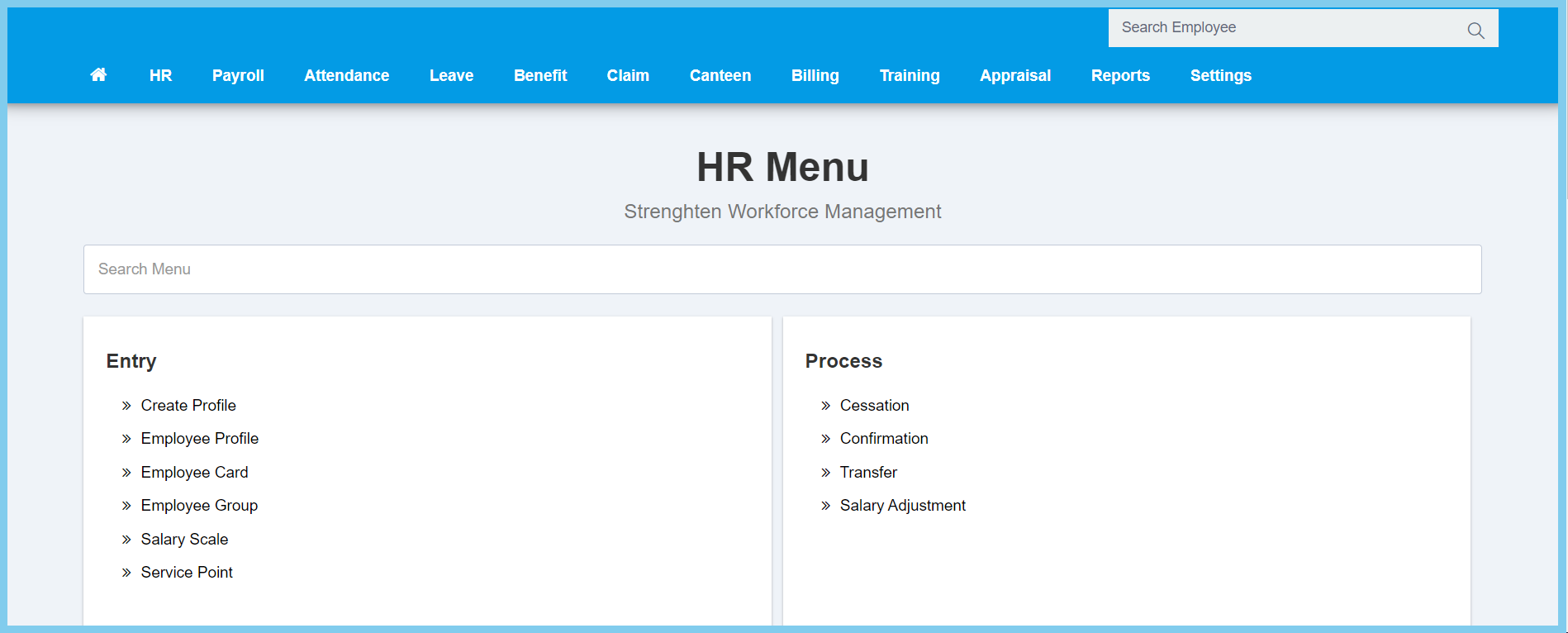
1. Menu: Click HR.
2. Click Salary Scale which located under Entry.
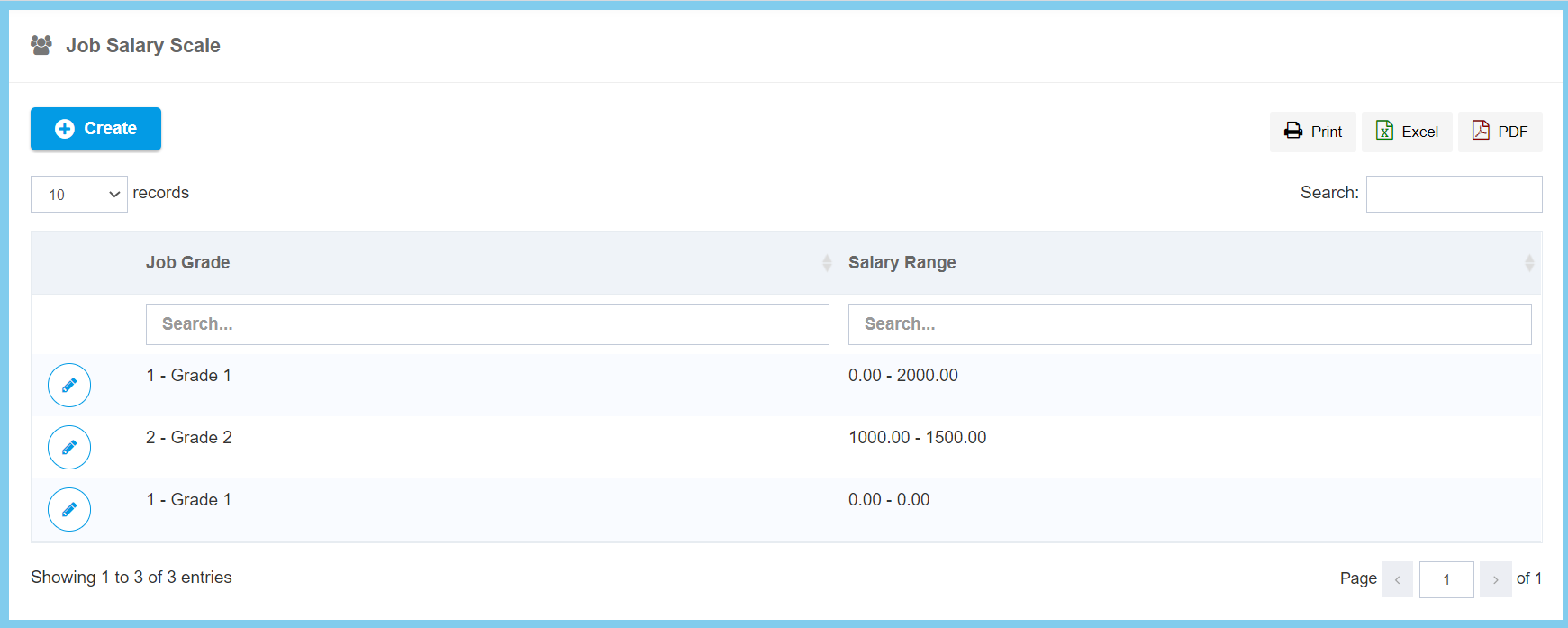
3. Click Create button.
4. Fill the form.
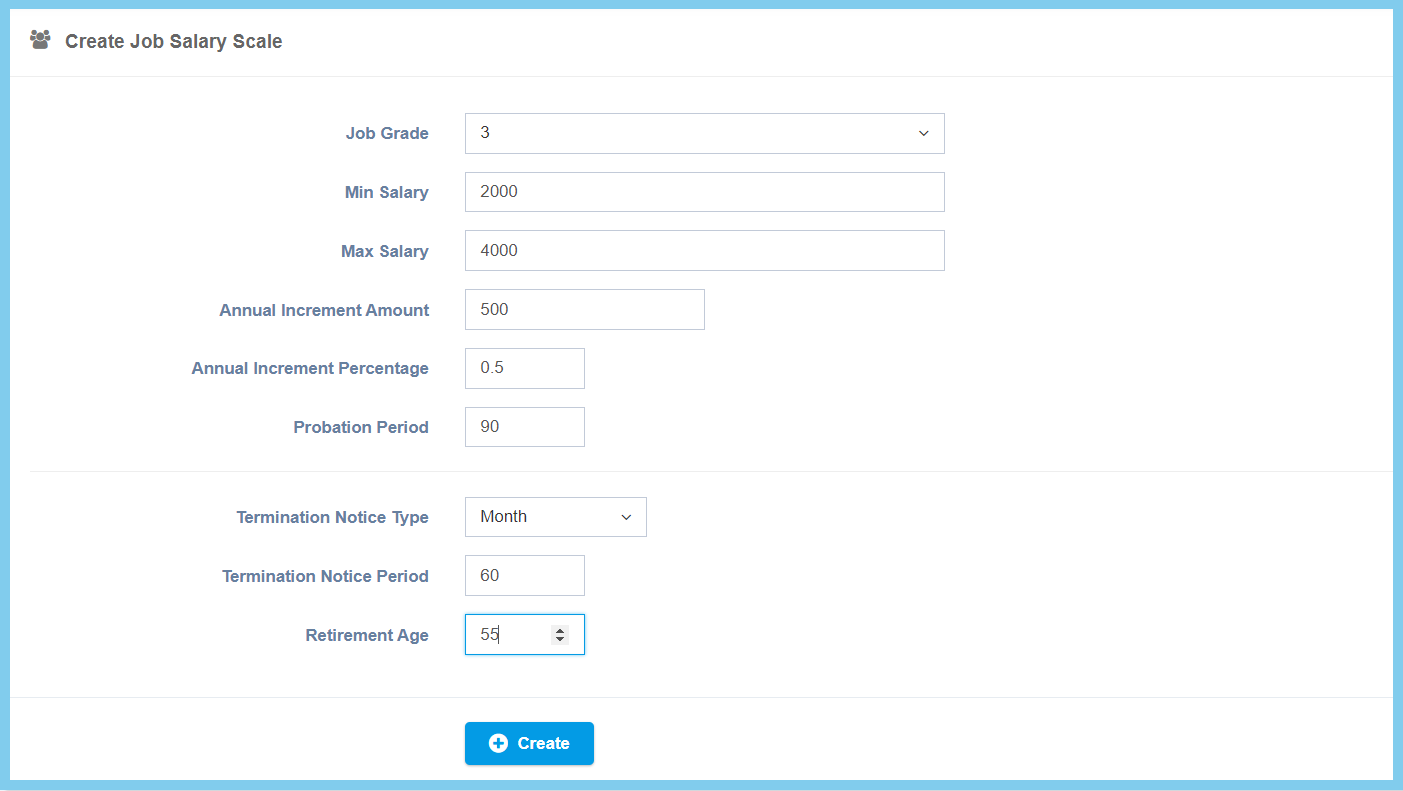
5. Click Create button.
Salary Scale Configuration Option Explaination
| Option | Allowed Values | Description |
|---|---|---|
| Job Grade | Setup from job grade | Select the job grade for this salary scale from option available.
Click here to view setup. |
| Min Salary | Any number | Enter the minimum amount of salary. |
| Max Salary | Any number | Enter the maximum amount of salary. |
| Annual Increment Amount | Any number | Enter the amount of annual increment. |
| Annual Increment Percentage | Any number | Enter the percentage of annual increment. |
| Probation Period | Any number | Enter the period of probation. |
| Termination Notice Type |
|
Select the type of termination notice from option available. |
| Termination Notice Period | Any number | Enter the period of termination notice. |
| Retirement Age | Any number | Enter the age of retirement. |
