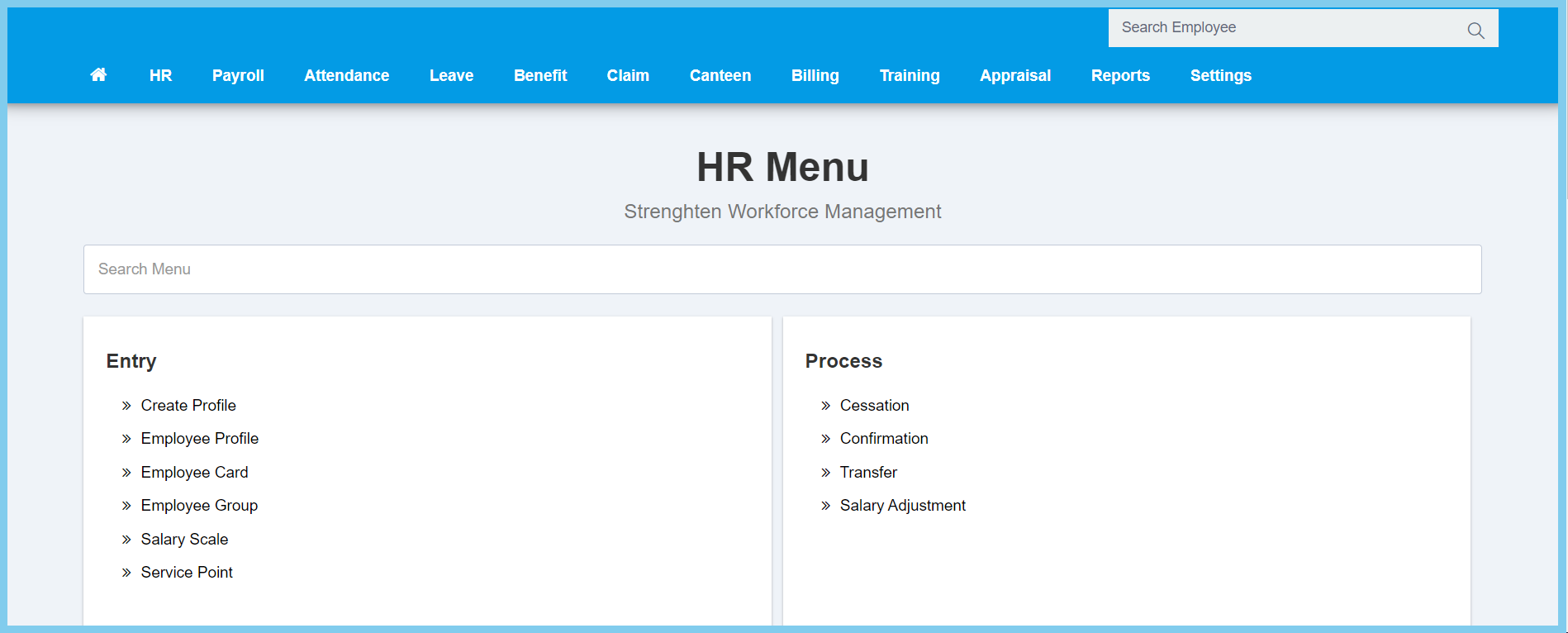
1. Menu: Click HR.
2. Click Confirmation which located under Process.
3. Select employee that you wish to do confirmation for he/she.
4. Click Submit button.
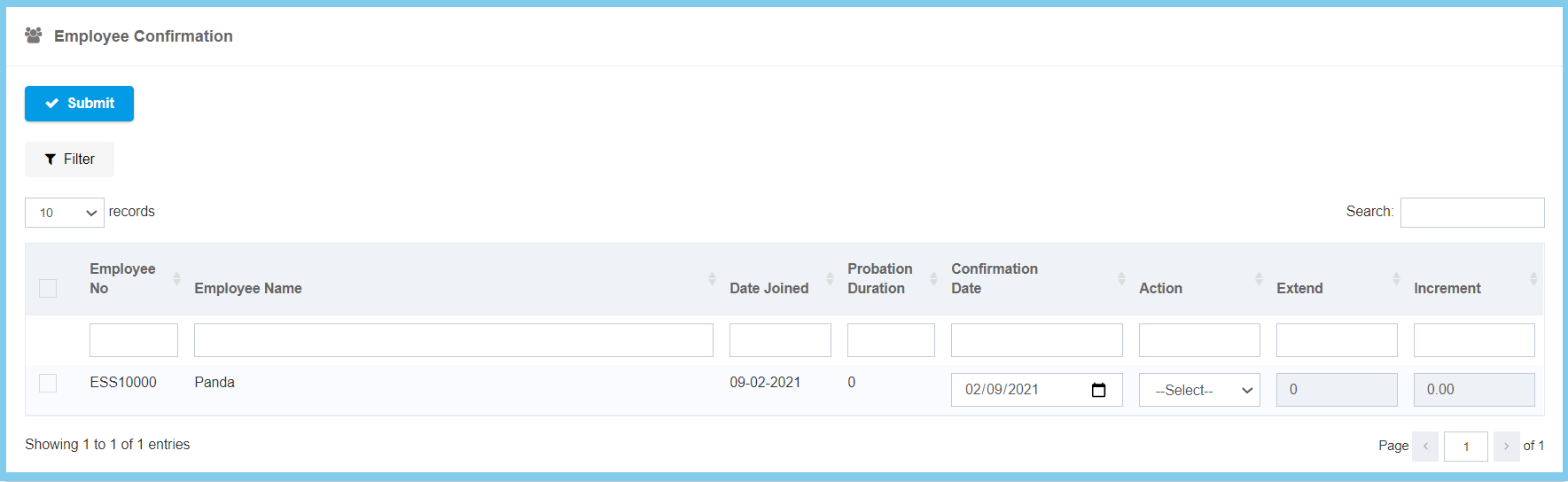
Note: It will send a notification to admin if any employee is near to end of probation.

1. Menu: Click HR.
2. Click Confirmation which located under Process.
3. Select employee that you wish to do confirmation for he/she.
4. Click Submit button.
Note: It will send a notification to admin if any employee is near to end of probation.
