
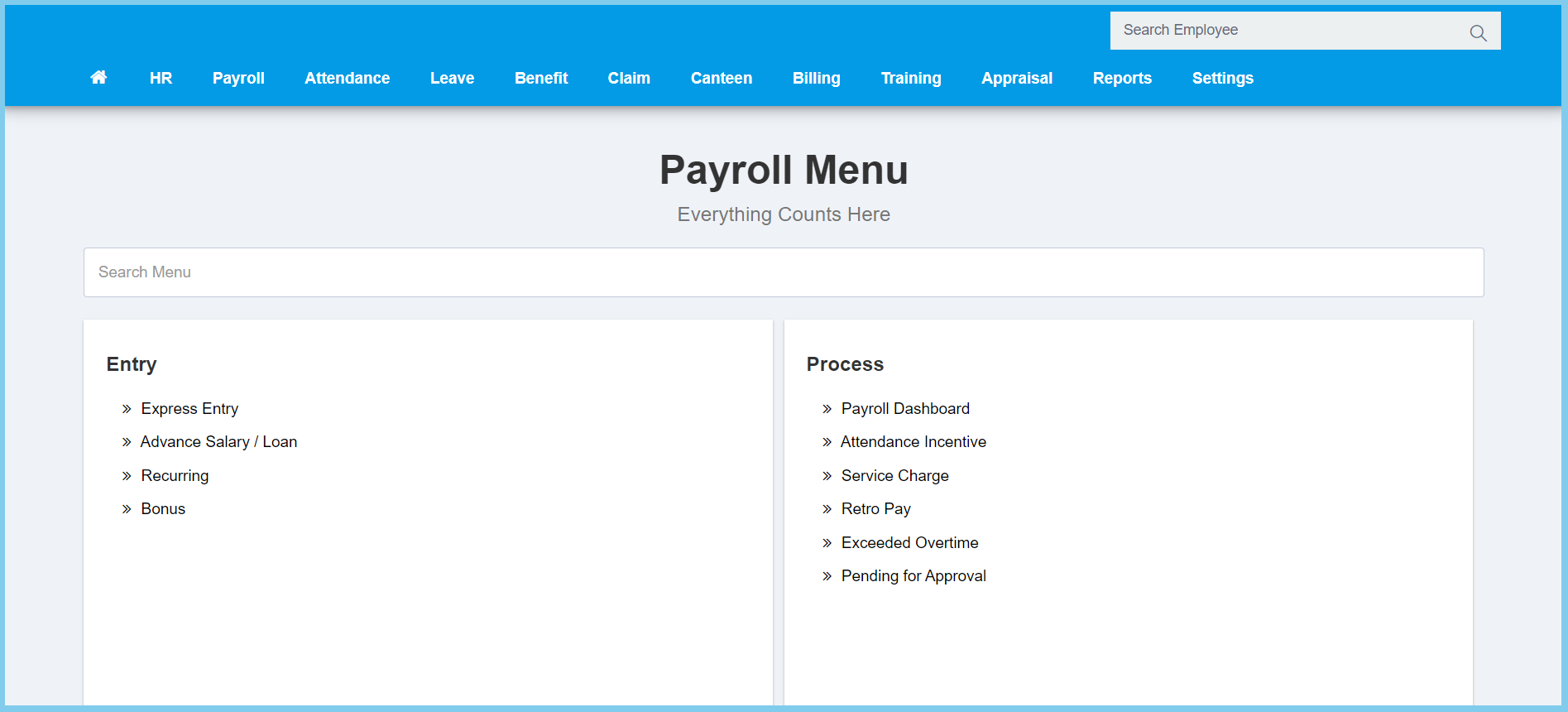
1. Menu: Click Payroll.
2. Click Recurring which located under Entry.
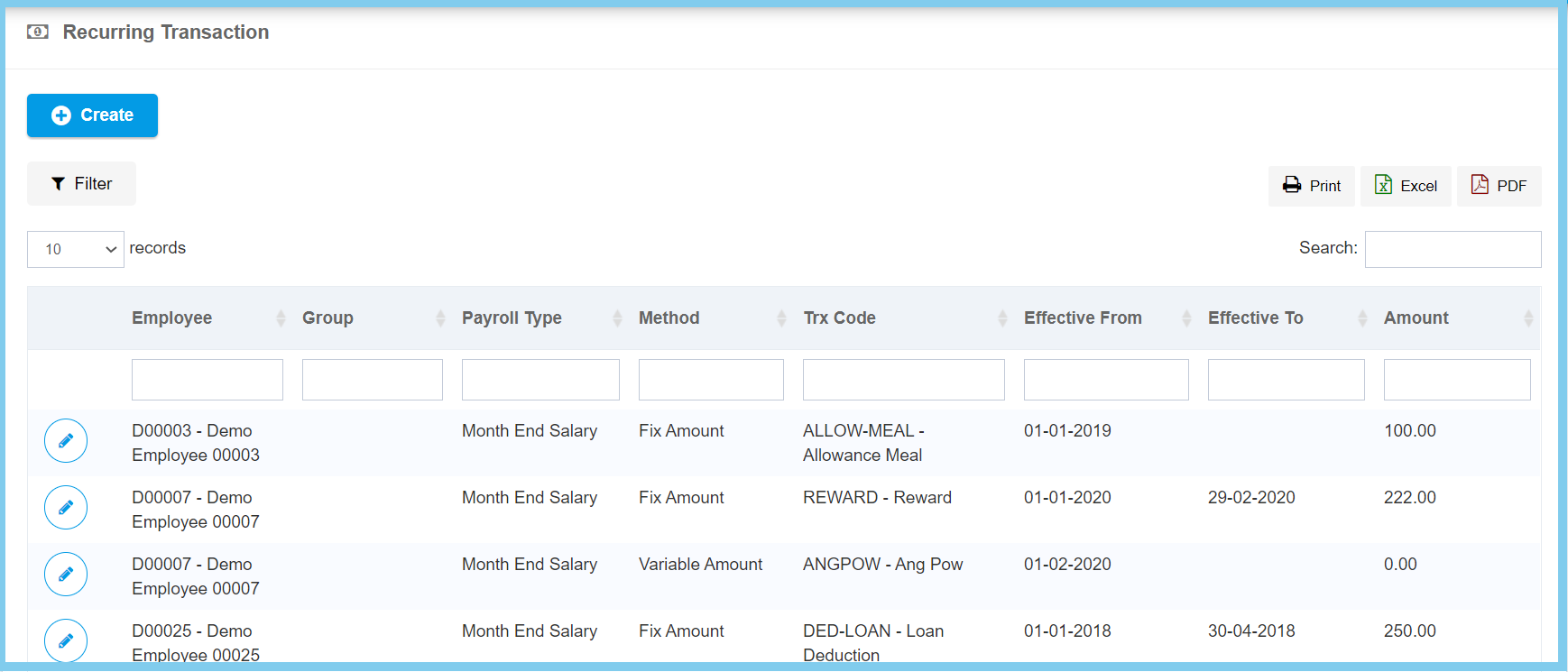
3. Click edit button on which recurring transaction that you wish to edit.
4. Edit the form.
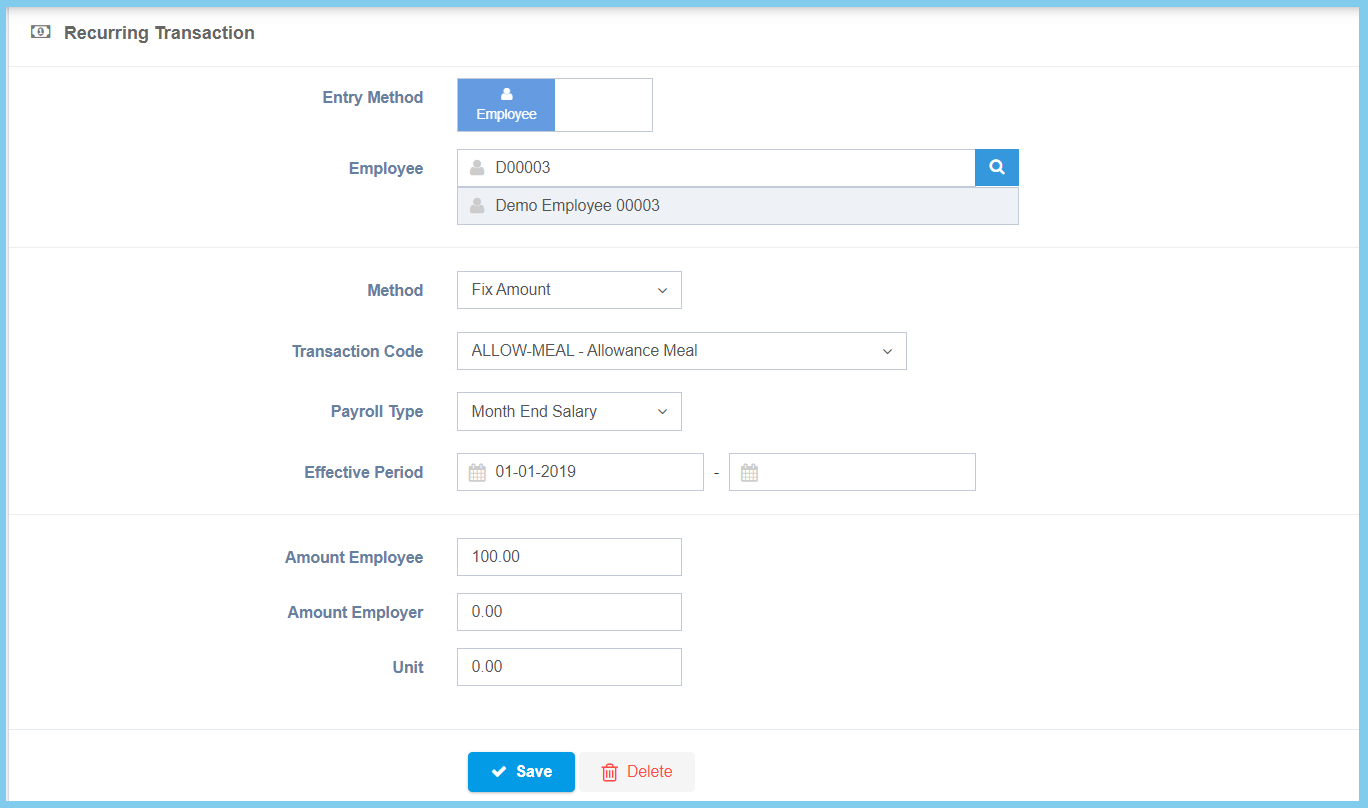
5. Click Save button.
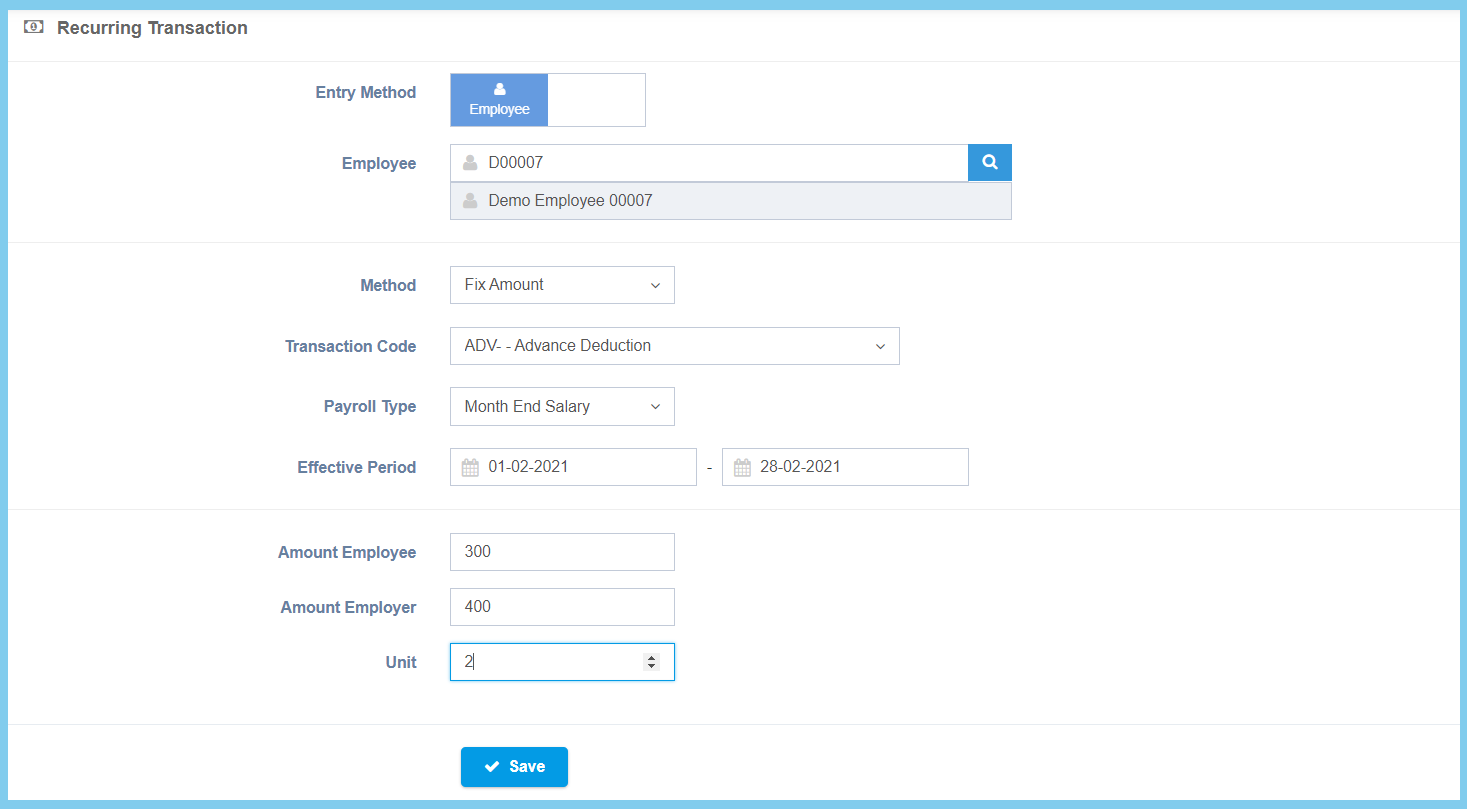
Note: This is for selection of variable amount from method.
Recurring Configuration Option Explaination
| Option | Allowed Values | Description |
|---|---|---|
| Entry Method |
|
Select the entry method for recurring transaction. |
| Employee | Selection from employee | Select the employee for this recurring transaction from option available. |
| Group | Selection from employee group | Select the employee group for this recurring transaction from option available.
Click here to view setup. |
| Method |
|
Select the method for recurring transaction from option available. |
| Transaction Code | Setup from transaction code | Select the transaction code for this recurring transaction from option available.
Click here to view setup. |
| Payroll Type |
|
Select the payroll type for this recurring transaction from option available. |
| Effective Period | Select date from calendar | Select the effective start date and end date for recurring transaction from calendar available. |
| Amount Employee | Any number | Enter the amount of recurring transaction for employee. |
| Amount Employer | Any number | Enter the amount of recurring transaction for employer. |
| Unit | Any number | Enter the unit of the recurring transaction. |
| Start Year | Any number | Enter the start year of the recurring transaction. This configuration will show when the selection of method is Variable Amount. |
| Start Month | Any number | Enter the start month of the recurring transaction. This configuration will show when the selection of method is Variable Amount. |
| Duration (Month) | Any number | Enter the duration in month for the recurring transaction. This configuration will show when the selection of method is Variable Amount. |
| Amount | Any number | Enter the amount of recurring transaction. This configuration will show when the selection of method is Variable Amount. |
