
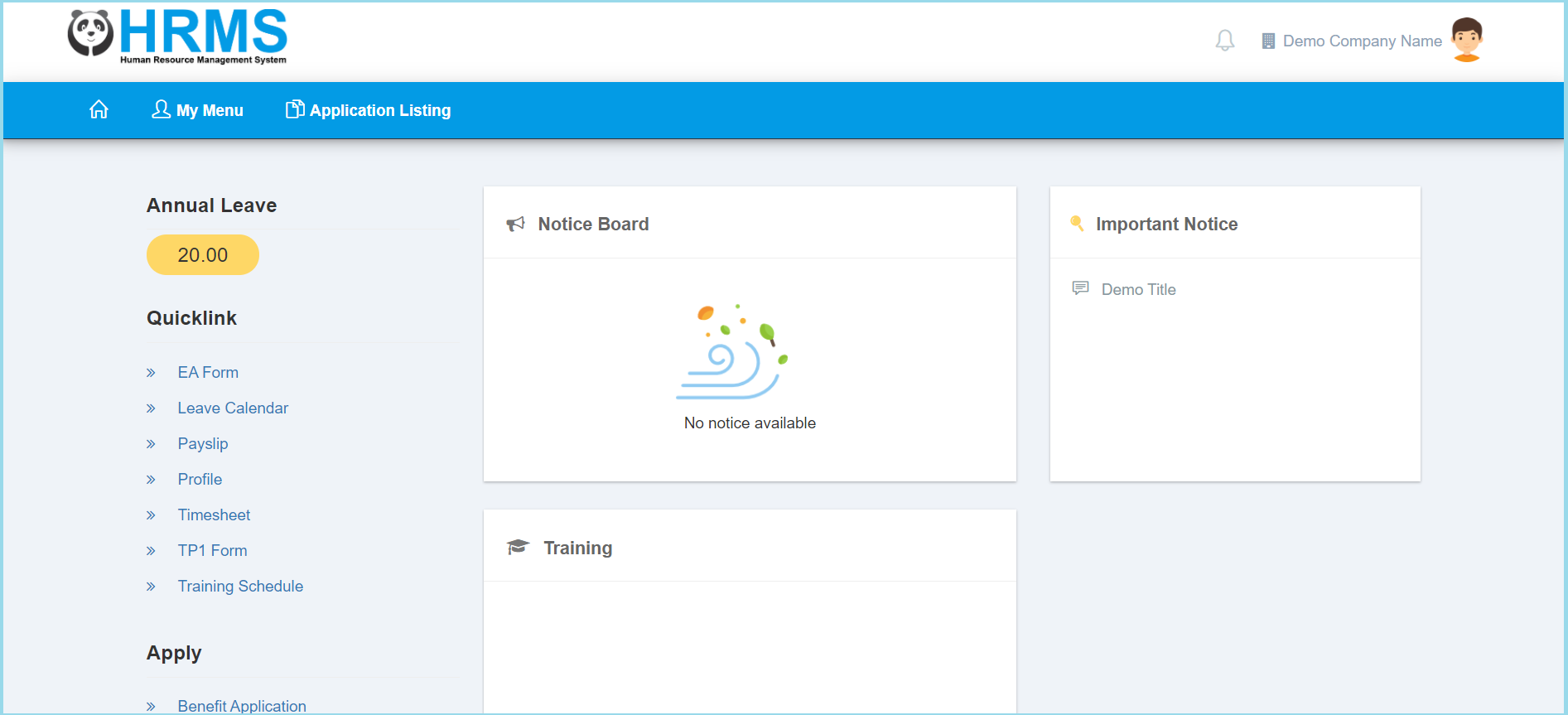
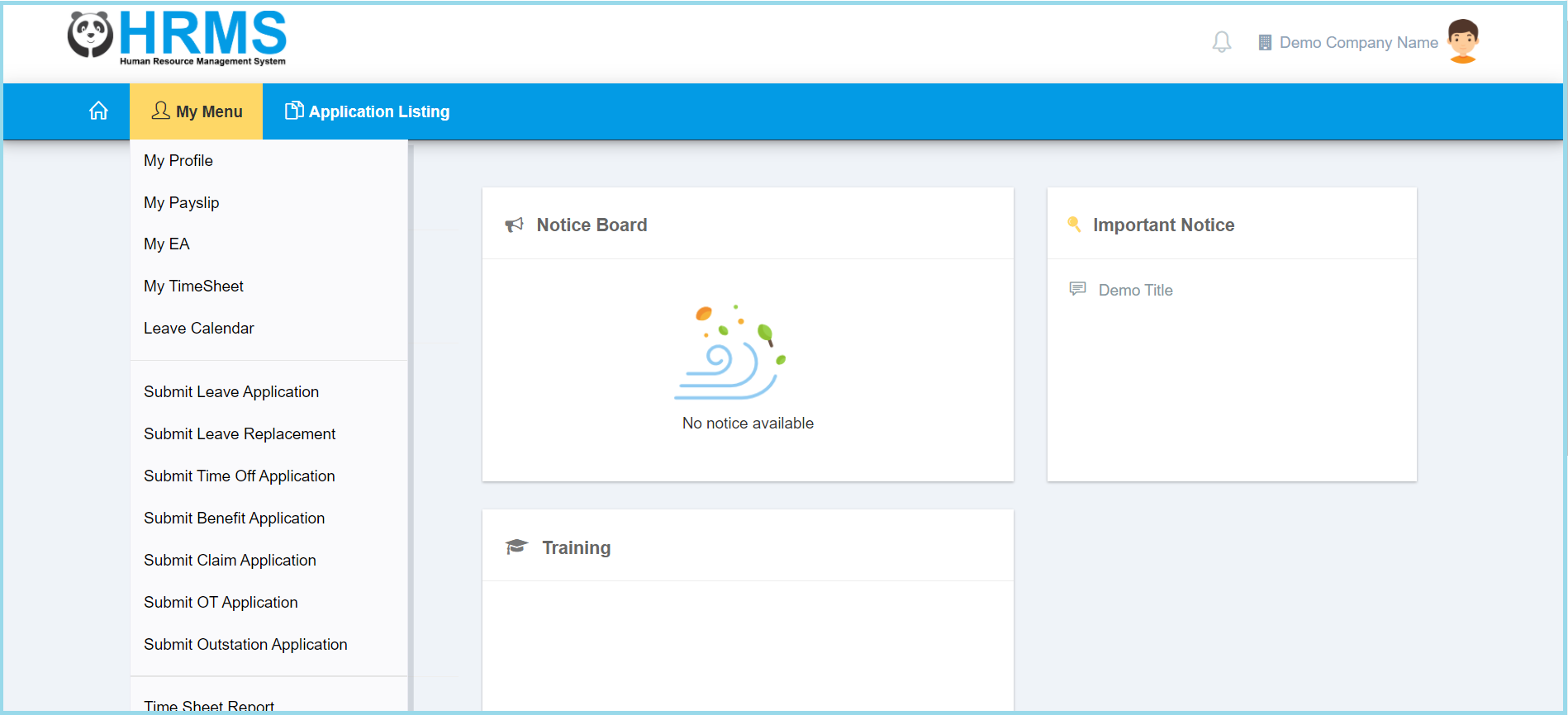
1. Click My Menu.
2. Click Submit Time Off Application.
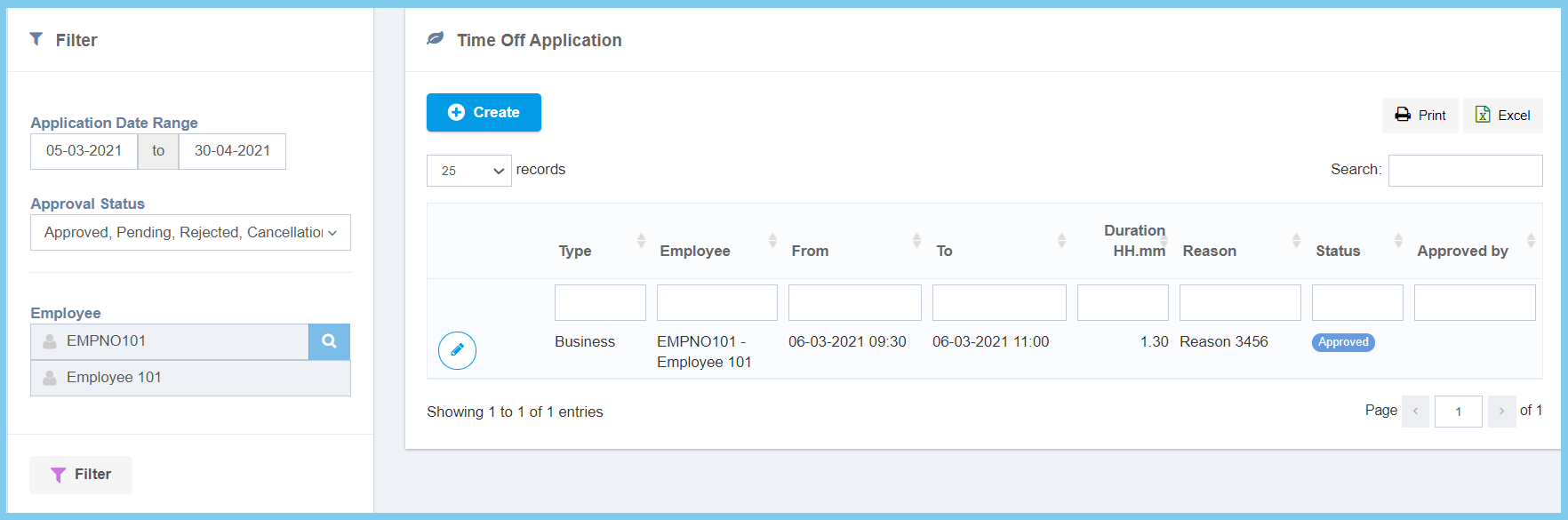
3. Click Create button.
4. Fill the form.
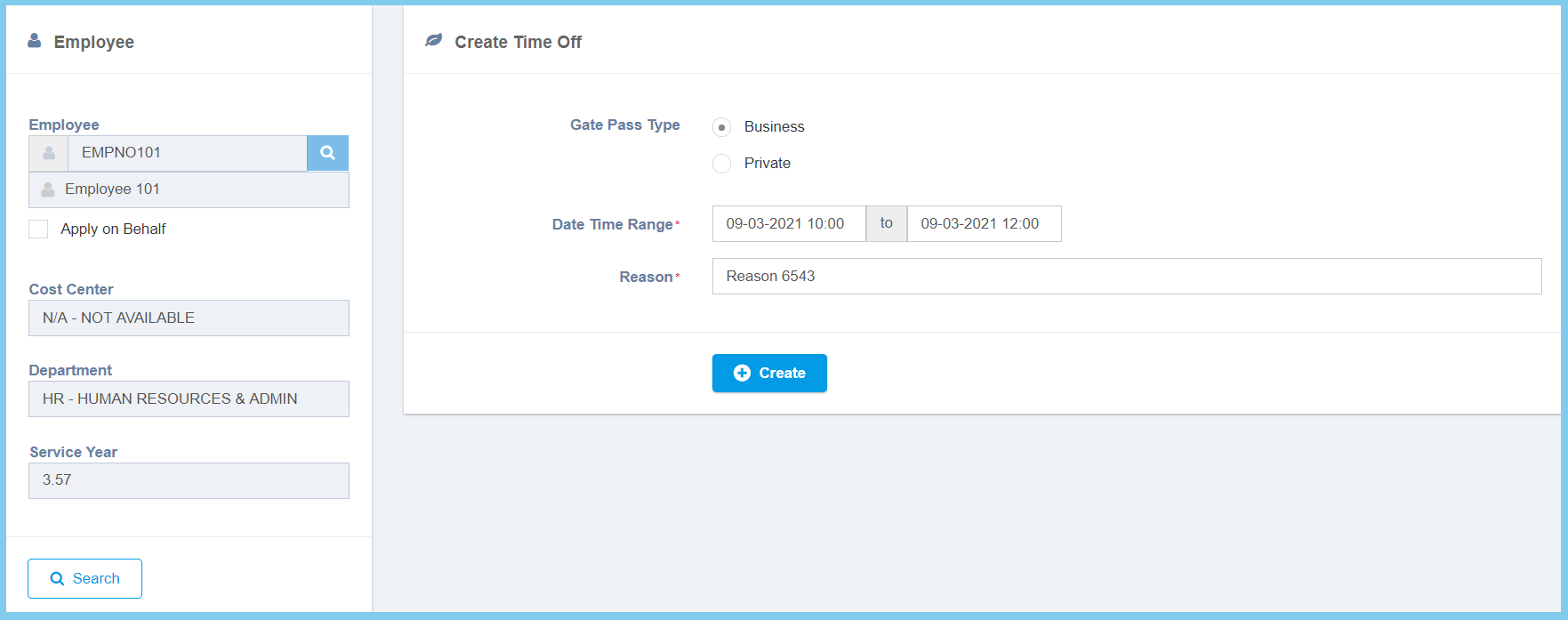
5. Click Create button.
6. Wait for approval.
Leave Replacement Configuration Option Explanation
| Option | Allowed Values | Description |
|---|---|---|
| Gate Pass Type |
|
Select the gate pass type of time off from option available. |
| Time Off | Select date and time | Select the start date, end date, start time and end time for time off from calendar available. |
| Reason | Any alphanumeric | Any reason about this time off. |
