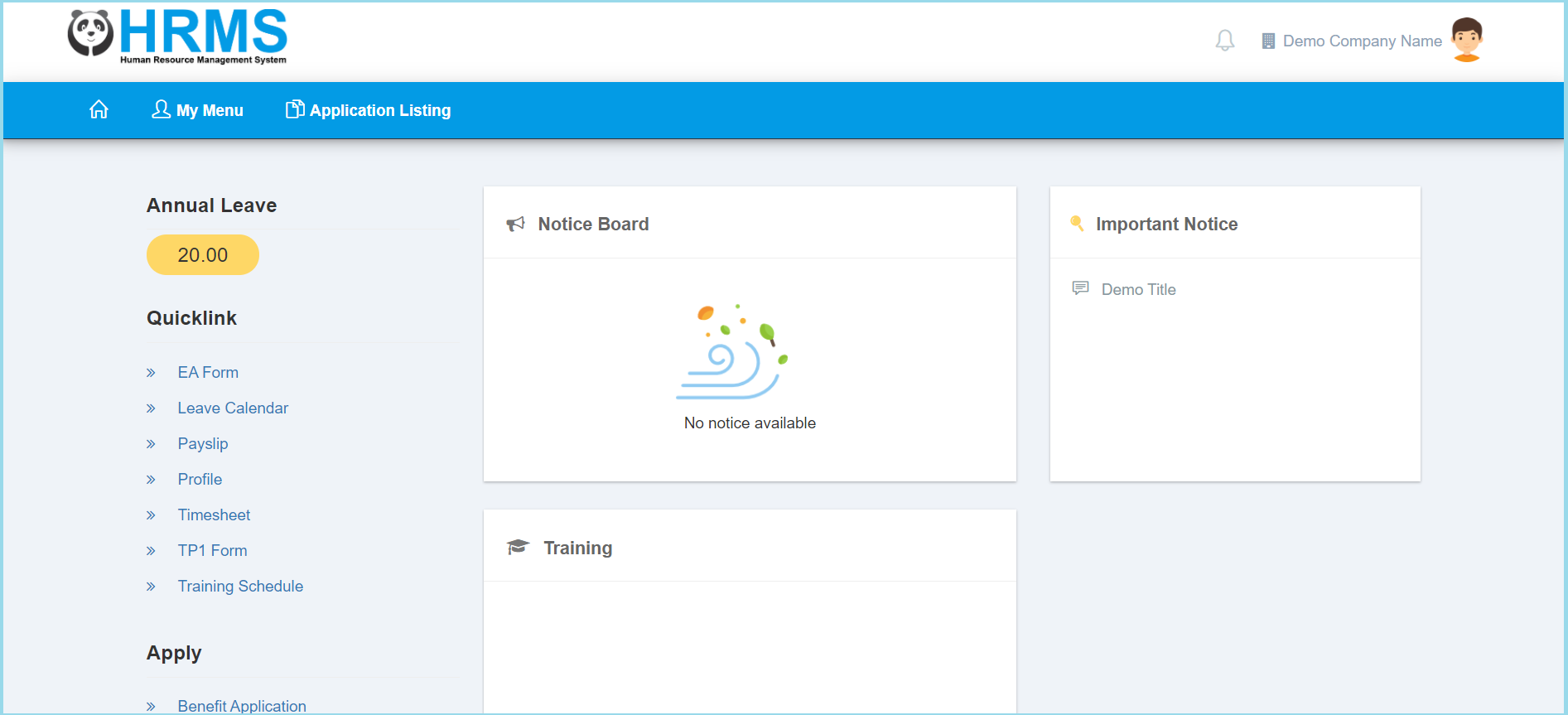
1. Click My Menu.
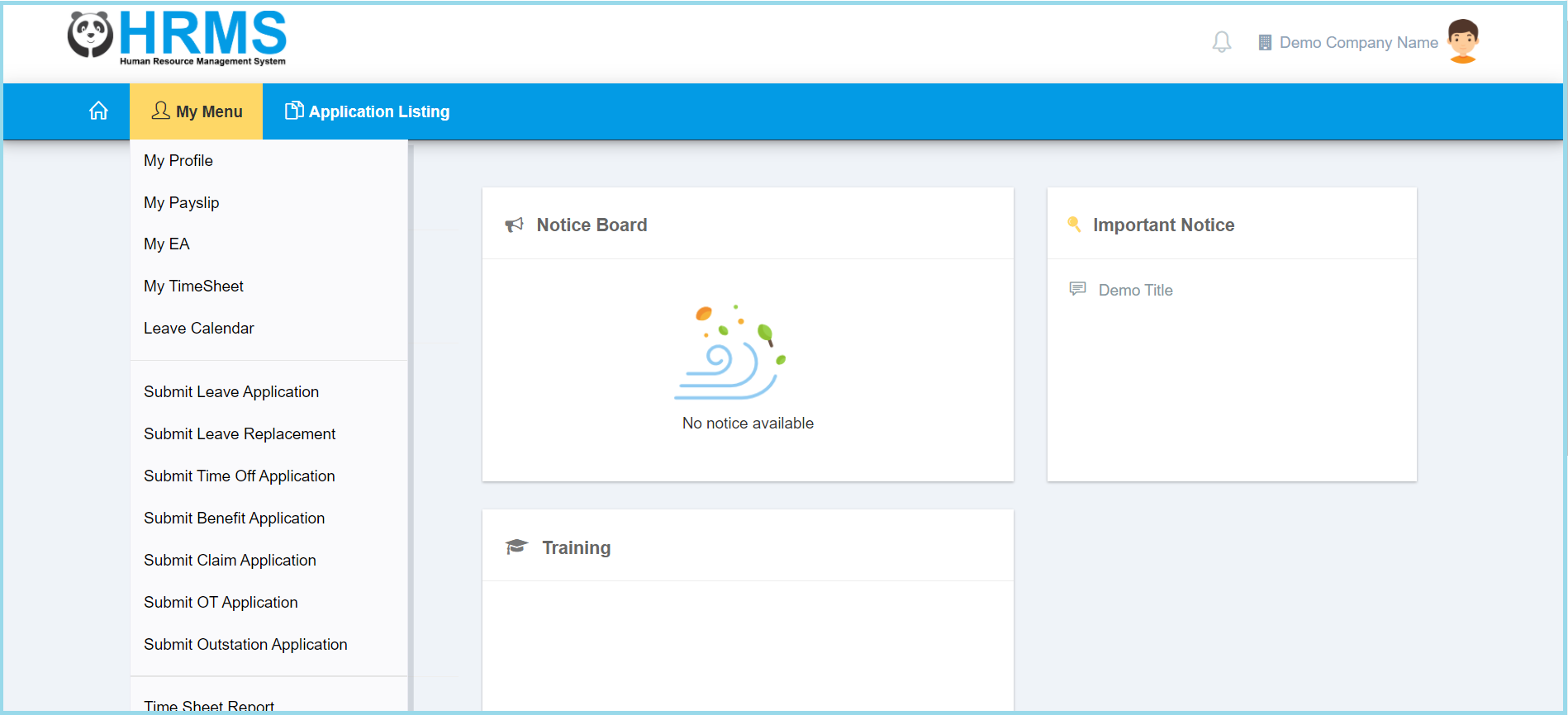
2. Click Leave Calendar.
3. Select the employee by click search icon.
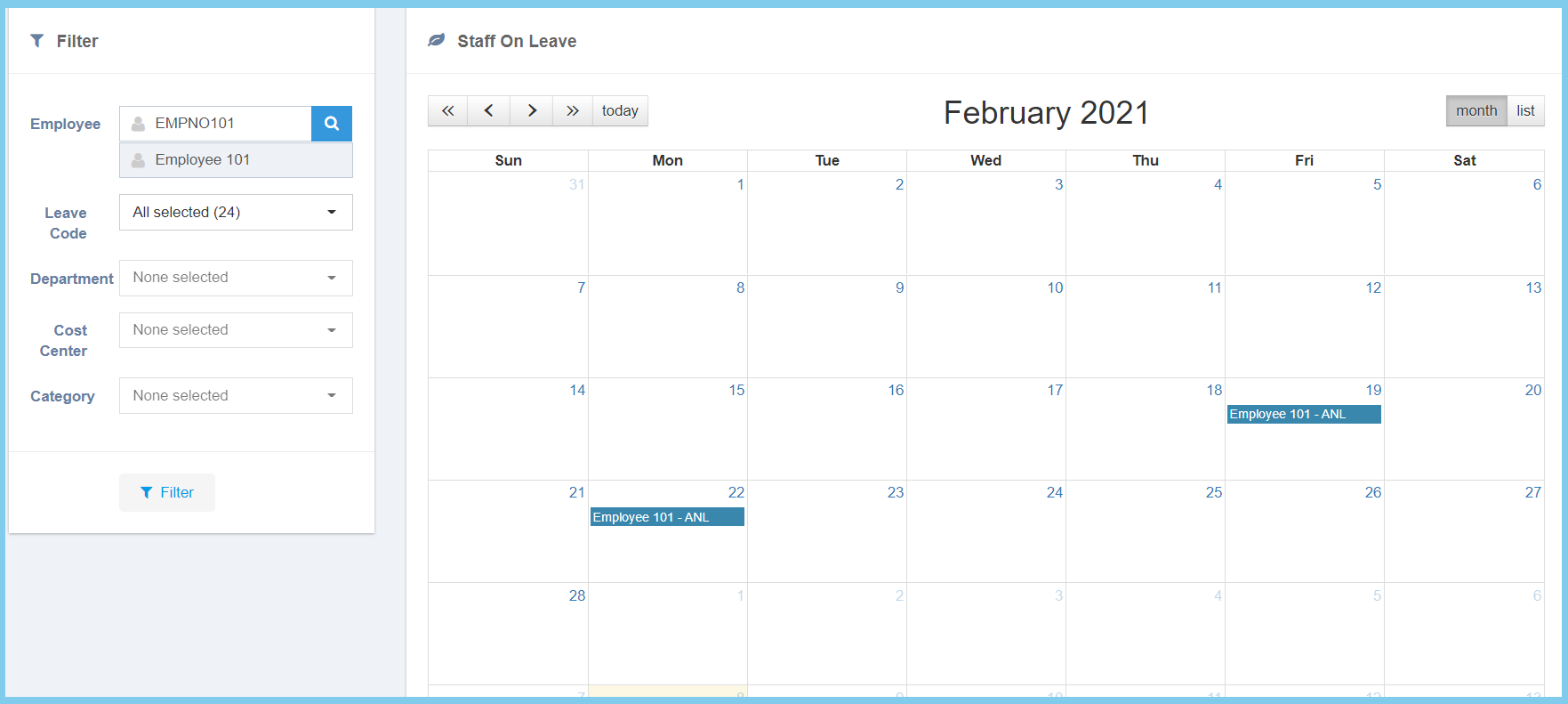
Note: The filter is allowed to search leave code. It can be chosen more than one selection.
4. Click Filter button.

1. Click My Menu.
2. Click Leave Calendar.
3. Select the employee by click search icon.
Note: The filter is allowed to search leave code. It can be chosen more than one selection.
4. Click Filter button.
