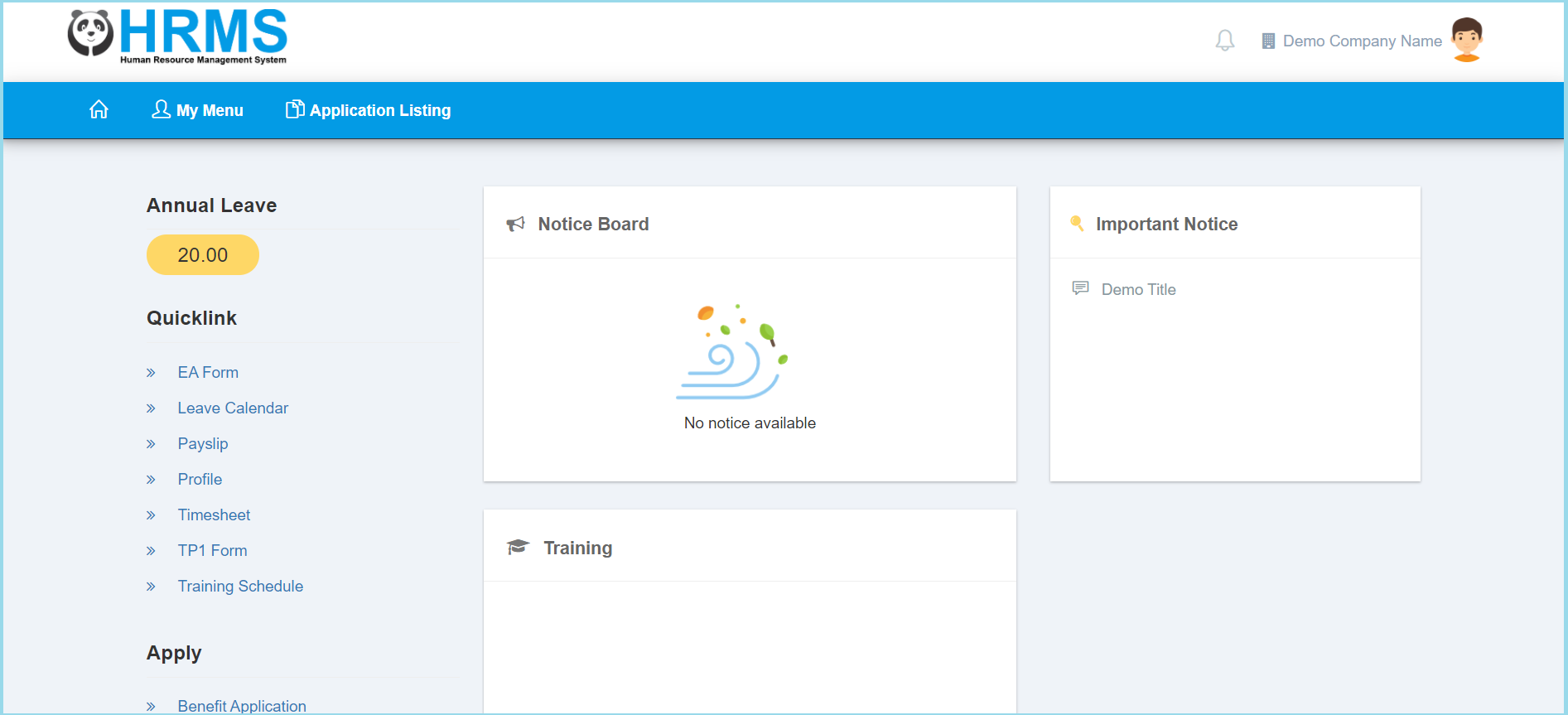
1. Click My Menu.
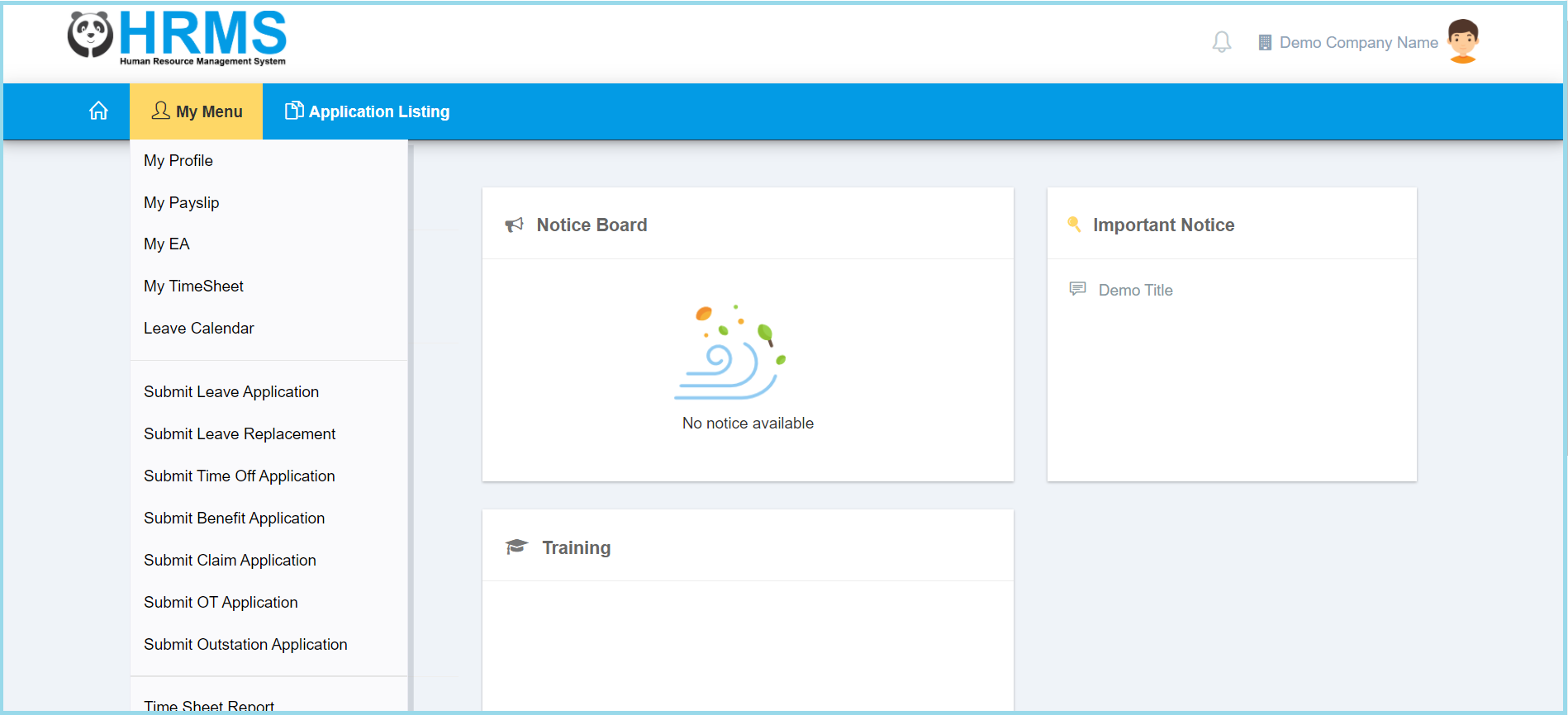
2. Click TimeSheet Report.
3. Select Attendance Date Range from calendar available.
4. Select File Type.
5. Select Source from option available.
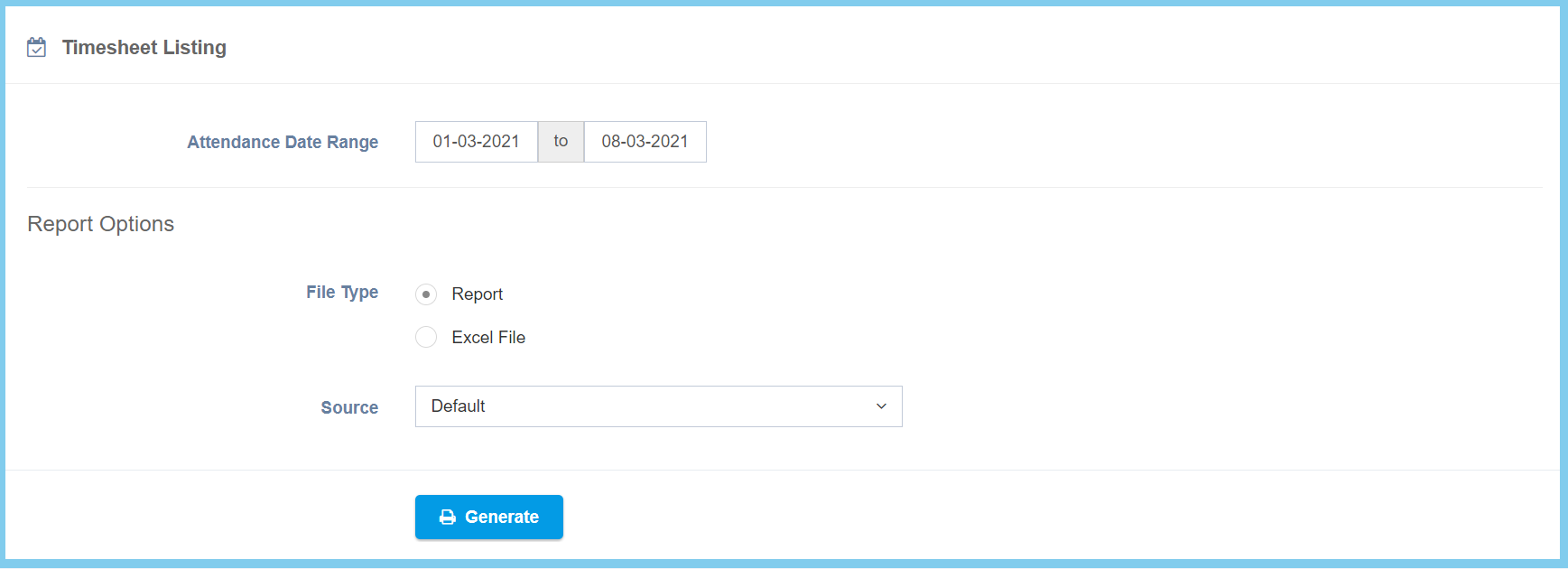
6. Click Generate button.

1. Click My Menu.
2. Click TimeSheet Report.
3. Select Attendance Date Range from calendar available.
4. Select File Type.
5. Select Source from option available.
6. Click Generate button.
