
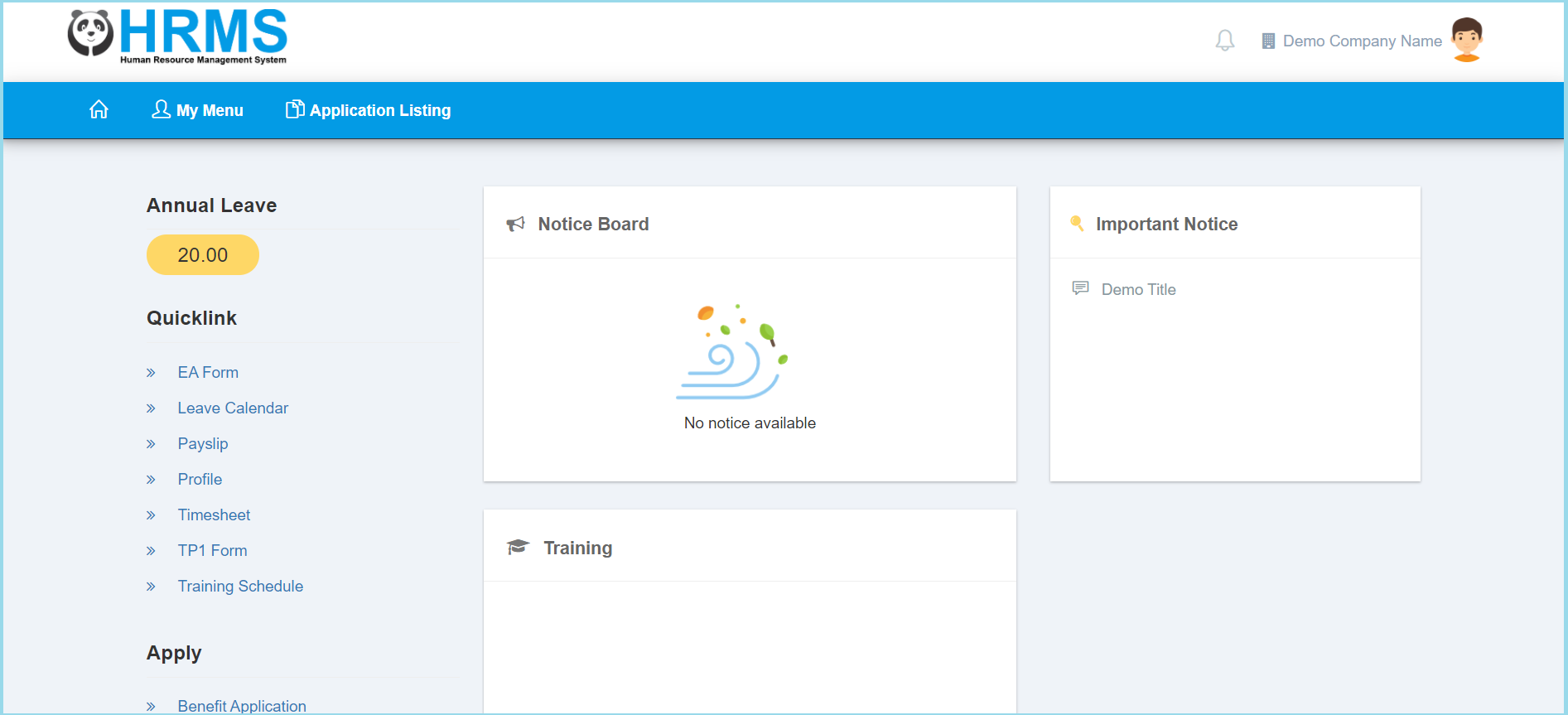
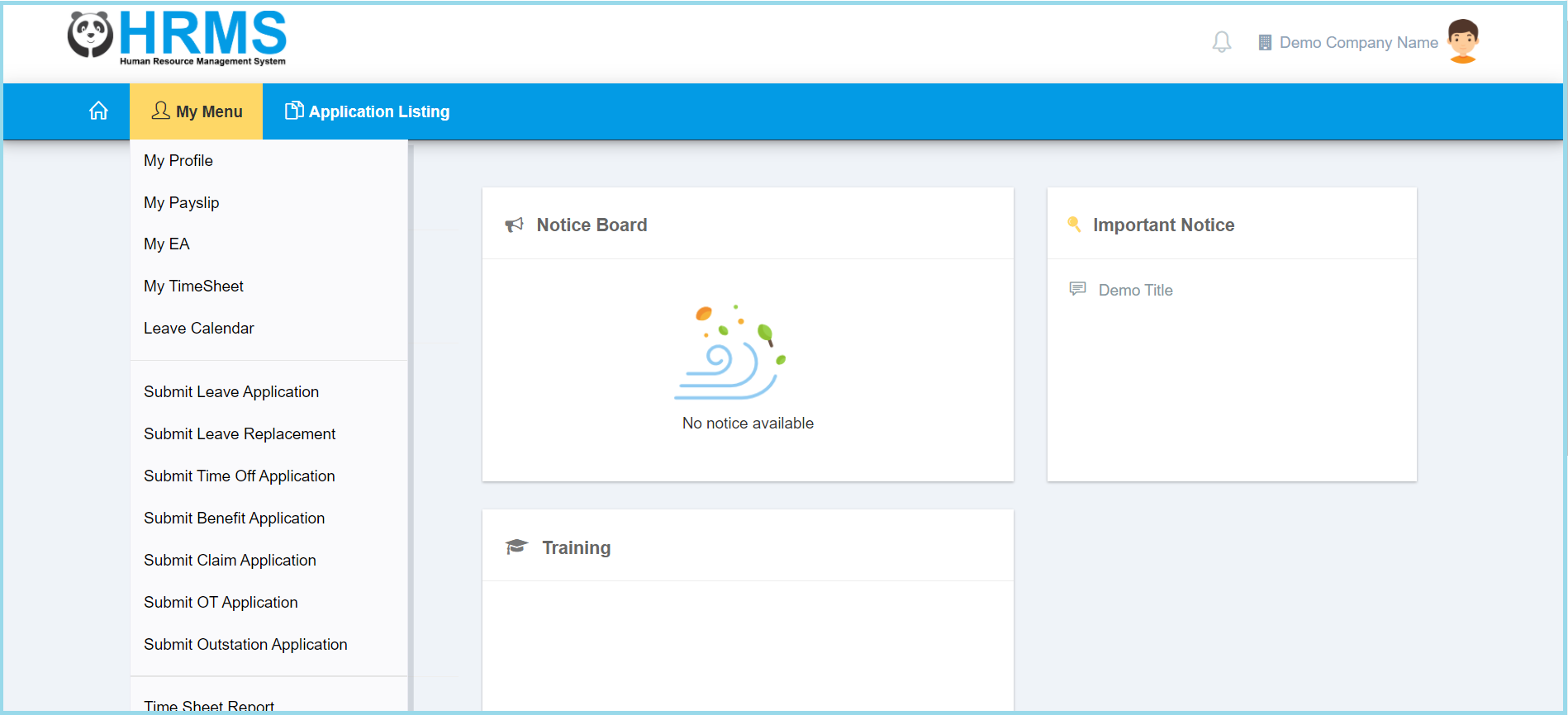
1. Click My Menu.
2. Click My Profile.
3. Click Contact.
4. Update information that you wish to.
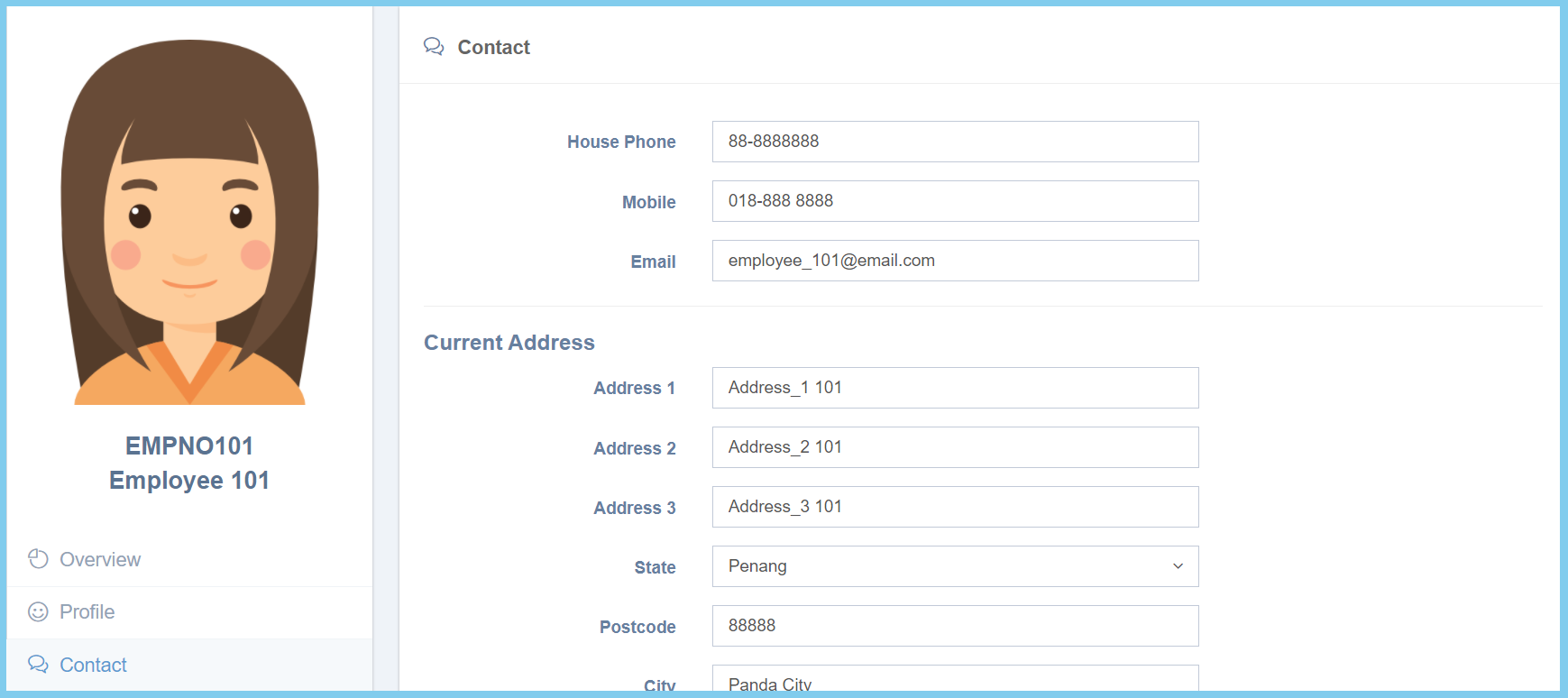
Note: The copy icon is allowed permenant address copy from current address.
5. Click Save button.
6. Wait for approval.
Contact Configuration Option Explaination
| Option | Allowed Values | Description |
|---|---|---|
| House Phone | Any number | Enter valid home phone number. |
| Mobile | Any number | Enter valid employee phone number. |
| Any alphanumeric with email format | Enter valid email address. | |
| Address 1 | Any alphanumeric | The first line of address. |
| Address 2 | Any alphanumeric | The second line of address. |
| Address 3 | Any alphanumeric | The third line of address. |
| State | Selection from state | Select the state from option available. |
| Postcode | Any number | The postcode of address. |
| City | Any alphanumeric | The city that employee stay. |
| Country | Selection from country | Select the country from option available. |
