
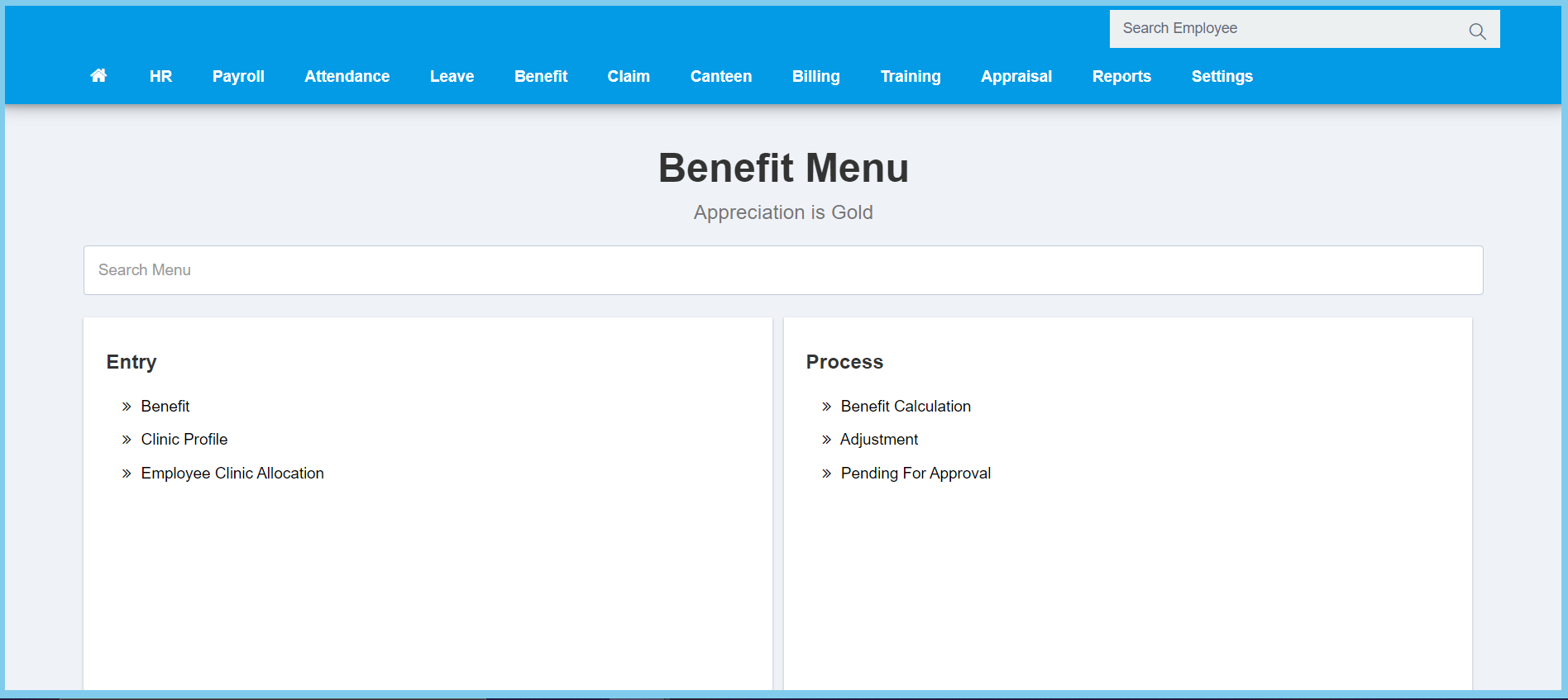
1. Menu: Click Benefit.
2. Click Benefit which located under Entry.
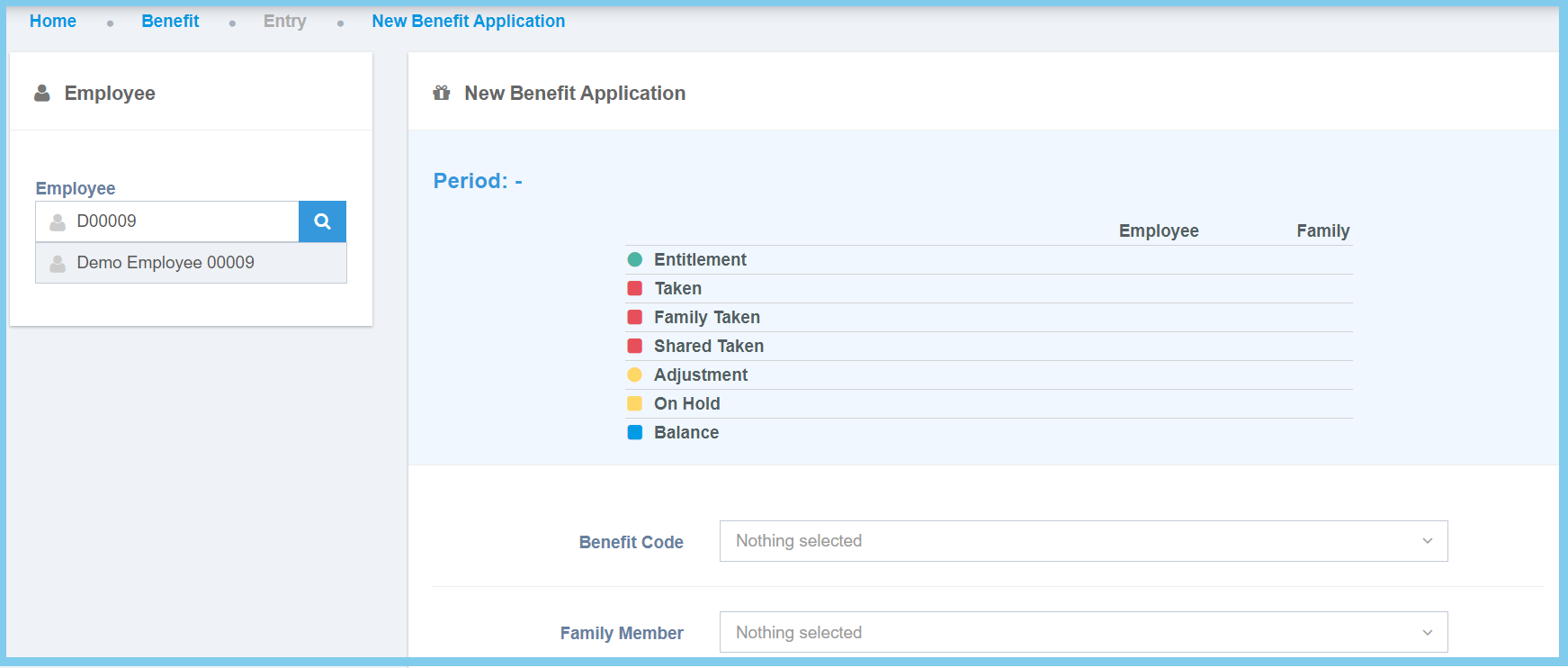
3. Select employee on the left box.
4. Fill the form.
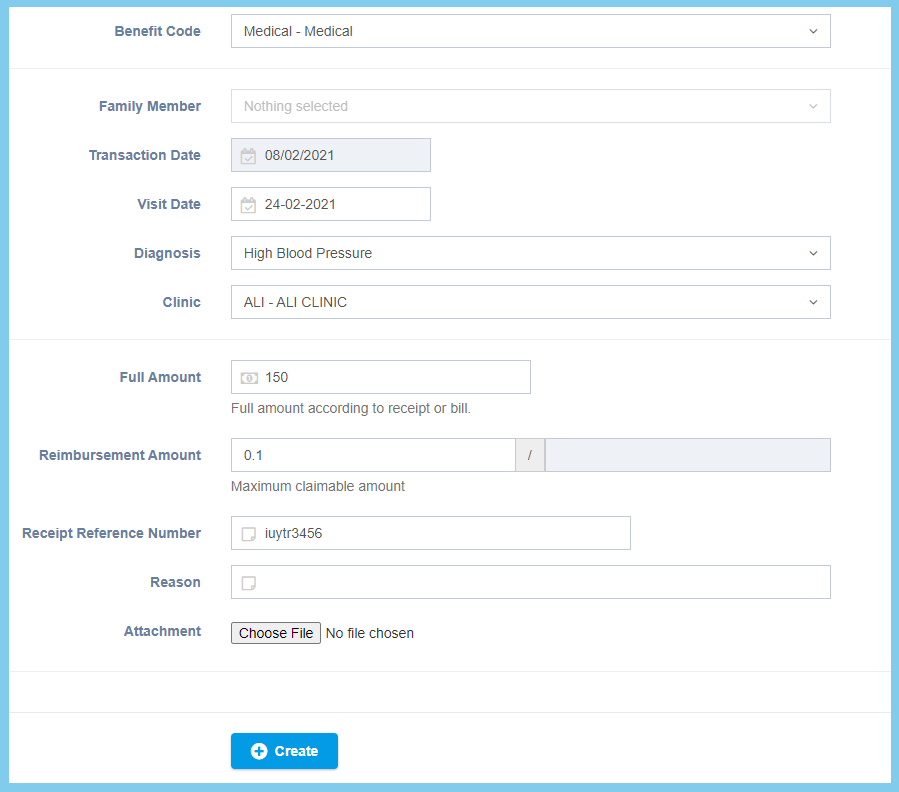
5. Click Create button.
Benefit Application Configuration Option Explaination
| Option | Allowed Values | Description |
|---|---|---|
| Benefit Code | Setup from benefit code | Select the benefit code that is used for the application.
Click here to view setup. |
| Family Member | Selection from family member | Select the family member that is benefited for the application from option available.
This configuration will show when the selection of benefit code is Share Family. |
| Transaction Date | Select date from calendar | Select the date when the applicant salary amount will be deducted from calendar available. |
| Visit Date | Select date from calendar | Select the date when the applicant visited the clinic from calendar available. |
| Diagnosis | Setup from code settings | Select the suitable diagnosis for the benefit application from option available.
Click here to view setup for diagnosis. |
| Clinic | Setup from clinic profile | Select the clinic that the user has visited from option available.
Click here to view setup. |
| Full Amount | Any number | Enter the full medical amount according to the receipt or bill. |
| Reimbursement Amount | Any number | Enter the value to be repaid to the applicant. |
| Receipt Reference Number | Any alphanumeric | Enter the receipt reference number. |
| Reason | Any alphanumeric | Mention the reason for visiting the clinic. |
| Attachment | File path/ image path | Attach the image or digital receipt as proof. |
