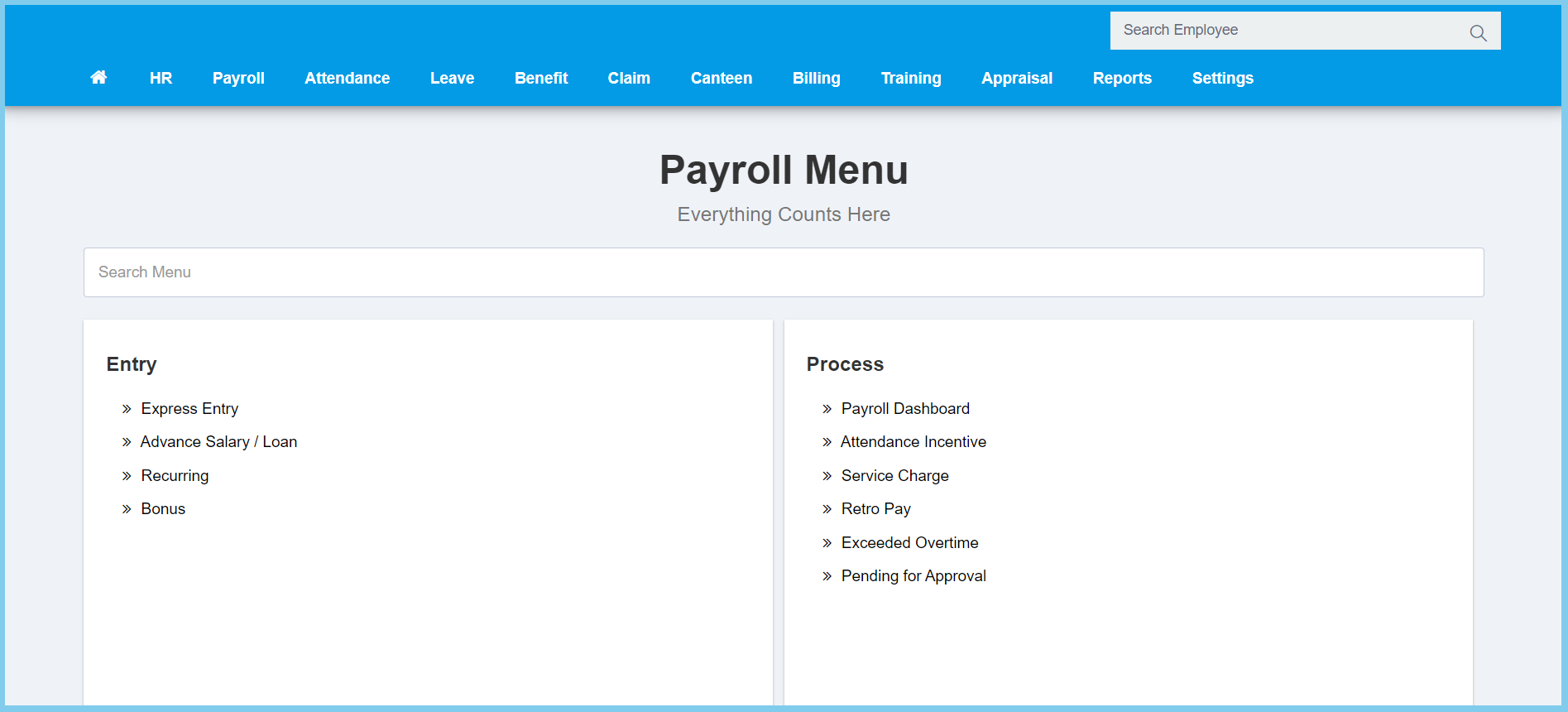
1. Menu: Click Payroll.
2. Click Pending for Approval which located under Process.
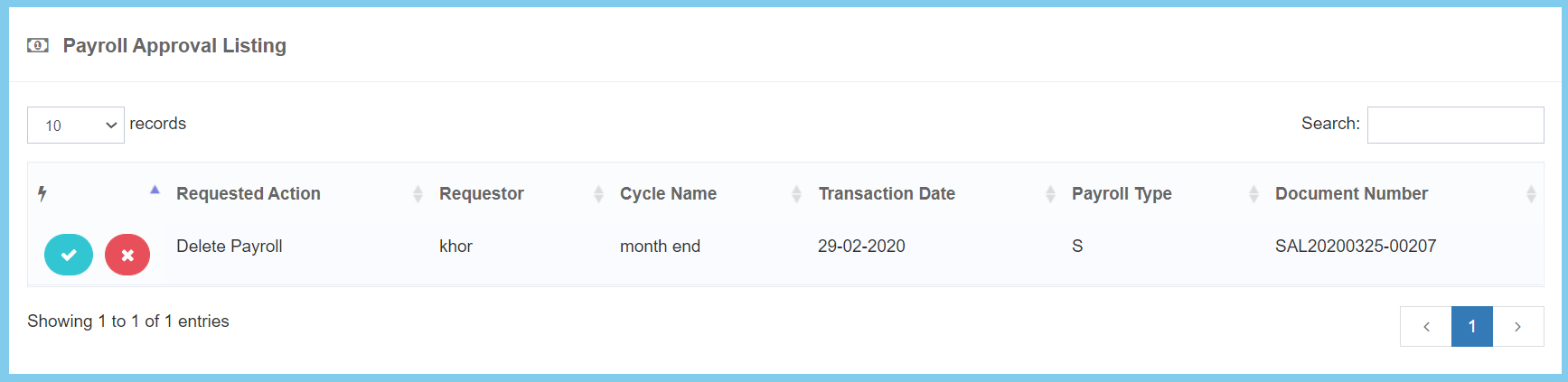
3. Click approve button on which approval that you wish to approve.

1. Menu: Click Payroll.
2. Click Pending for Approval which located under Process.
3. Click approve button on which approval that you wish to approve.
