
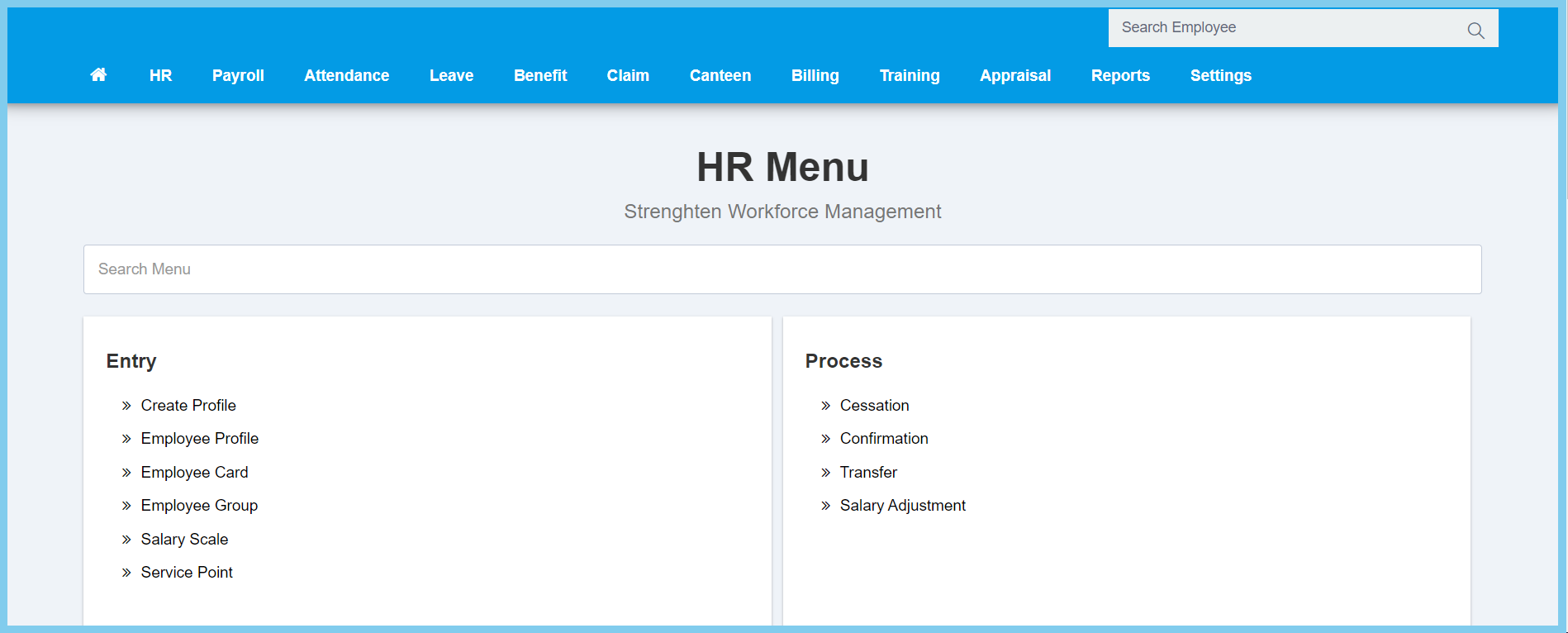
1. Menu: Click HR.
2. Click Employee Group which located under Entry.
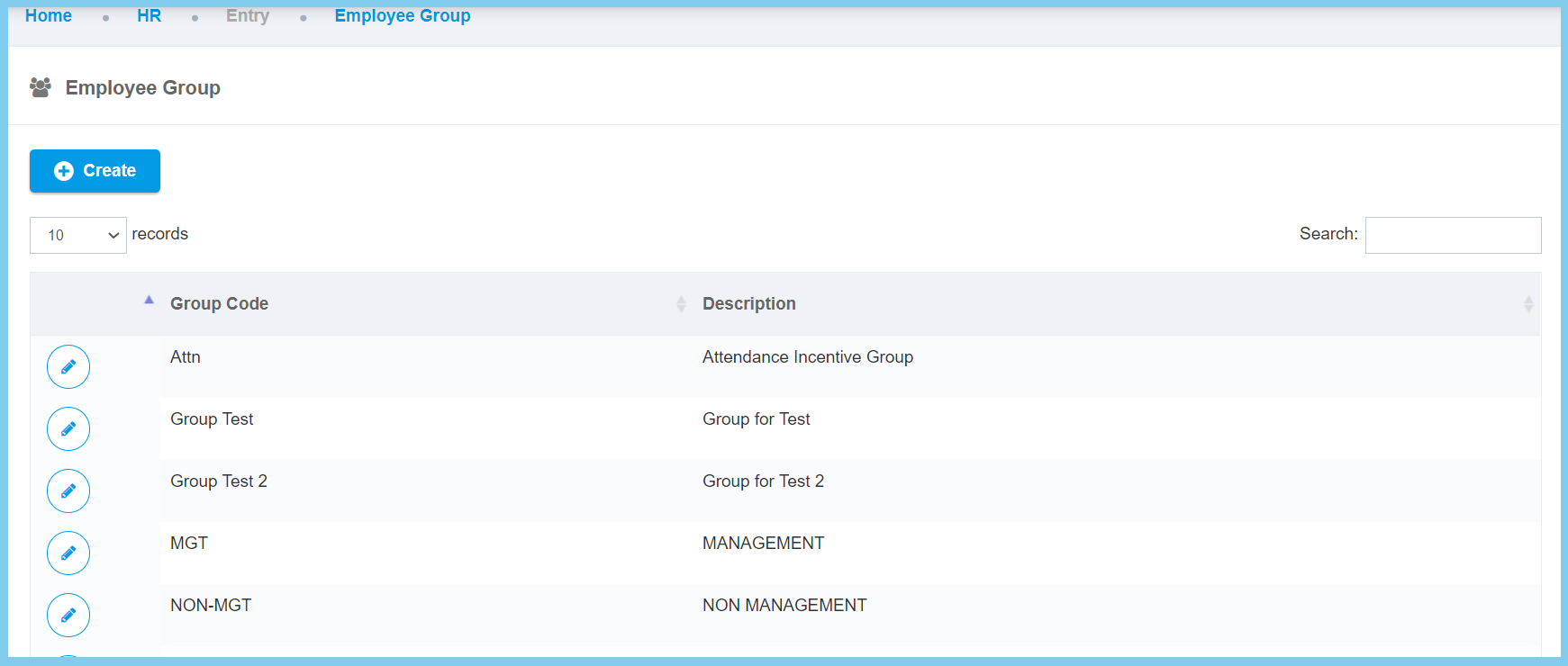
3. Click edit button on which employee group that you wish to assign the employees.
4. Assign employee(s) by clicking employee under Available Employees list.
5. Remove employee(s) by clicking employee under In Group Employees list.
.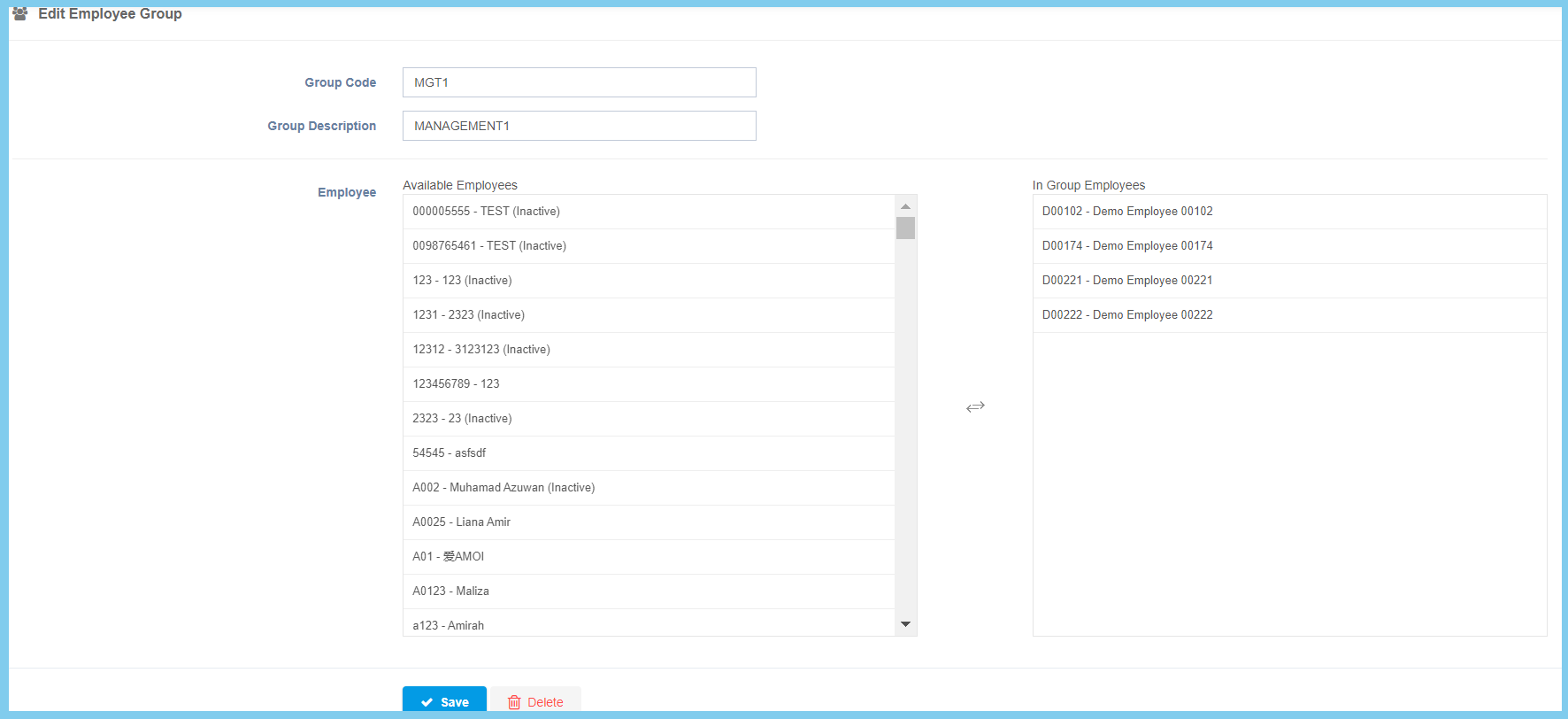
6. Click Save button.
You can also edit the Group Code and Group Description at the same time.
Employee Group Configuration Option Explaination
| Option | Allowed Values | Description |
|---|---|---|
| Group Code | Any alphanumeric | Set a simple and unique code for new employee group. |
| Description | Any alphanumeric | Any description about this employee group. |
