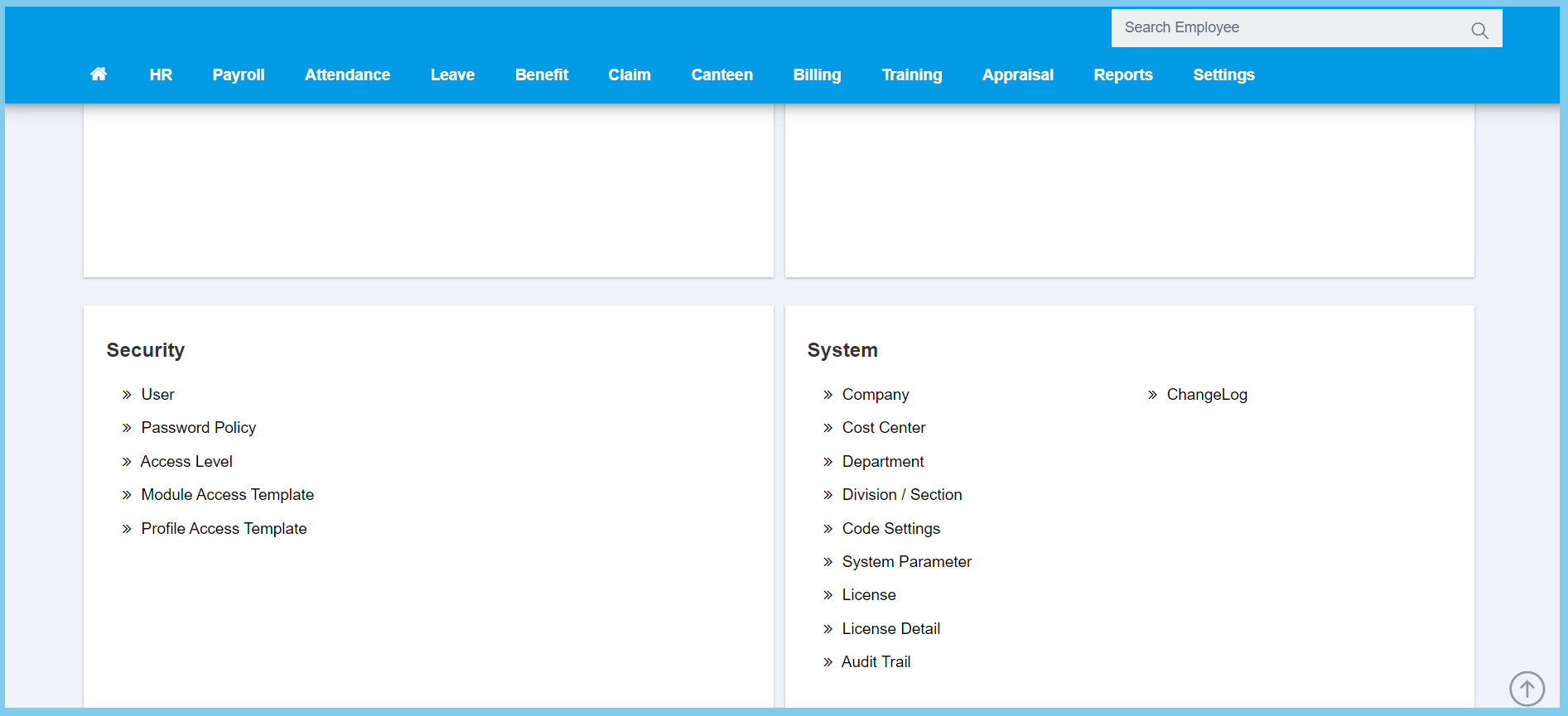
1. Menu: Click Settings.
2. Click Access Level which located under Security.
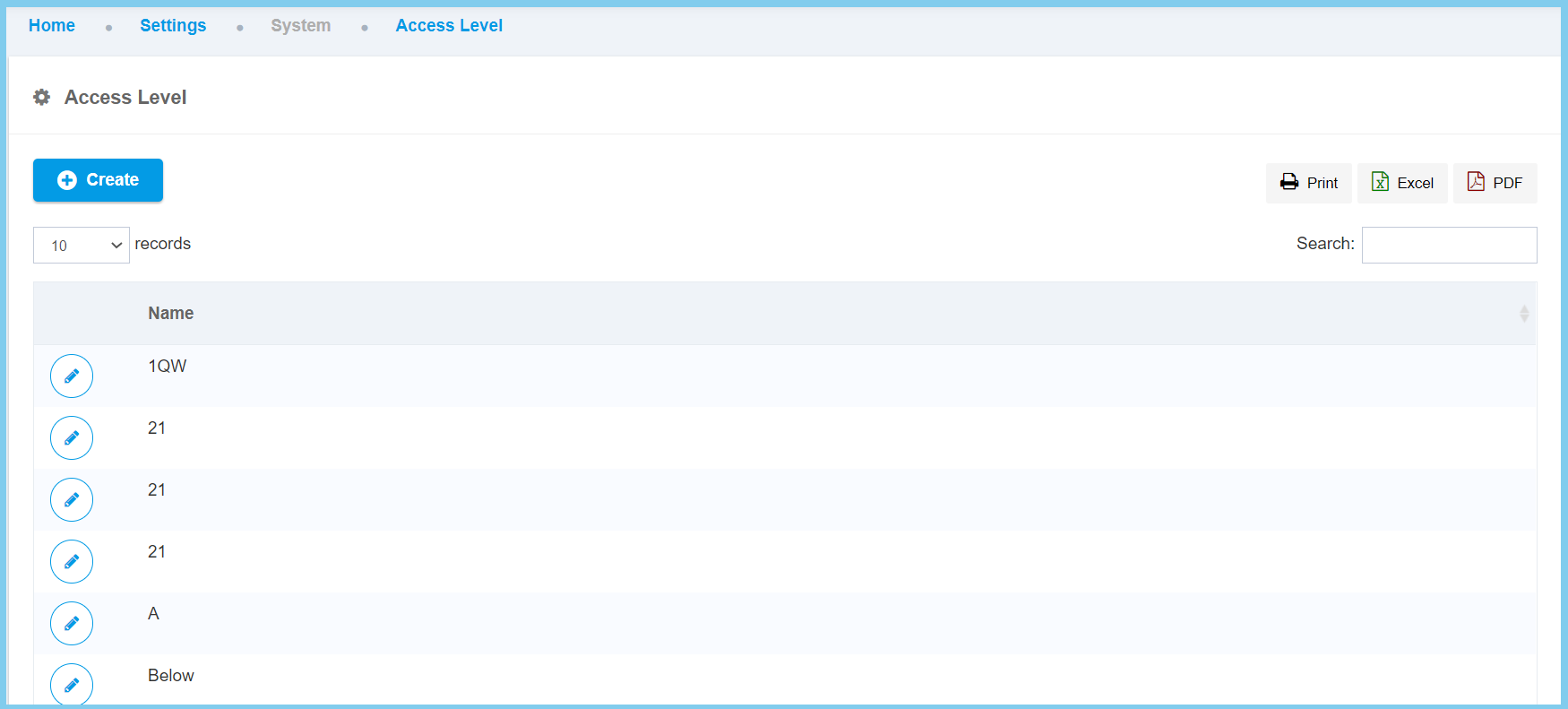
3. Click Create button.
4. Fill the name for new access level.
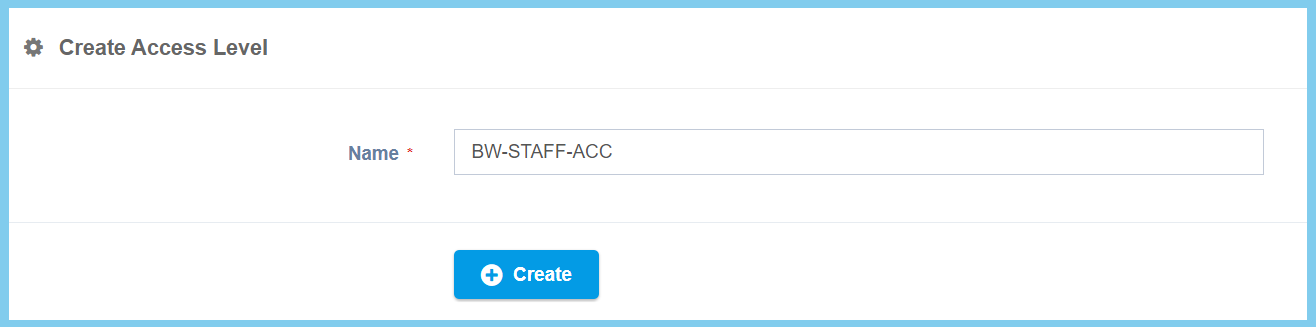
5. Click Create button.

1. Menu: Click Settings.
2. Click Access Level which located under Security.
3. Click Create button.
4. Fill the name for new access level.
5. Click Create button.
