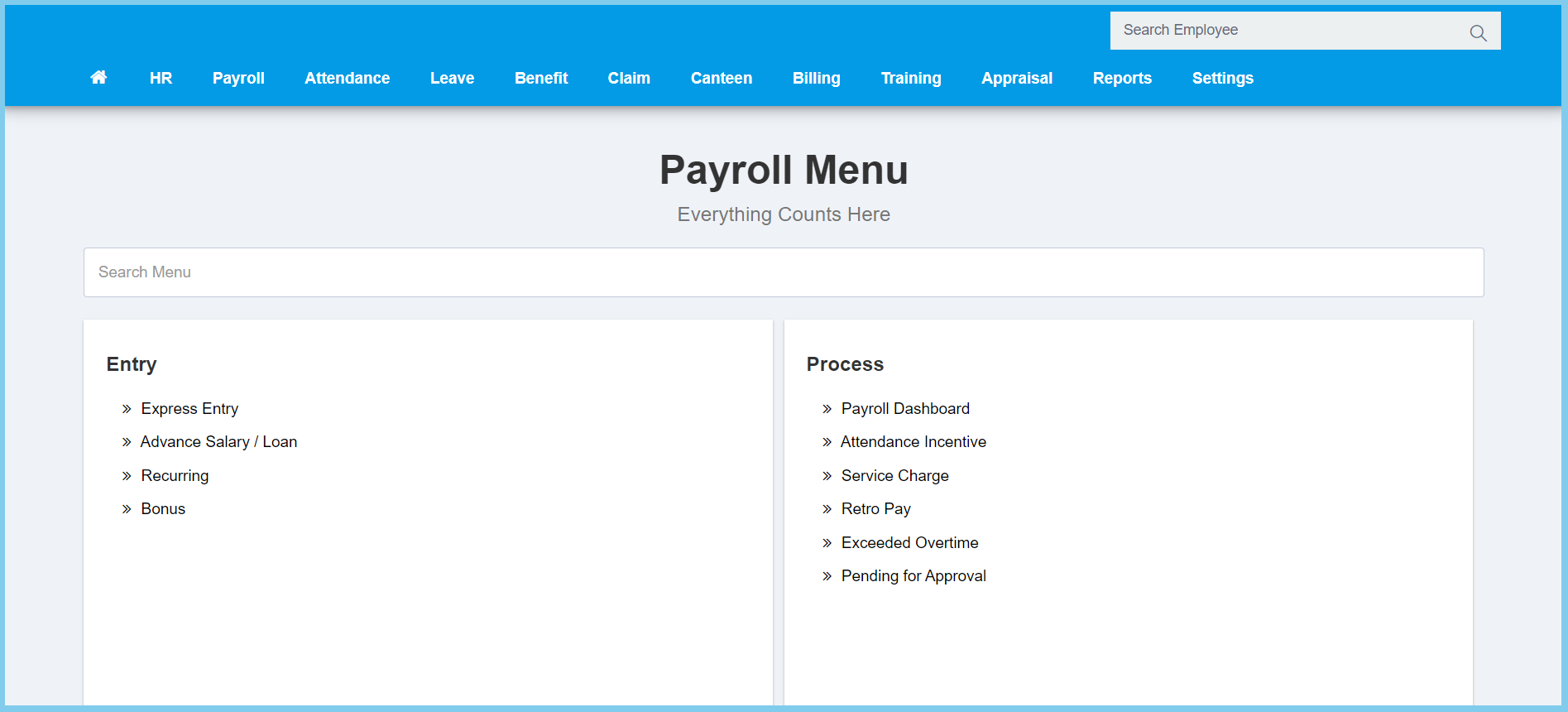
1. Menu: Click Payroll.
2. Click Advance Salary/Loan which located under Entry.
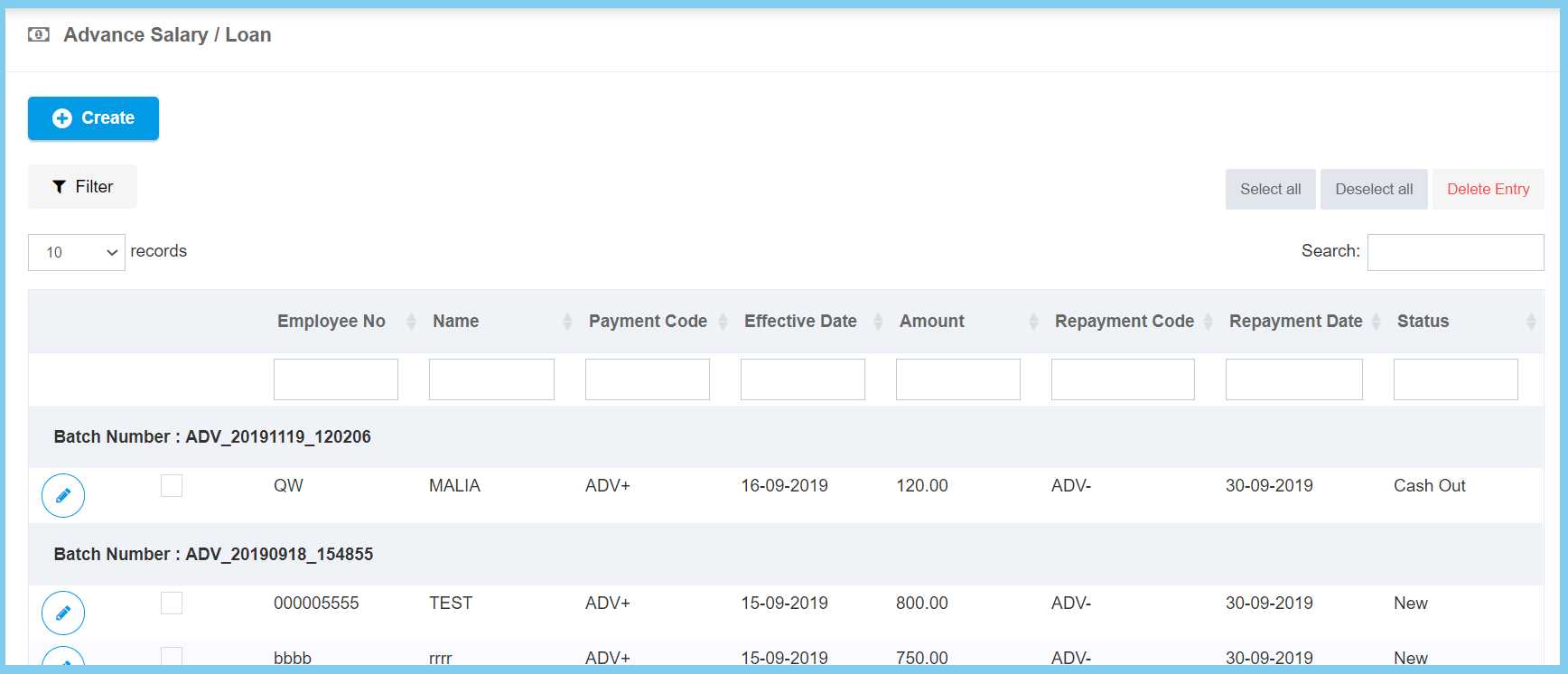
3. Click Create button.
4. Fill the form.
5. Click Create button.
Advance Salary/Loan Configuration Option Explaination
| Option | Allowed Values | Description |
|---|---|---|
| Cost Center | Setup from cost center | Select the cost center of employee from option available. Can select more than one cost center that you wish.
Click here to view setup. |
| Department | Setup from department | Select the department of employee from option available. Can select more than one department that you wish.
Click here to view setup. |
| Division | Setup from code settings | Select the division of employee from option available. Can select more than one division that you wish.
Click here to view setup for division. |
| Category | Setup from code settings | Select the category of employee from option available. Can select more than one category that you wish.
Click here to view setup for employee category. |
| Employee Group | Setup from employee group | Select the employee group of employee from option available. Can select more than one employee group that you wish.
Click here to view setup. |
| Ethnic | Setup from code settings | Select the ethnic of employee from option available. Can select more than one ethnic that you wish.
Click here to view setup for ethnic. |
| Employee | Selection from employee | Select the employee from option available. Can select more than one employee that you wish. |
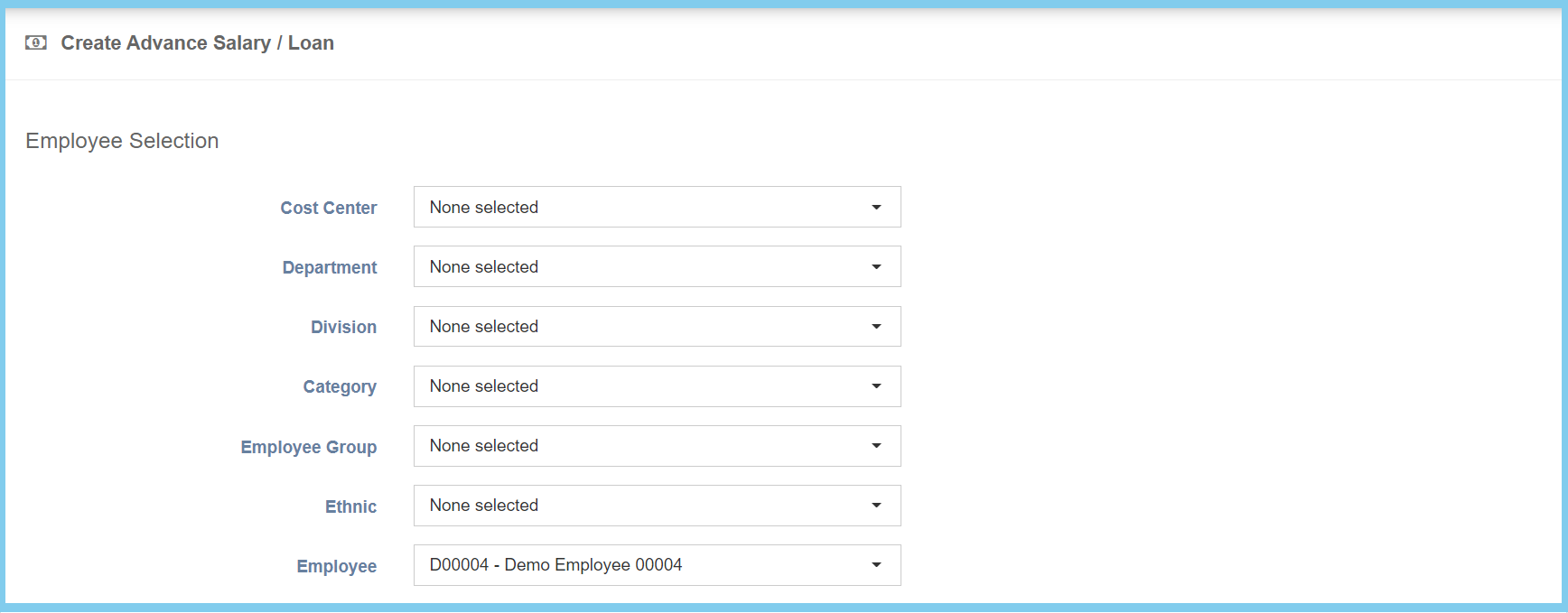
Note: This part is function as filter.
| Option | Allowed Values | Description |
|---|---|---|
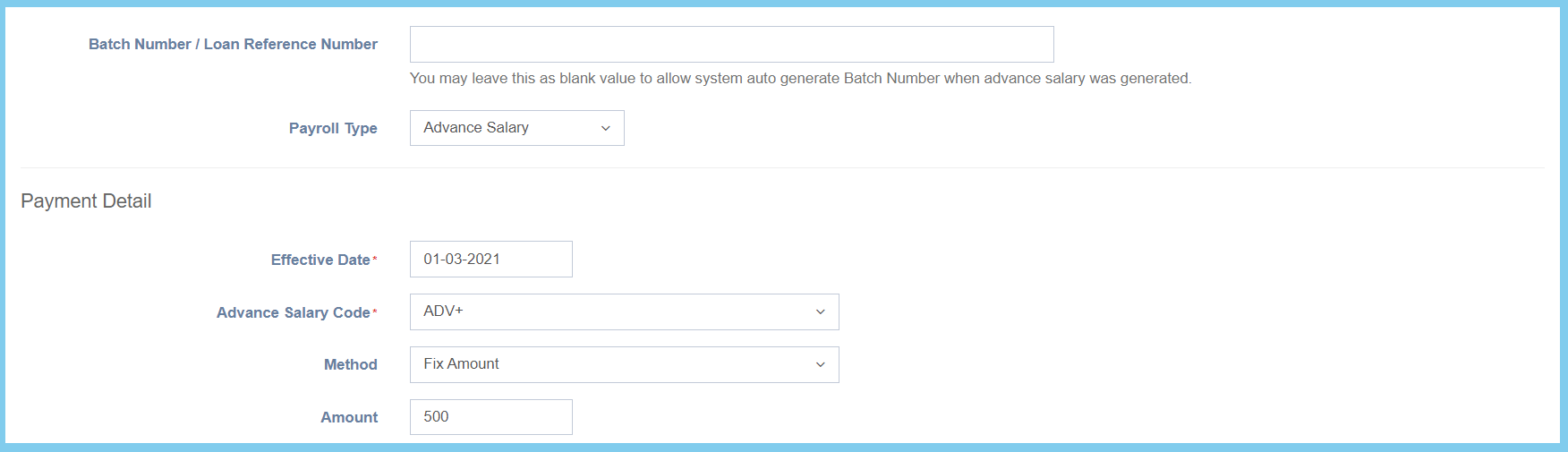
| Batch Number / Loan Reference Number | Any alphanumeric | Enter the batch number or loan reference number.
It allowed to leave as blank. The system will auto generate batch number when advance salary was generated. |
| Payroll Type |
|
Select the payroll type from option available. |
| Effective Date | Select date from calendar | Select the effective advance salary date from calendar available. |
| Advance Salary Code | Setup from transaction code | Select the advance salary code for this salary advance from option available. |
| Method |
|
Select the method of advance salary from option available. |
| Amount | Any number | Enter the amount of advance salary. This configuration will show when the selection of method is Fix Amount. |
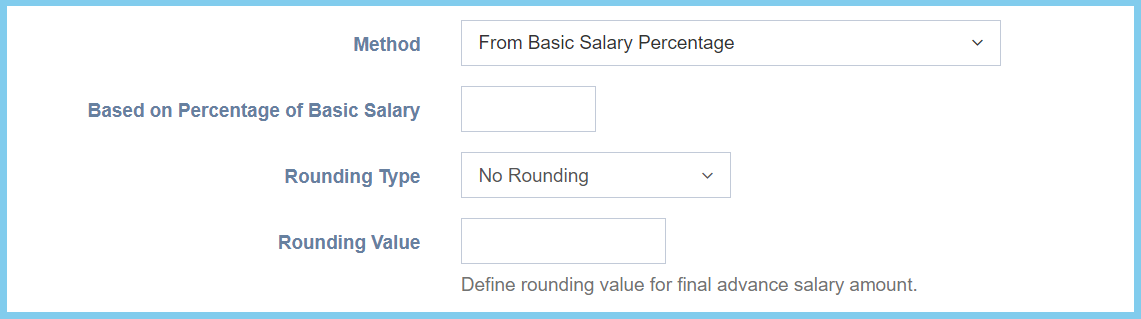
| Based on Percentage of Basic Salary | Any number | Enter the percentage of basic salary. This configuration will show when the selection of method is From Basic Salary Percentage. |
| Rounding Type |
|
Select the rounding type of advance salary from option available. This configuration will show when the selection of method is From Basic Salary Percentage. |
| Rounding Value | Any number | Enter the rounding value to define for final advance salary amount. This configuration will show when the selection of method is From Basic Salary Percentage. |
When the selection of Method is From Basic Salary Percentage.
| Option | Allowed Values | Description |
|---|---|---|
| When amount of |
|
Ticked when the criteria of advance salary is required. After ticked, The selection of advance salary code, more then equal or less than equal and the amount is allowed to edit. |
| Repayment Date | Select date from calendar | Select the repayment date from calendar available. |
| Repayment Code | Setup from transaction code | Select the repayment code from option available. |
| Repayment Method |
|
Select the repayment method of advance salary from option available. |
| Installment Month | Any number | Enter the installment month of repayment advance salary. This configuration will show when the selection of repayment method is Installment by Month. |
| With Repayment criteria |
|
Ticked when it requied to follow the repayment criteria.This configuration will show when the selection of repayment method is Installment by Month and Installment by Fix Amount. |
| Minimum Salary Amount | Any number | Enter the minimum salary amount that only can apply advance salary. This configuration will show when the selection of repayment method is Installment by Month and Installment by Fix Amount. |
| Minimum Salary Percentage | Any number | Enter the minimum salary percentage that only can apply advance salary. This configuration will show when the selection of repayment method is Installment by Month and Installment by Fix Amount. |
| Monthly Repayment Amount | Any number | Enter the amount of monthly repayment. This configuration will show when the selection of repayment method is Installment by Fix Amount |
| Remarks | Any alphanumeric | Any additional remarks about this advance salary. |

When the selection of repayment method is Installment by Month.

When the selection of repayment method is Installment by Fix Amount.