
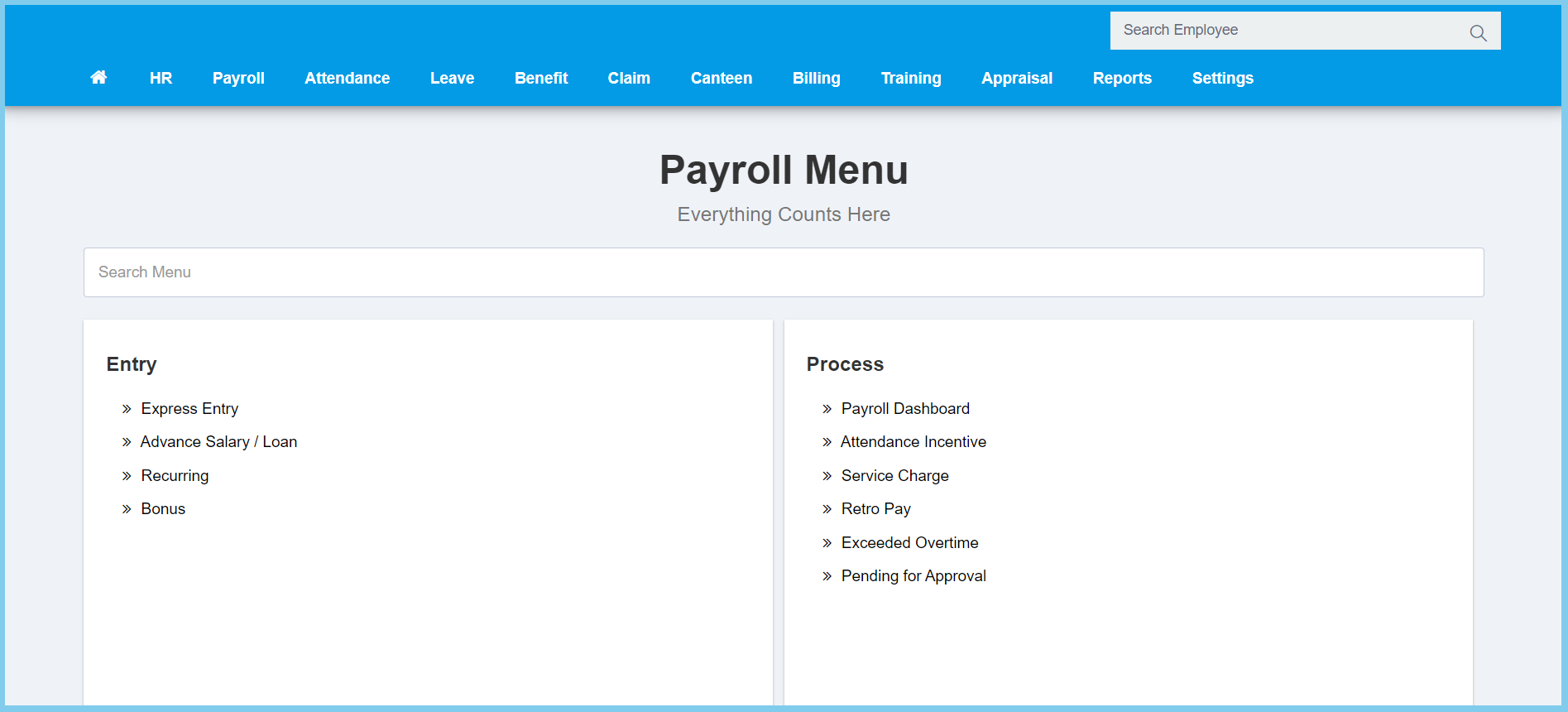
1. Menu: Click Payroll.
2. Click Recurring which located under Entry.
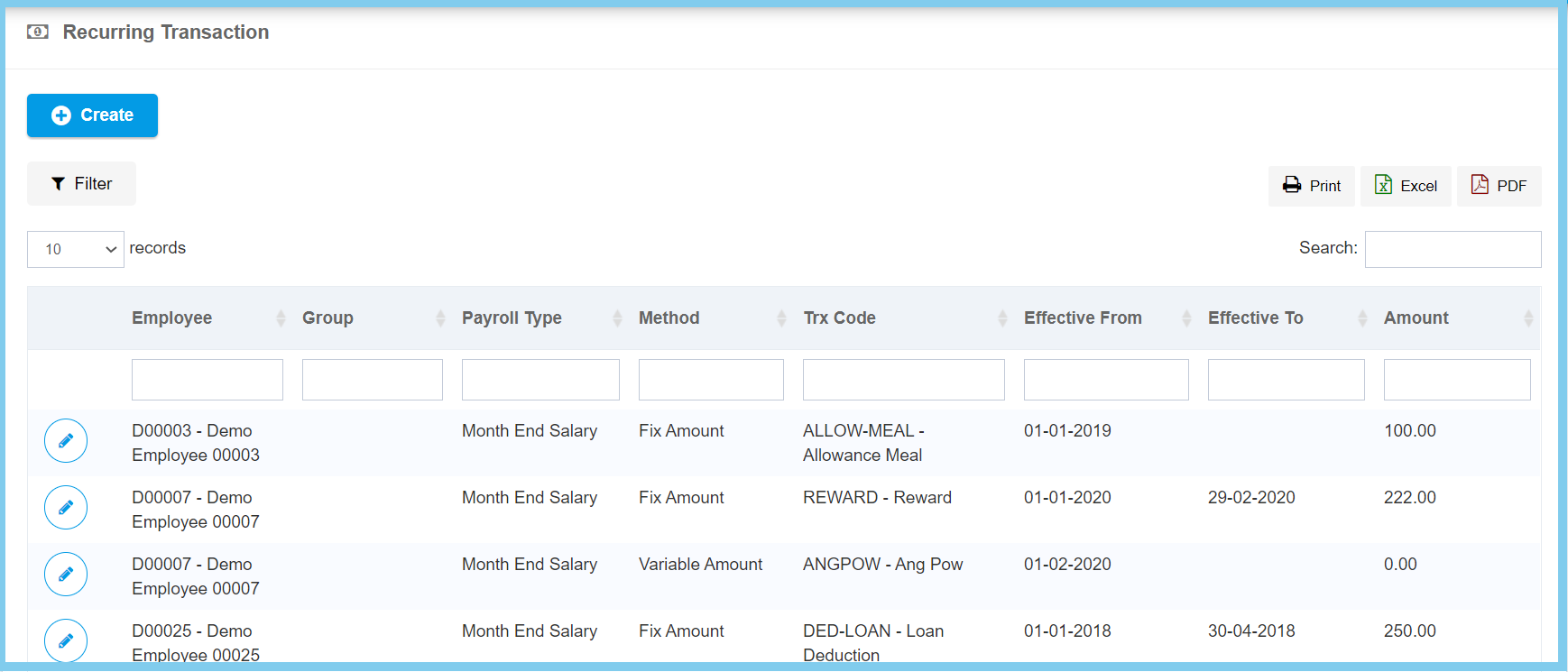
3. Click Create button.
4. Fill the form.
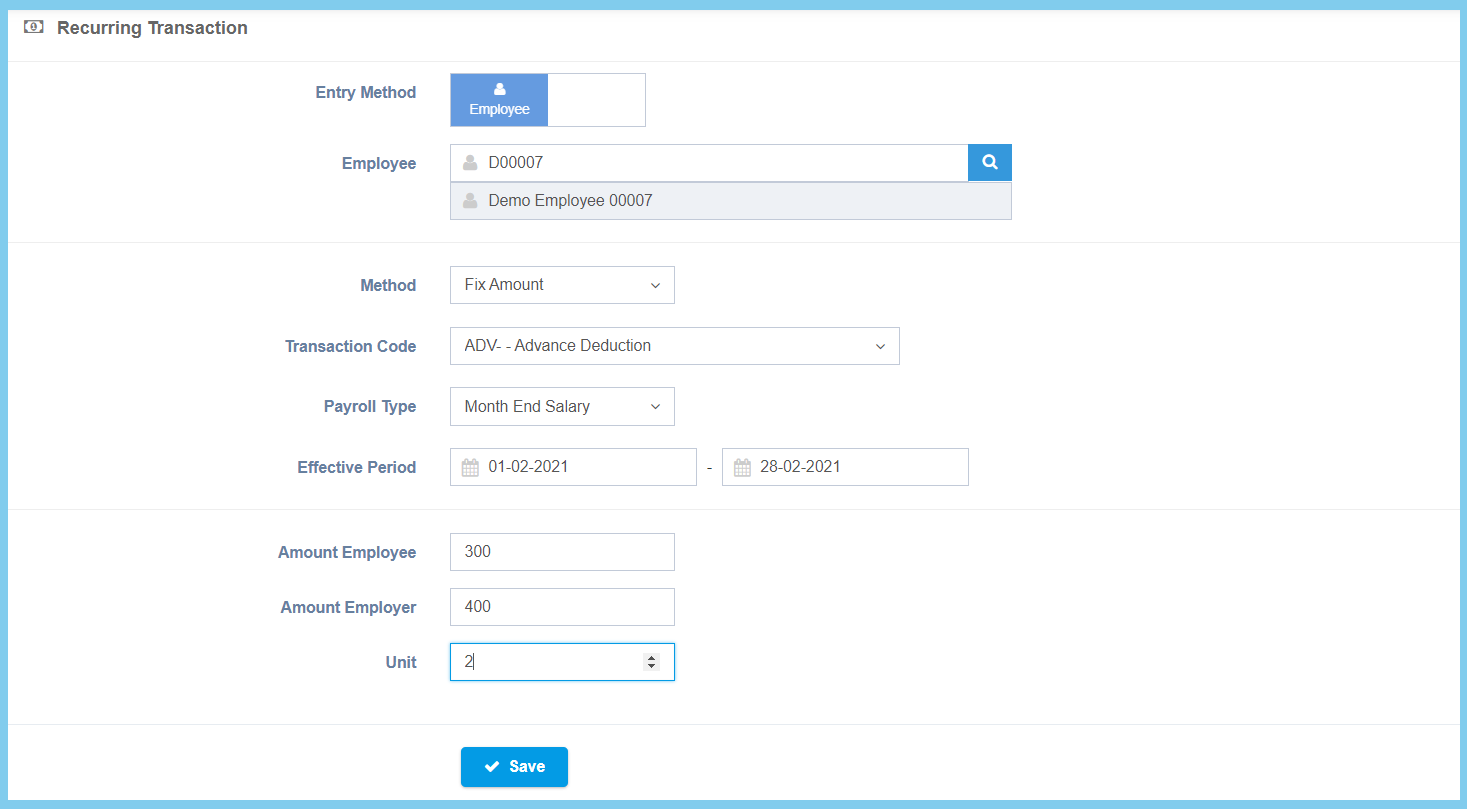
5. Click Save button.
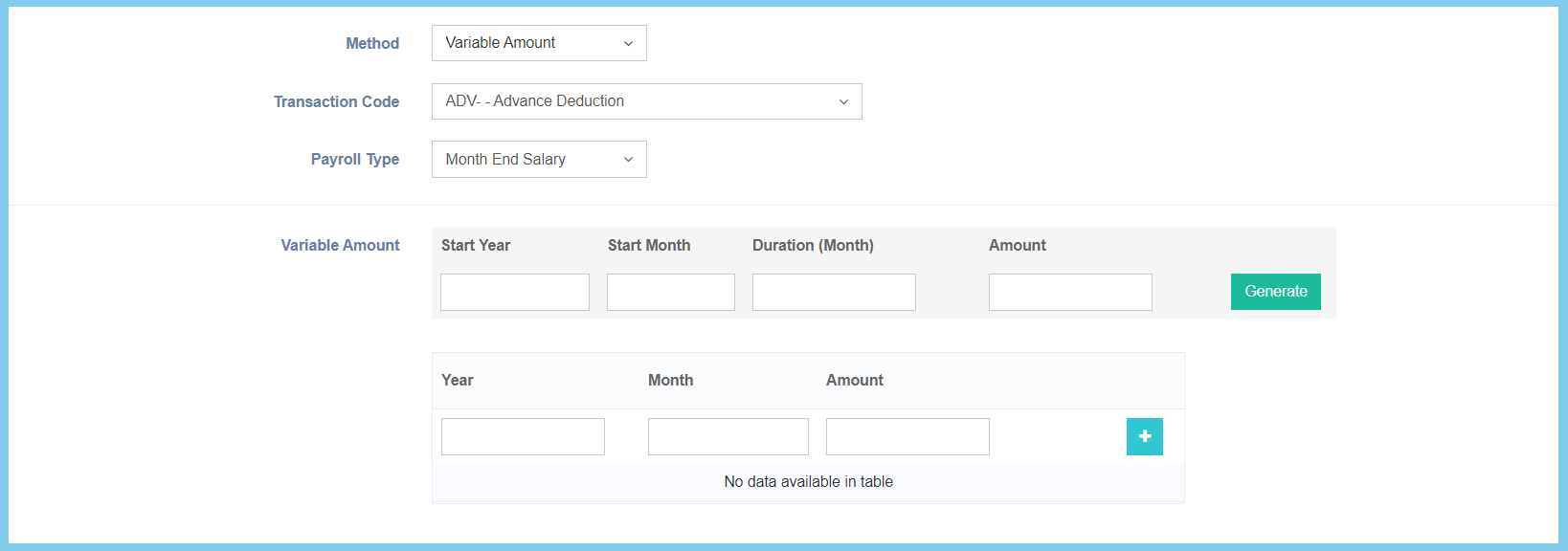
Note: This is for selection of variable amount from method.
Recurring Configuration Option Explanation
| Option | Allowed Values | Description |
|---|---|---|
| Entry Method |
|
Select the entry method for recurring transaction. |
| Employee | Selection from employee | Select the employee for this recurring transaction from option available. |
| Group | Selection from employee group | Select the employee group for this recurring transaction from option available.
Click here to view setup. |
| Method |
|
Select the method for recurring transaction from option available. |
| Transaction Code | Setup from transaction code | Select the transaction code for this recurring transaction from option available.
Click here to view setup. |
| Payroll Type |
|
Select the payroll type for this recurring transaction from option available. |
| Effective Period | Select date from calendar | Select the effective start date and end date for recurring transaction from calendar available. |
| Amount Employee | Any number | Enter the amount of recurring transaction for employee. |
| Amount Employer | Any number | Enter the amount of recurring transaction for employer. |
| Unit | Any number | Enter the unit of the recurring transaction. |
| Start Year | Any number | Enter the start year of the recurring transaction. This configuration will show when the selection of method is Variable Amount. |
| Start Month | Any number | Enter the start month of the recurring transaction. This configuration will show when the selection of method is Variable Amount. |
| Duration (Month) | Any number | Enter the duration in month for the recurring transaction. This configuration will show when the selection of method is Variable Amount. |
| Amount | Any number | Enter the amount of recurring transaction. This configuration will show when the selection of method is Variable Amount. |
