
1. Menu: Click Settings.
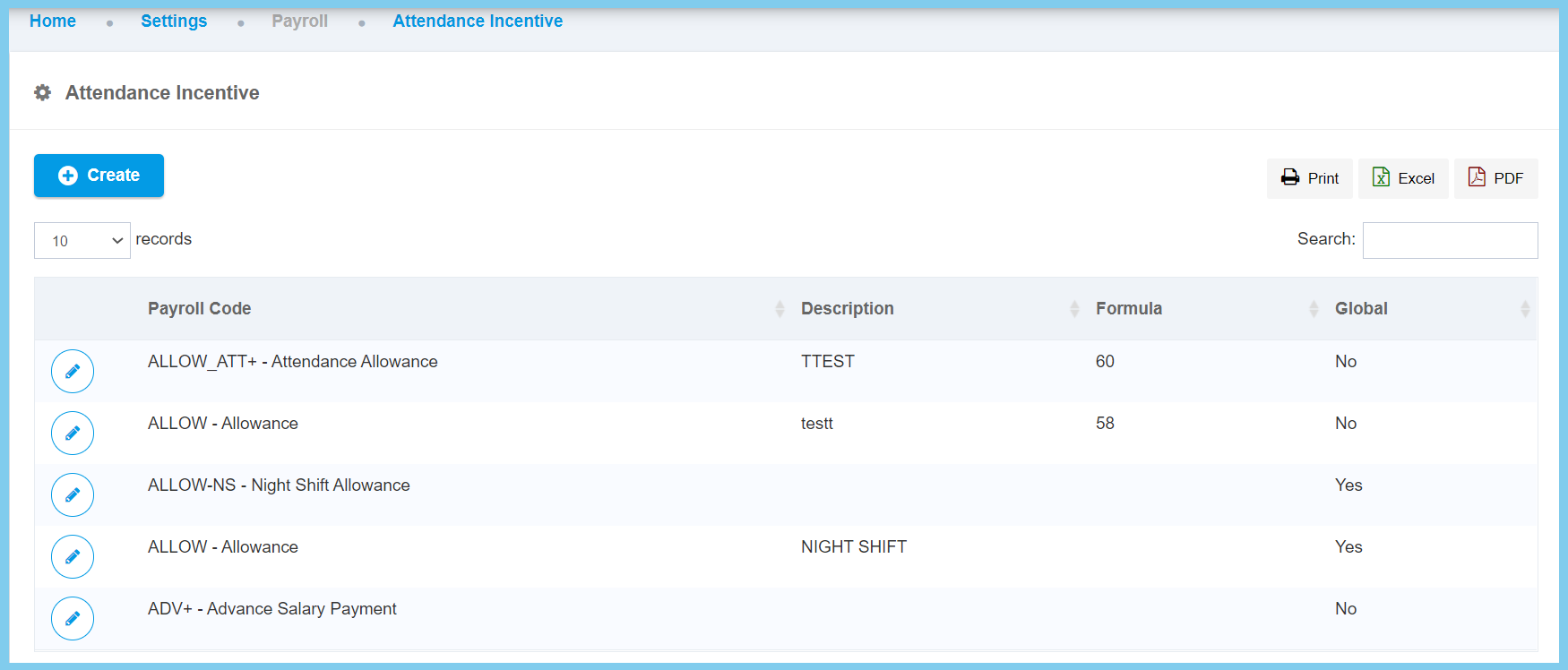
2. Click Attendance Incentive which located under Payroll.

3. Click edit button on which attendance incentive that you wish to edit.
4. Edit the form.
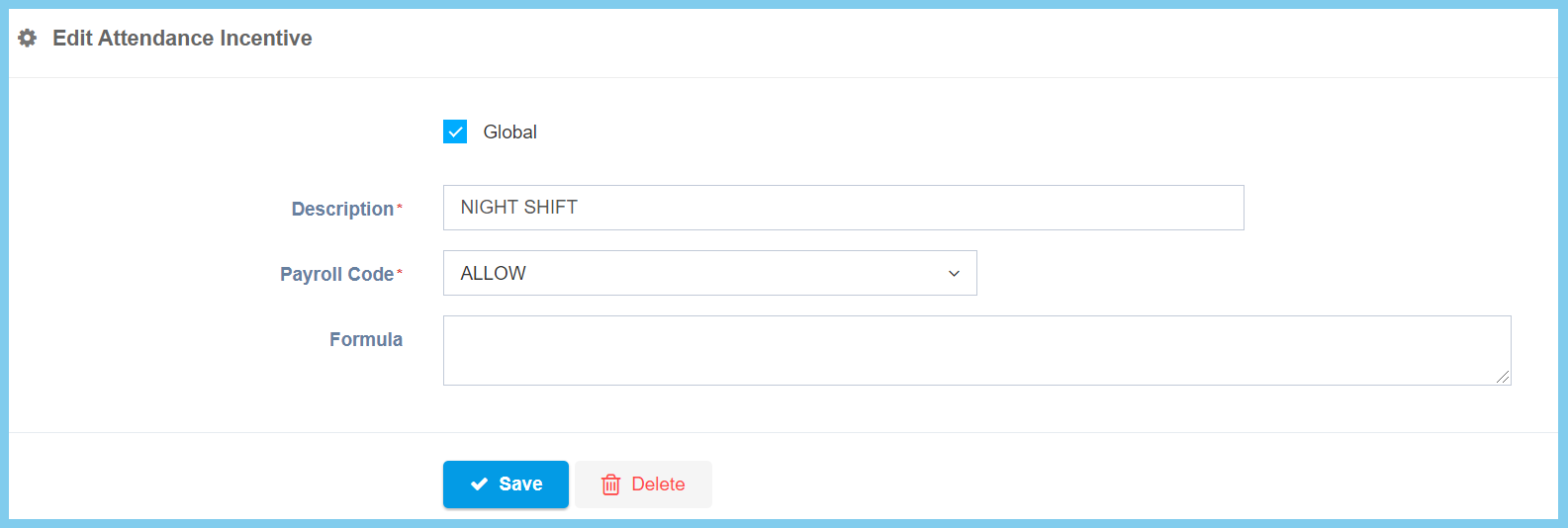
5. Click Save button.
Attendance Incentive Configuration Option Explaination
| Option | Allowed Values | Description |
|---|---|---|
| Global |
|
If global is enabled, the code will be visible from other companies. If not, it can only be used by its own company. |
| Description | Any alphanumeric | Any description about this attendance incentive. |
| Payroll Code | Setup from transaction code | This is the payroll code to be set for payment processing.
Click here to view setup. |
| Formula | Any alphanumeric | This is the formula for processing the payroll calculation when this formula is being chosen.
Refer to formula page. |
