
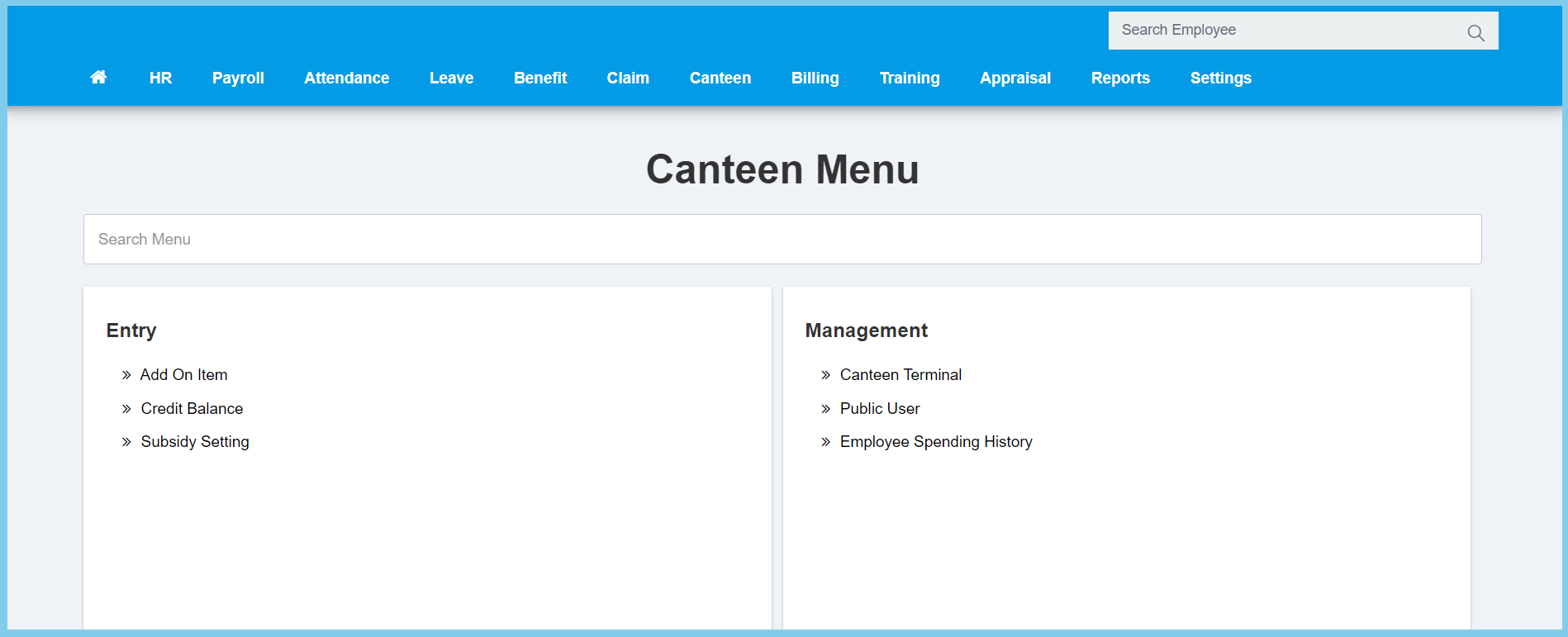
1. Menu: Click Canteen.
2. Click Credit Balance which located under Entry.
3. Complete the form.
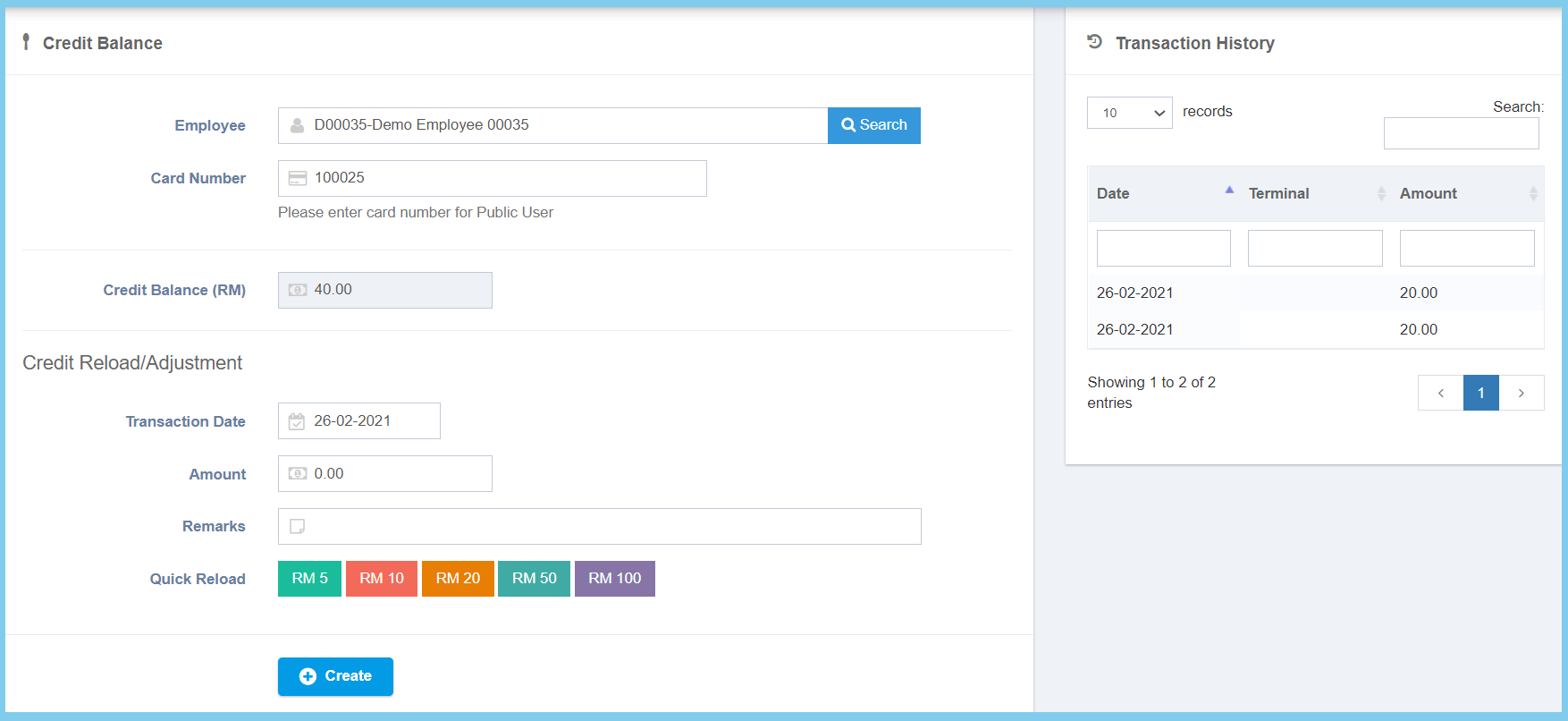
4. Click Create button.
Note: After complete the from, you can straight click on which amount that u wish to reload on Quick Balance. The transaction will show on the right box.
Credit Balance Configuration Option Explanation
| Option | Allowed Values | Description |
|---|---|---|
| Employee | Any alphanumeric | Enter the employee name or number, can select employee from employee list by click on search button. |
| Card Number | Any number | Enter the card number of the employee. It will automatic show the certain employee card number once selected on employee. |
| Credit Balance | Not Specificed | It will automatic show or add the credit balance. |
| Transaction Date | Select date from calendar | Select the date of transaction from calendar available. It will show the current date at first. |
| Amount | Any number | Enter the amount that you wish to reload into employee card. |
| Remarks | Any alphanumeric | Any additional remarks about this transaction. |
