
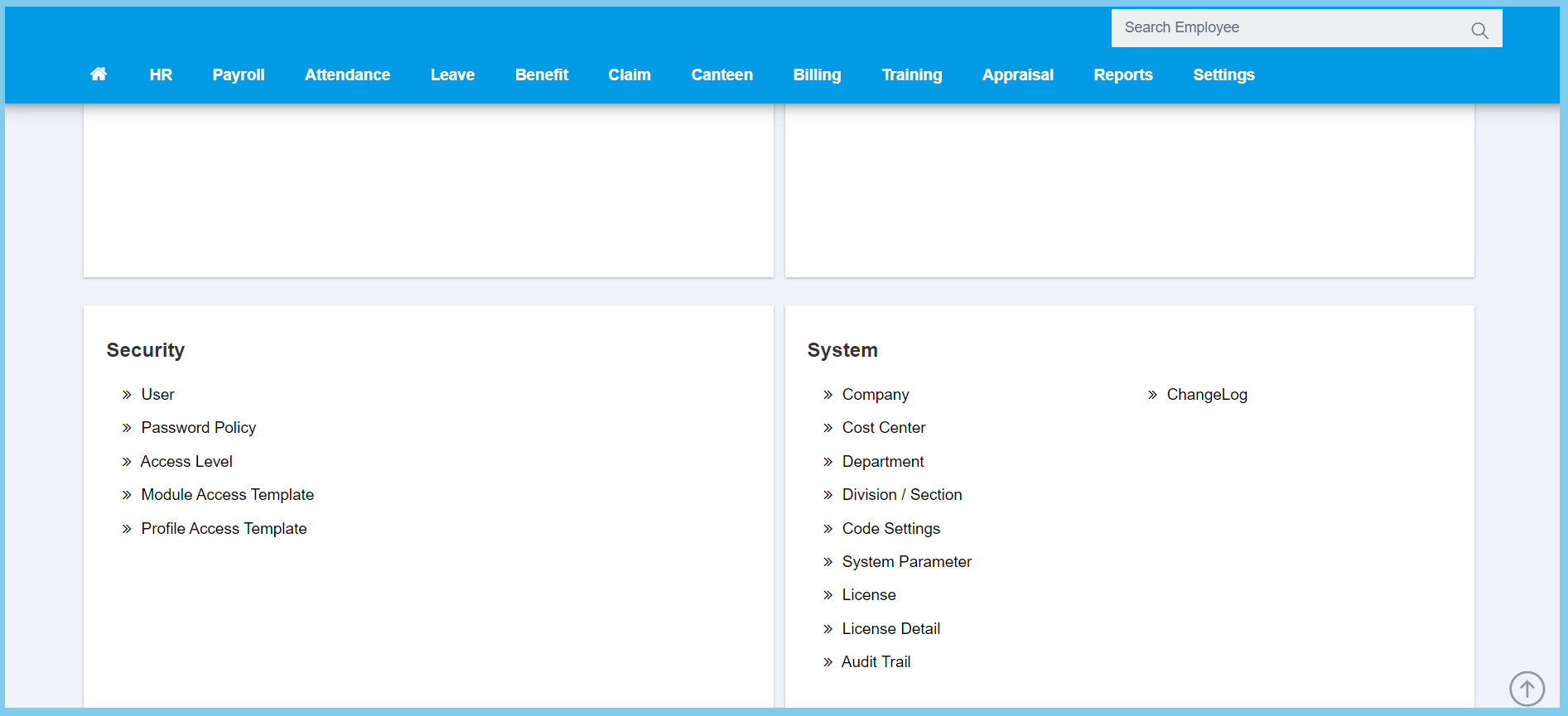
1. Menu: Click Settings.
2. Click Password Policy which located under Security.
3. Edit the Configuration.
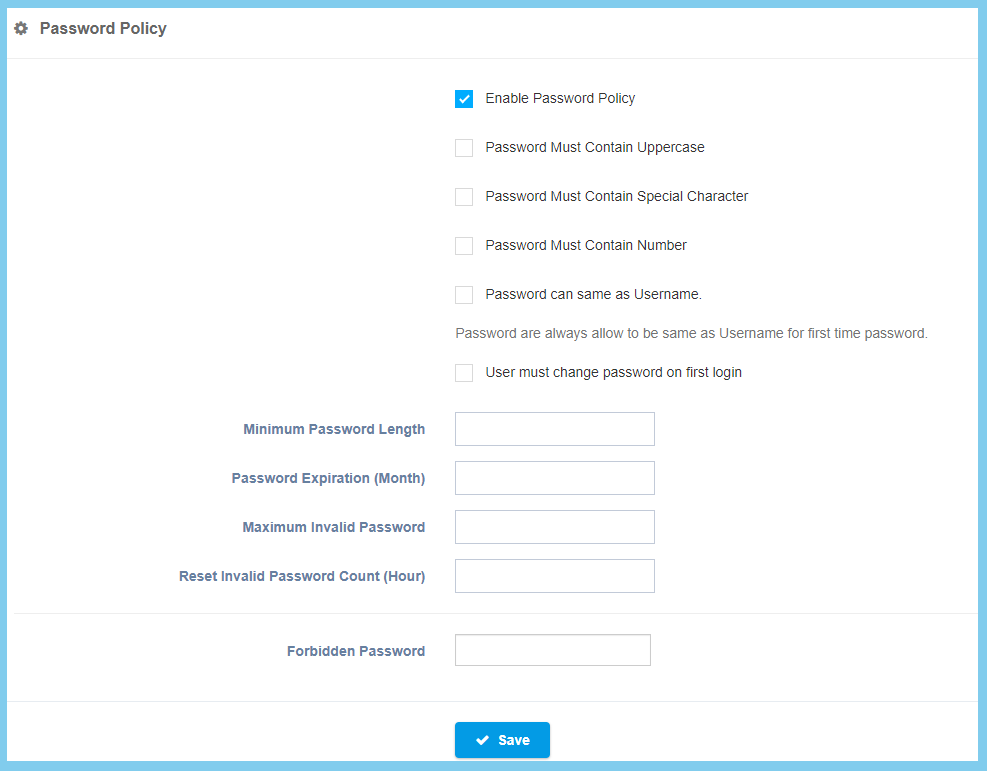
4. Click Save button.
Password Policy Configuration Option Explaination
| Option | Allowed Values | Description |
|---|---|---|
| Enable Password Policy |
|
If enabled, the other option will only show. |
| Password Must Contain Uppercase |
|
If enabled, the password must contain uppercase when setting the password. |
| Password Must Contain Special Character |
|
If enabled, the password must contain special character when setting the password. |
| Password Must Contain Number |
|
If enabled, the password must contain number when setting the password. |
|
If enabled, the password can set as same as username. | |
| User must change password on first login |
|
If enabled, the user must change their password on their first login. |
| Minimum Password Length | Any number | To set the minimum length of password. |
| Password Expiration (Month) | Any number | To set the expiration password by month. |
| Maximum Invalid Password | Any number | To set the maximum times of entering invalid password. |
| Reset Invalid Password Count (Hour) | Any number | To set the reset invalid password count by hour. |
| Forbidden Password | Any alphanumeric | To set the forbidden password. |
