1. Edit Employee Profile.
2. Click Payroll.
3. Update the form.
4. Click Save button.
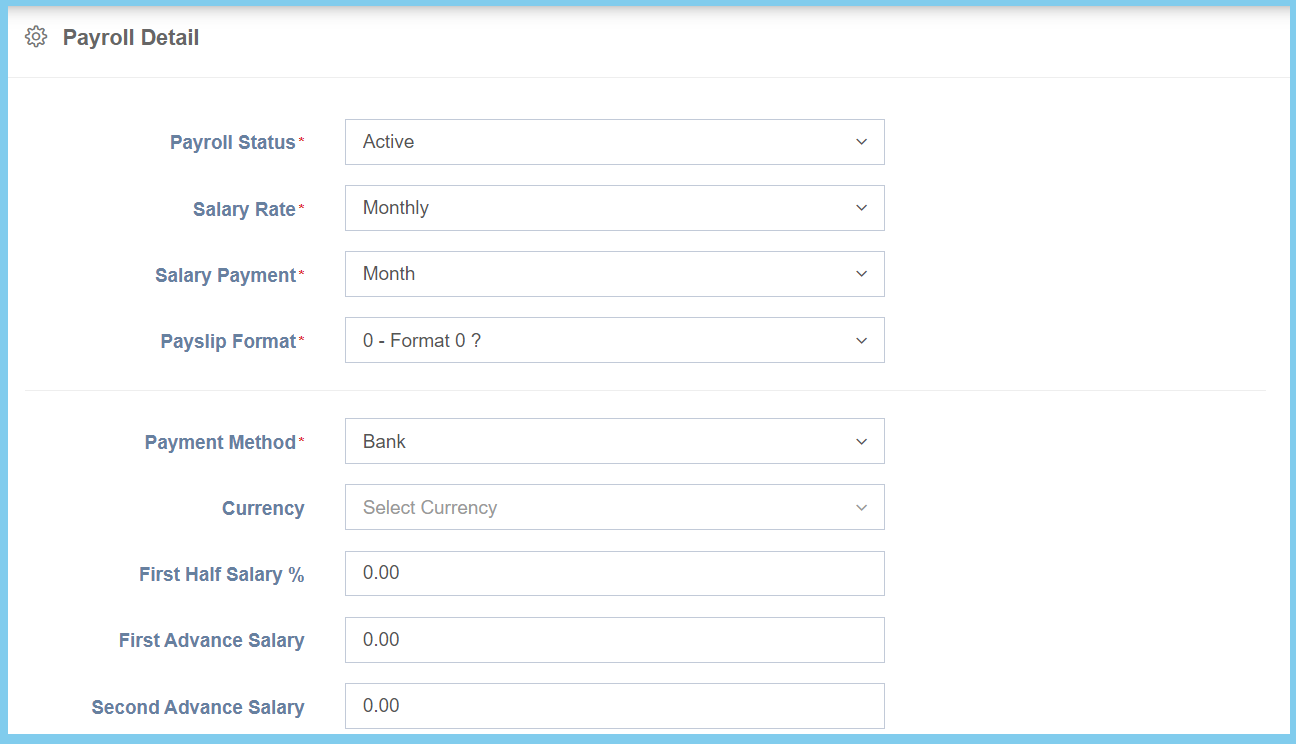
Payroll Configuration Option Explaination
| Option | Allowed Values | Description |
|---|---|---|
| Payroll Status |
|
Select the payroll status from option available. |
| Salary Rate |
|
Select the salary rate from option available. |
| Salary Payment |
|
Select the salary payment method from option available. |
| Payslip Format |
|
Select the payslip format from option available. |
| Payment Method |
|
Select the salary payment method from option available. |
| Currency | Setup from currency code | Select the currency of the salary from option available.
Click here to view setup. |
| First Half Salary% | Any number | Enter the percentage of the first half salary. |
| First Advance Salary | Any number | Enter the amount of first advance salary. |
| Second Advance Salary | Any number | Enter the amount of second advance salary. |
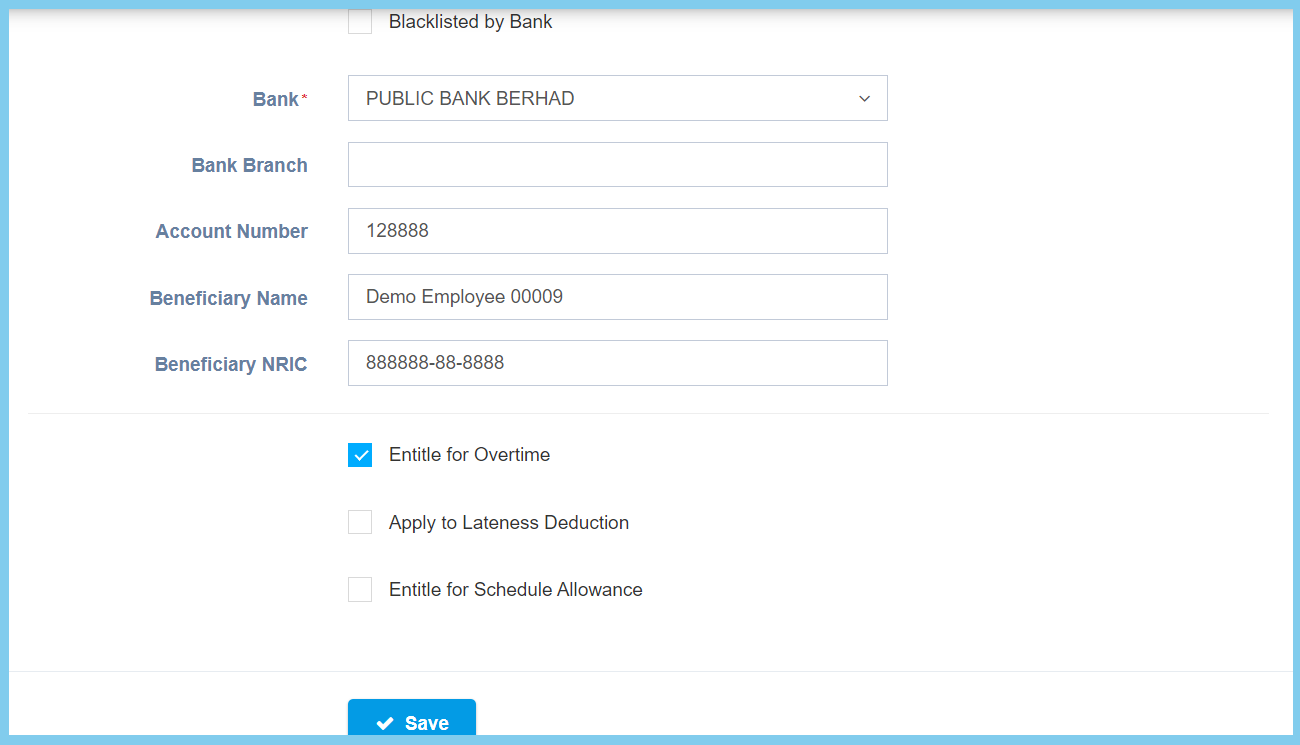
| Option | Allowed Values | Description |
|---|---|---|
| Backlisted by Bank |
|
Ticked when the bank account is blacklisted by bank. |
| Bank | Selection from bank | Select the bank for the bank account. |
| Bank Branch | Any alphanumeric | Enter the bank branch for the bank account. |
| Account Number | Any number | Enter the valid bank account number. |
| Beneficiary Name | Any alphanumeric | Enter the beneficiary name for the bank account. |
| Beneficiary NRIC | Any number | Enter the valid beneficiary IC number. |
| Entitle for Overtime |
|
If enabled, the employee is entitle for overtime. This will affect to time sheet. |
| Apply to Lateness Deduction |
|
If enabled, the lateness deduction will show in time sheet, but will not transfer into payroll. |
| Entitle Schedule Allowance |
|
If enabled, it will entitle allowance according to schedule. This will affect to time sheet. |